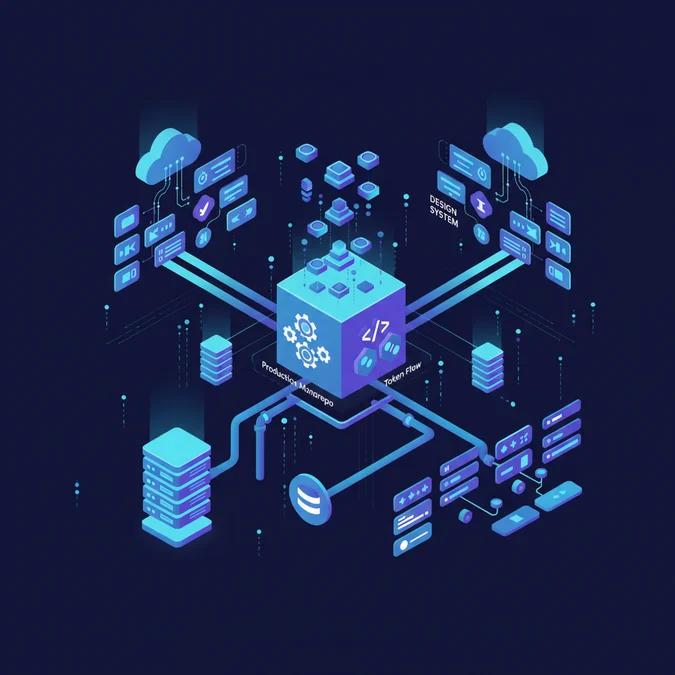

A production design system fails when Figma design files and shipping client applications drift out of synchronization. When engineering teams manually transcribe vector coordinates, color hex values, and layout constraints into CSS or mobile structs, visual regressions and accessibility defects are inevitable. Eliminating this friction requires replacing siloed UI kits with automated, pipeline-driven design infrastructure.
Building a resilient foundation requires evaluating the top tools for design systems based on programmatic interoperability, headless token automation, and git-native governance. Rather than relying on legacy plugins or isolated asset managers, modern infrastructure treats design values as structured, machine-readable code distributed seamlessly across platforms.
This architectural guide breaks down the core software layers powering scalable enterprise UI architectures in 2026, comparing leading token engines, component sandboxes, automated testing matrices, and documentation environments.
The Five Architectural Layers of Modern Design System Tools
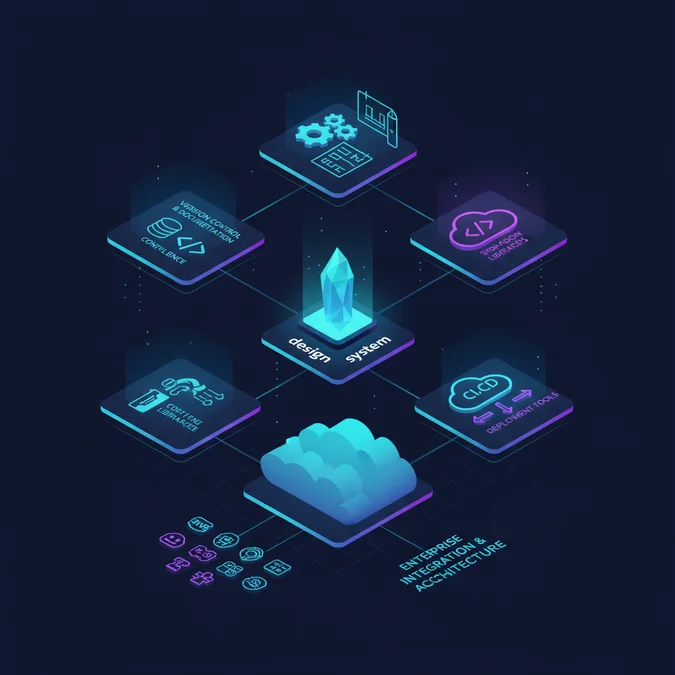
Enterprise frontend architecture no longer relies on a single monolithic design system manager. Instead, high-velocity engineering organizations decouple the toolchain into five distinct, composable layers. This decoupling ensures that changes in authoring tools do not dictate the structure of production build targets.
+-----------------------------------------------------------------------+
| 1. Token Engine: DTCG Spec, Style Dictionary, Tokens Studio |
+-----------------------------------------------------------------------+
 |
 v
+-----------------------------------------------------------------------+
| 2. Authoring Environment: Figma Variables, Relume, Penpot |
+-----------------------------------------------------------------------+
 |
 v
+-----------------------------------------------------------------------+
| 3. Isolated Development: Storybook, Ladle, React Cosmos |
+-----------------------------------------------------------------------+
 |
 v
+-----------------------------------------------------------------------+
| 4. Governance & Visual CI: Chromatic, Playwright, Axe-core |
+-----------------------------------------------------------------------+
 |
 v
+-----------------------------------------------------------------------+
| 5. Documentation & Distribution: Supernova, zeroheight, npm/Artifactory|
+-----------------------------------------------------------------------+
Selecting the top tools for design systems requires matching technologies directly to these discrete pipeline boundaries:
- Token Engine Layer: Acts as the single source of truth for semantic design tokens (colors, typography, spatial scales, transition timings) formatted per the Design Tokens Community Group (DTCG) specification.
- Authoring Layer: Vector and component design tools used by product designers, integrated with bi-directional git or API webhooks.
- Development Sandbox: Isolated component development environments where UI primitives are engineered across multiple states without backend runtime dependencies.
- Governance and Testing Layer: Automated visual regression, accessibility (a11y) linters, and headless unit test runners executing on pull request branches.
- Documentation and Distribution: Unified web portals that render live runtime components, parse automated changelogs, and publish versioned package registry artifacts.
Architectural Note: Never allow an authoring tool like Figma to act as your operational source of truth. Figma files represent transient UI states. Production source of truth must strictly reside in a version-controlled git repository containing normalized token JSON and declarative component code.
When auditing design system tools, ensure that your prospective platform choices satisfy the following core criteria:
- Strict support for DTCG-compliant nested token objects
- Zero manual copy-paste handoff steps between design files and repositories
- Native integration with existing git-based pull request review workflows
- Sub-second hot-module reloading within local component workbenches
- Multi-brand theme support across Web, iOS, and Android build targets
Token Pipelines and Management: Moving Beyond Manual Syncing
Historically, teams relied on manual exports and ad-hoc spreadsheets to sync tokens. Modern design system management tools treat tokens as compiled software artifacts. When a designer modifies a semantic color alias in Figma, that update must trigger a headless transformation pipeline that validates, builds, and pushes pull requests across target client repositories.
The standard architectural pipeline executes through four automated phases:
- Token Extraction: Figma Variables and design tokens are extracted programmatically via the Figma REST API or the Tokens Studio plugin, serializing properties into raw DTCG-compliant JSON format.
- Validation and Linting: The generated JSON is pushed to a central tokens repository where GitHub Actions run schemas against Stylelint, custom Ajv schemas, and WCAG contrast checks.
- Transformation: Build engines such as Style Dictionary compile source tokens into target runtime artifacts: CSS custom properties, SCSS variables, Tailwind theme configurations, Swift structs, and Kotlin Compose objects.
- Automated Distribution: Webhooks publish new versioned packages to private npm registries, Swift Package Manager indices, and Maven repositories, while opening automated pull requests against consuming application repositories.
Below is an example of a normalized DTCG-compliant JSON token file structure handling base and semantic layers for light and dark modes:
{
 "color": {
 "base": {
 "blue": {
 "500": {
 "$value": "#0284c7",
 "$type": "color",
 "$description": "Foundational base blue swatch"
 }
 },
 "slate": {
 "900": {
 "$value": "#0f172a",
 "$type": "color"
 }
 }
 },
 "semantic": {
 "surface": {
 "primary": {
 "$value": "{color.base.slate.900}",
 "$type": "color",
 "$extensions": {
 "mode": {
 "light": "#ffffff",
 "dark": "{color.base.slate.900}"
 }
 }
 }
 },
 "interactive": {
 "action": {
 "$value": "{color.base.blue.500}",
 "$type": "color"
 }
 }
 }
 }
}
Using automated pipelines prevents discrepancies between design intent and code implementation, decoupling brand expression from core application logic.
Enterprise Design System Manager Platforms: Feature and Workflow Evaluation
Managing hundreds of components across multi-tenant enterprise architectures requires specialized orchestration. Dedicated design system manager solutions centralize governance, linking assets, code components, and team access permissions into a synchronized dashboard.
The evaluation matrix below benchmarks leading enterprise management platforms across criteria that impact long-term maintenance costs and technical scalability:
| Platform | Multi-Brand Theming | DTCG Token Support | Git Sync Direction | AI / MCP Integration | Best Architectural Fit |
|---|---|---|---|---|---|
| Supernova | Native (Modes & Multi-Tier) | Full / Native | Bi-directional (GitHub/GitLab) | Yes (Token/Doc Context) | Complex multi-brand enterprise platforms |
| zeroheight | Advanced (Style Guides) | Supported via sync plugins | One-way (Repo to Docs) | Emerging via APIs | Cross-functional design-heavy teams |
| Knapsack | Native Dynamic Slicing | Full / Native | Bi-directional (Direct PRs) | Custom Agent Hooks | Deep full-stack enterprise web ecosystems |
| Storybook Hub / Chromatic | Via Storybook Viewports/Themes | Transform dependent | Bi-directional via Git | Storybook Addon APIs | Pure frontend development teams |
Selecting an enterprise platform requires verifying that it supports your governance policies without adding operational overhead:
- Atomic Versioning: Does the platform allow independent component versioning, or does it enforce a single monolithic release cadence?
- Security and Identity: Does the platform provide SAML/SSO integration, granular role-based access control (RBAC), and SOC2 Type II audit compliance?
- Branching and Staging: Can feature teams preview design token mutations in ephemeral pull request environments before merging to the production branch?
- Telemetry and Adoption Metrics: Does the system report which production applications are consuming outdated or deprecated component variants?
Top Design System Documentation Tools for Multi-Platform Consistency
Static documentation sites fail because they drift from code within weeks of deployment. Leading design system documentation tools maintain zero drift by rendering production components straight from source repositories alongside dynamic vector specifications from Figma.
When developers inspect a component in the documentation portal, they should observe the live, compiled custom element or React component, complete with editable interactive props, accessibility audit badges, and platform-specific code snippets.
| Documentation Engine | Component Runtime Rendering | Codebase Integration | Maintenance Overhead | Strengths & Trade-offs |
|---|---|---|---|---|
| Supernova Docs | Live React, Vue, Web Components | Direct Git sync via Exporters | Low (automated token updates) | High enterprise governance, steep initial configuration curve |
| zeroheight | Live Embeds + React sandboxes | Storybook & GitHub Embeds | Low (visual WYSIWYG) | Friendly to non-engineers, limited low-level CI script customization |
| Storybook Docs (Autodocs) | Native framework components | Direct repo co-location | Medium (maintained in code) | Zero drift, purely developer-centric, minimal non-technical editing |
| Docusaurus / Nextra | React / MDX | Native repo co-location | High (manual doc engineering) | Maximum architectural control, high engineering overhead to maintain |
Production Best Practice: Avoid writing static Markdown tables for component API documentation. Use automated Docgen parsers (such as
react-docgen-typescript) inside your documentation pipeline. These tools extract prop types, default values, and JSDoc annotations directly from TypeScript interfaces during the build step.
CI/CD Pipeline Integration: Style Dictionary and Automated Component Builds
Style Dictionary remains the industry-standard compiler for converting cross-platform design tokens into production-ready software packages. Rather than hardcoding CSS variables, teams configure automated build targets across multiple platforms using custom transform groups.
Below is a production-ready Style Dictionary configuration script demonstrating a multi-format build pipeline compatible with Style Dictionary Version 4:
import StyleDictionary from 'style-dictionary';
import { register } from '@tokens-studio/sd-transforms';

// Register modern token format transforms
register(StyleDictionary);

const sd = new StyleDictionary({
 source: ['tokens/**/*.json'],
 platforms: {
 css: {
 transformGroup: 'tokens-studio',
 transforms: ['name/kebab'],
 buildPath: 'dist/web/css/',
 files: [
 {
 destination: 'variables.css',
 format: 'css/variables',
 options: {
 outputReferences: true,
 },
 },
 ],
 },
 android: {
 transformGroup: 'tokens-studio',
 transforms: ['name/camel'],
 buildPath: 'dist/android/',
 files: [
 {
 destination: 'ColorTokens.kt',
 format: 'compose/object',
 options: {
 className: 'ColorTokens',
 packageName: 'com.enterprise.designsystem.tokens',
 },
 },
 ],
 },
 ios: {
 transformGroup: 'tokens-studio',
 transforms: ['name/camel'],
 buildPath: 'dist/ios/',
 files: [
 {
 destination: 'DesignTokens.swift',
 format: 'ios-swift/struct.swift',
 options: {
 structName: 'DesignTokens',
 },
 },
 ],
 },
 },
});

await sd.buildAllPlatforms();
console.log('Design tokens successfully transformed for Web, Android, and iOS.');
Token Optimization: Always configure
outputReferences: truefor CSS targets. This preserves the semantic alias hierarchy in compiled CSS custom properties (e.g.--color-action: var(--color-blue-500)), allowing runtime theme switching without recalculating the entire property graph.
Agentic AI and Model Context Protocol in 2026 Toolchains
A critical shift in modern front-end tooling is the direct consumption of design systems by autonomous coding agents. Instead of engineers manually reviewing design specs, developer agents (such as Claude, Cursor, and GitHub Copilot) construct new product interfaces directly from design system primitives.
To prevent AI models from hallucinating non-standard spacing, arbitrary colors, or obsolete component variants, modern teams expose design tokens and component props via the Model Context Protocol (MCP). An MCP design system server allows LLMs to query valid component contracts in real time.
import { Server } from '@modelcontextprotocol/sdk/server/index.js';
import { StdioServerTransport } from '@modelcontextprotocol/sdk/server/stdio.js';
import { CallToolRequestSchema, ListToolsRequestSchema } from '@modelcontextprotocol/sdk/types.js';
import fs from 'node:fs/promises';

const server = new Server(
 { name: 'design-system-mcp', version: '2.0.0' },
 { capabilities: { tools: {} } }
);

server.setRequestHandler(ListToolsRequestSchema, async () => ({
 tools: [
 {
 name: 'get_design_token',
 description: 'Retrieve current validated token value by path',
 inputSchema: {
 type: 'object',
 properties: {
 tokenPath: { type: 'string', description: 'Semantic path, e.g. color.semantic.surface.primary' },
 },
 required: ['tokenPath'],
 },
 },
 ],
}));

server.setRequestHandler(CallToolRequestSchema, async (request) => {
 if (request.params.name === 'get_design_token') {
 const tokens = JSON.parse(await fs.readFile('./dist/tokens.json', 'utf-8'));
 const path = request.params.arguments?tokenPath as string;
 const resolvedValue = path.split('.').reduce((acc, part) => acc?[part], tokens);
 return {
 content: [{ type: 'text', text: JSON.stringify(resolvedValue || { error: 'Token not found' }) }],
 };
 }
 throw new Error('Tool not implemented');
});

const transport = new StdioServerTransport();
await server.connect(transport);
Integrating your design system with AI toolchains requires establishing strict guardrails:
- Expose machine-readable component catalogs in standard JSON schemas
- Index component prop definitions and accessibility guidelines inside local vector embeddings or MCP servers
- Implement continuous integration linters that reject generated code containing arbitrary hex values or unapproved layout primitives
- Enforce automated visual regression gates on all agent-generated pull requests before production deployment
Factors That Affect Development Cost
- Team seat count across design and engineering disciplines
- Multi-brand and dynamic theming tier complexity
- Dedicated visual regression rendering concurrency limits
- Enterprise single sign-on (SSO) and SOC2 compliance add-ons
Pricing varies significantly based on seat counts, multi-brand needs, and enterprise compliance requirements.
Frequently Asked Questions
What are the essential design system tools for enterprise frontend teams?
An enterprise design system stack requires Figma for tokenized authoring, Style Dictionary for automated token transformation, Storybook for isolated component engineering, Chromatic for visual regression testing, and Supernova or zeroheight for unified documentation connected directly to GitHub repositories.
How do design system management tools handle multi-brand tokens?
Modern design system management tools separate global base tokens from semantic and theme-specific tiers. Using automated CI/CD webhooks, updates trigger transformation engines that export discrete CSS variables, Android XML, or Swift structs per brand, preventing cross-brand runtime pollution.
Why did dedicated design system manager plugins decline in favor of automated pipelines?
Proprietary design system manager plugins created vendor lock-in and required manual synchronization. Teams now prefer automated git-backed pipelines where headless token engines and CI/CD actions treat design tokens as version-controlled code, eliminating sync drift between design files and repositories.
What features distinguish modern design system documentation tools?
Top design system documentation tools render live, editable code sandboxes alongside Figma component frames. They support two-way git syncing, automated changelog generation from semantic commit histories, and API integration for feeding system contexts directly to AI developer assistants.
A production design system is an enterprise software pipeline, not a static vector UI kit. By architecting a decoupled stack that connects token engines, isolated development environments, visual testing suites, and documentation portals, engineering organizations eliminate synchronization drift and accelerate UI delivery.
As frontend infrastructure evolves to support autonomous developer agents and programmatic multi-platform distribution, selecting interoperable, git-backed tools ensures your design system scales reliably for years to come.
Need Engineering Guidance for Your Production Stack?
Evaluate architecture trade-offs, scalability limits, and implementation feasibility with experienced systems engineers.