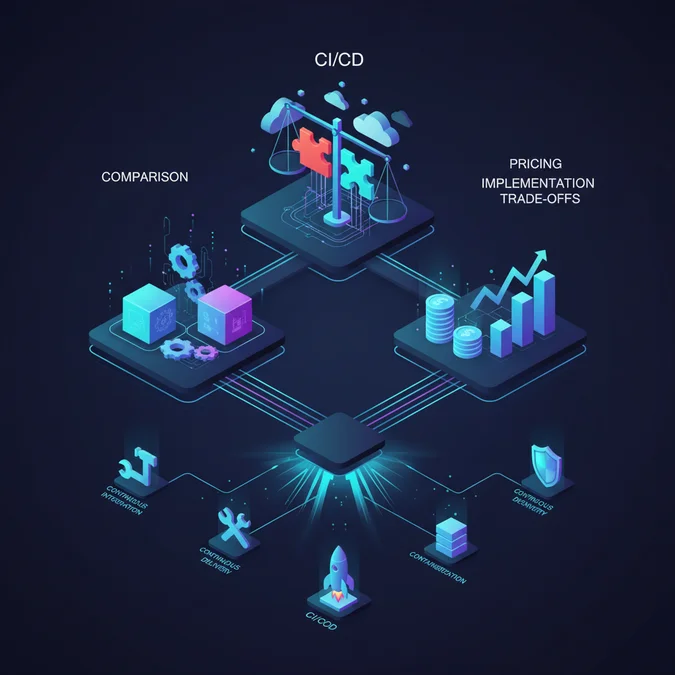

Dedicated tools for CI and CD are critical for modern software development, automating the entire software delivery lifecycle from code integration to deployment. These platforms reduce manual errors, accelerate release cycles, improve code quality through continuous testing, and foster collaboration, ultimately leading to faster, more reliable software delivery and competitive advantage.
The landscape of Continuous Integration and Continuous Delivery tools is vast and constantly evolving, presenting both opportunities and challenges for engineering teams. Selecting the optimal solution requires a deep understanding of each tool’s core capabilities, architectural implications, and commercial considerations. This article provides a practitioner’s guide to navigating these complexities, offering detailed comparisons, practical implementation insights, and a framework for strategic decision-making.
We will dissect leading platforms, analyze their feature sets, integration ecosystems, and real-world use cases. Furthermore, we will explore the critical trade-offs between self-hosted and SaaS solutions, delve into pricing models and support structures, and equip you with a robust vendor vetting process to ensure your investment aligns perfectly with your organizational goals and technical requirements.
Understanding CI/CD: Why Tools Are Essential
Continuous Integration (CI) and Continuous Delivery (CD) represent fundamental shifts in software development methodology, emphasizing automation, speed, and reliability. CI involves frequently merging code changes into a central repository, followed by automated builds and tests to detect integration errors early. CD extends this by ensuring that code is always in a deployable state, often leading to Continuous Deployment, where every change passing automated tests is automatically released to production.
The sheer volume of tasks involved in these processes, from compiling code and running unit tests to packaging applications and deploying them across various environments, makes manual execution impractical and error-prone. This is precisely where dedicated tools for CI and CD become indispensable. They orchestrate complex workflows, manage dependencies, and provide feedback loops that are crucial for maintaining a rapid development cadence.
Callout: Effective CI/CD tools automate repetitive tasks, enforce consistent processes, and provide immediate feedback, significantly reducing time-to-market and improving software quality. Without them, scaling modern development practices is nearly impossible.
Beyond mere automation, these tools provide a centralized hub for monitoring pipeline health, tracking changes, and collaborating across development, operations, and quality assurance teams. They facilitate a culture of continuous improvement by making bottlenecks visible and enabling data-driven optimization of the delivery pipeline. From small startups to large enterprises, the adoption of robust CI/CD tools is a hallmark of high-performing engineering organizations.
Moreover, the right tools enable advanced practices like canary deployments, blue/green deployments, and feature flagging, allowing for safer and more controlled releases. They integrate seamlessly with version control systems, artifact repositories, and cloud providers, forming the backbone of a modern DevOps ecosystem. Understanding their fundamental role is the first step toward selecting the right platform for your organization.
Choosing Your CI/CD Platform: Key Features and Criteria
Selecting the optimal ci cd platform is a strategic decision that impacts development velocity, operational efficiency, and overall software quality. A thorough evaluation goes beyond basic automation capabilities, considering how the platform aligns with your team’s size, technical stack, security requirements, and long-term scaling needs. Here are the critical features and criteria to consider:
- Integration Capabilities: The platform must integrate seamlessly with your existing toolchain: version control systems (Git, SVN), artifact repositories (Nexus, Artifactory), cloud providers (AWS, Azure, GCP), container registries (Docker Hub, ECR), and communication tools (Slack, Teams). Robust API support is essential for custom integrations.
- Scalability and Performance: Can the platform handle increasing build volumes, concurrent pipelines, and larger codebases without degradation? Consider agent elasticity, distributed build capabilities, and caching mechanisms.
- Ease of Use and Configuration: A user-friendly interface, intuitive pipeline definition (e.g., YAML-based configuration), and clear documentation reduce the learning curve and accelerate adoption.
- Security Features: Look for robust access control (RBAC), secret management, vulnerability scanning integration, and compliance certifications. The ability to isolate build environments is also crucial.
- Extensibility and Customization: Support for custom scripts, plugins, and webhooks allows tailoring the platform to unique project requirements and workflows.
- Reporting and Analytics: Comprehensive dashboards, build history, test results visualization, and deployment metrics provide valuable insights into pipeline health and performance.
- Deployment Strategies: Support for various deployment patterns like blue/green, canary, rolling updates, and immutable deployments is vital for advanced release management.
- Community and Support: A vibrant community provides resources and quick answers, while vendor support is critical for enterprise-grade stability and issue resolution.
- Cost-Effectiveness: Evaluate not just the licensing fees, but also operational overhead, maintenance costs, and potential for resource optimization.
By systematically evaluating these criteria, organizations can identify a CI/CD platform that not only meets their immediate needs but also supports future growth and evolving technical landscapes.
Leading CI/CD Pipeline Tools: Features, Integrations, and Use Cases
The market offers a diverse range of ci cd pipeline tools, each with its strengths, ideal use cases, and ecosystem. Understanding these differences is key to making an informed choice. Below is a comparative overview of some of the leading platforms, highlighting their unique selling points.
| Tool | Key Features | Primary Integrations | Ideal Use Cases | Example Pipeline Snippet (GitHub Actions) |
|---|---|---|---|---|
| Jenkins | Highly extensible via plugins (2000+), open-source, self-hosted, Groovy DSL for pipelines (Jenkinsfile). | GitHub, GitLab, Bitbucket, Docker, Kubernetes, AWS, Azure, GCP, Maven, Gradle. | Complex, highly customized pipelines; on-premise deployments; large enterprises with specific security/compliance needs; teams comfortable with self-management. |
|
| GitLab CI/CD | Built-in, single application for entire DevOps lifecycle, YAML-based configuration (.gitlab-ci.yml), robust for GitOps. | GitLab (native), Kubernetes, Docker, AWS, Azure, GCP, Jira, Slack. | Teams seeking a unified DevOps platform; projects heavily leveraging Git; open-source projects; small to medium-sized teams. |
|
| GitHub Actions | Event-driven workflows, YAML-based, extensive marketplace of actions, native to GitHub. | GitHub (native), Docker, Kubernetes, AWS, Azure, GCP, various third-party actions. | Projects hosted on GitHub; open-source projects; teams needing rapid setup and cloud-native integration; serverless deployments. |
|
| CircleCI | Cloud-native, fast builds, parallelization, orb registry for reusable configurations, strong Docker support. | GitHub, Bitbucket, Docker, Kubernetes, AWS, Azure, GCP, Slack. | Cloud-first teams; projects requiring rapid feedback loops; microservices architectures; continuous delivery focus. |
|
| Azure DevOps Pipelines | Comprehensive suite (Boards, Repos, Pipelines, Test Plans, Artifacts), multi-language support, hosted agents. | Azure (native), GitHub, Bitbucket, Jenkins, SonarQube, various extensions. | Microsoft-centric ecosystems; enterprise environments; hybrid cloud deployments; teams requiring integrated project management. |
|
Each of these tools offers a robust set of features, but their optimal application depends heavily on your specific context. For instance, Jenkins provides unparalleled flexibility at the cost of higher maintenance, while GitHub Actions and GitLab CI/CD offer integrated, cloud-native experiences with less overhead. The choice often boils down to existing infrastructure, team expertise, and desired level of control versus convenience.
Architectural Trade-offs and Practical Implementation for CI/CD Tools
Implementing CI/CD tools effectively involves critical architectural decisions that impact scalability, security, and operational overhead. The primary trade-off often revolves around self-hosted solutions versus SaaS (Software as a Service) offerings. Each approach presents distinct advantages and disadvantages:
| Feature | Self-Hosted (e.g., Jenkins on EC2) | SaaS (e.g., GitHub Actions, CircleCI) |
|---|---|---|
| Control & Customization | Full control over infrastructure, security, and plugins. High customization. | Less control over underlying infrastructure. Customization limited to platform features/integrations. |
| Maintenance & Operations | High operational overhead: patching, upgrades, scaling agents, backups, security hardening. | Minimal operational overhead: vendor manages infrastructure, security, and updates. |
| Cost Model | Infrastructure costs (VMs, storage), personnel costs for maintenance. Potentially lower direct software cost. | Subscription-based, often tiered by usage (build minutes, concurrent jobs, users). Predictable operational cost. |
| Security & Compliance | Responsible for all security aspects. Easier to meet specific internal compliance. | Relies on vendor’s security posture and compliance certifications. Shared responsibility model. |
| Scalability | Requires manual or automated scaling of build agents/servers. Complex to manage. | Elastic scaling managed by the vendor. Typically highly scalable out-of-the-box. |
| Initial Setup | Significant setup time and expertise required. | Rapid setup, often requiring only repository connection and pipeline definition. |
For organizations with strict regulatory requirements or unique infrastructure needs, a self-hosted solution might be preferred, despite the increased operational burden. Conversely, teams prioritizing rapid development, minimal infrastructure management, and predictable costs often lean towards SaaS platforms.
Practical implementation also involves considerations like agent management. Build agents are the workhorses that execute pipeline steps. For self-hosted solutions, managing a fleet of agents, ensuring they have the necessary dependencies and resources, is a continuous task. In SaaS environments, agents are often provided and managed by the vendor, simplifying operations but potentially limiting specialized environments.
Security Implications: Regardless of the chosen model, securing your CI/CD pipeline is paramount. This includes:
- Secret Management: Never hardcode credentials. Use built-in secret management features (e.g., GitHub Secrets, GitLab CI/CD variables, Azure Key Vault integration) or dedicated secrets managers (HashiCorp Vault).
- Least Privilege: Grant build agents and pipeline steps only the minimum necessary permissions to perform their tasks.
- Network Isolation: Isolate build environments from sensitive production networks where possible.
- Code Scanning: Integrate static application security testing (SAST) and dynamic application security testing (DAST) tools into your pipeline to identify vulnerabilities early.
- Image Scanning: Scan container images for known vulnerabilities before deployment.
Here’s an example of how to use secrets in a GitHub Actions workflow:
name: Deploy to Production
on: push
  branches:
    - main
jobs:
  deploy:
    runs-on: ubuntu-latest
    steps:
    - uses: actions/checkout@v3
    - name: Deploy application
      env:
        AWS_ACCESS_KEY_ID: ${{ secrets.AWS_ACCESS_KEY_ID }}
        AWS_SECRET_ACCESS_KEY: ${{ secrets.AWS_SECRET_ACCESS_KEY }}
        DB_PASSWORD: ${{ secrets.DB_PASSWORD }}
      run: |
        echo "Deploying with securely managed credentials..."
        aws s3 sync ./build s3://my-production-bucket
        # Further deployment steps using DB_PASSWORD
This snippet demonstrates retrieving sensitive credentials from GitHub’s secret store, ensuring they are not exposed in the codebase. Adhering to these best practices is crucial for maintaining a secure and reliable software delivery pipeline.
CI/CD Tool Pricing Models, Support, and Vendor Vetting
Understanding the commercial aspects of CI/CD tools is as crucial as evaluating their technical capabilities. Pricing models vary significantly, as do the levels of support and the overall vendor ecosystem. A strategic approach to these factors ensures not only a cost-effective solution but also a reliable partnership.
Pricing Models
CI/CD tool pricing generally falls into a few common models:
| Pricing Model | Description | Pros | Cons | Example Tools |
|---|---|---|---|---|
| Per User/Seat | Charges based on the number of active users or seats in the platform. | Predictable for stable team sizes, encourages collaboration. | Can become expensive for large organizations with many infrequent users. | GitLab (Enterprise), Azure DevOps |
| Per Build Minute/Compute Unit | Charges based on the actual time spent running pipelines or the compute resources consumed. | Highly scalable, pay-as-you-go, cost-effective for low-usage teams. | Costs can be unpredictable with high build volumes or inefficient pipelines. | GitHub Actions, CircleCI, AWS CodeBuild |
| Per Concurrent Job/Pipeline | Charges based on the number of pipelines that can run simultaneously. | Ensures consistent feedback loop for developers, scales with demand. | Can be costly if many parallel jobs are required, may require careful resource management. | CircleCI, Jenkins (managed services) |
| Open Source (Self-Managed) | No direct software licensing fees, but incurs infrastructure and operational costs. | Maximum flexibility, no vendor lock-in, free core software. | High operational overhead, requires internal expertise for maintenance and support. | Jenkins, GitLab (Community Edition), Tekton |
Many vendors offer hybrid models, combining per-user fees with build minutes or concurrent job limits. It’s essential to analyze your team’s usage patterns, projected growth, and budget to determine which model is most economical for your specific context.
Support and Service Level Agreements (SLAs)
Beyond the price tag, the quality of vendor support and the robustness of their SLAs are critical for enterprise adoption. Consider:
- Support Tiers: Do they offer 24/7 support? What are the response times for critical issues?
- Dedicated Account Management: For larger organizations, a dedicated contact can streamline communication and issue resolution.
- Training and Documentation: High-quality, up-to-date documentation and training resources accelerate onboarding and problem-solving.
- Community vs. Enterprise Support: Open-source tools often rely on community support, which can be excellent but lacks formal guarantees. Commercial offerings provide structured support contracts.
Vendor Vetting Checklist
To make a comprehensive decision, use this checklist to vet potential CI/CD vendors:
- Does the pricing model align with our budget and expected usage?
- Are there hidden costs (e.g., data transfer, storage, specialized agents)?
- What are the uptime guarantees and disaster recovery plans (SLAs)?
- What security certifications and compliance standards does the vendor meet (e.g., SOC 2, ISO 27001)?
- How responsive and knowledgeable is their technical support team?
- What is their roadmap for future features and integrations?
- Do they offer a trial period or a free tier for evaluation?
- How easy is it to migrate data and pipelines if we decide to switch later?
- What is the vendor’s reputation and financial stability?
- Are there any known limitations or common complaints from existing users?
A thorough vetting process ensures that the chosen CI/CD solution not only fits your technical requirements but also provides long-term value and support for your business operations.
Advanced CI/CD Strategies and Future Trends
The CI/CD landscape is continuously evolving, with new methodologies and technologies emerging to further optimize the software delivery process. Staying abreast of these advanced strategies and future trends is crucial for maintaining a competitive edge and building resilient, scalable systems.
GitOps: The Evolution of CI/CD
GitOps extends CI/CD by using Git as the single source of truth for declarative infrastructure and applications. Instead of direct imperative commands, desired system state is declared in Git, and an automated operator ensures the production environment matches this state. Tools like Argo CD and Flux are central to GitOps implementations, providing continuous reconciliation and drift detection.
Callout: GitOps principles simplify operational tasks, enhance auditability, and improve disaster recovery by treating infrastructure as code and leveraging Git’s versioning capabilities for all changes.
This approach brings significant benefits, including faster deployments, easier rollbacks, and enhanced security through Git-based access controls and immutable infrastructure. It blurs the lines between development and operations, fostering true collaboration.
AI/ML in CI/CD
Artificial Intelligence and Machine Learning are beginning to play a transformative role in CI/CD pipelines, moving beyond simple automation to intelligent optimization. Applications include:
- Predictive Analytics: Identifying potential build failures or performance bottlenecks before they occur, based on historical data.
- Intelligent Test Selection: Using ML to prioritize and select the most relevant tests to run for a given code change, reducing test execution time.
- Automated Root Cause Analysis: Pinpointing the exact commit or configuration change that caused a failure, accelerating debugging.
- Anomaly Detection: Monitoring deployment metrics to detect unusual behavior that might indicate a problem in production.
While still nascent, the integration of AI/ML promises to make CI/CD pipelines more efficient, resilient, and self-healing.
Serverless Pipelines and Event-Driven CI/CD
Serverless computing is impacting CI/CD by enabling highly scalable, cost-effective, and event-driven pipelines. Instead of maintaining dedicated build servers, pipeline steps can be executed as serverless functions (e.g., AWS Lambda, Azure Functions, Google Cloud Functions) triggered by events like code commits or pull requests. This paradigm offers:
- Reduced Operational Overhead: No servers to provision or manage.
- Cost Optimization: Pay only for the compute time consumed during pipeline execution.
- Infinite Scalability: Functions scale automatically to handle peak loads.
This approach is particularly beneficial for organizations leveraging serverless application architectures, creating a coherent serverless-to-serverless delivery model.
As these trends mature, CI/CD tools will continue to evolve, offering even more sophisticated automation, intelligence, and integration capabilities, further solidifying their role as the backbone of modern software engineering.
Factors That Affect Development Cost
- Team size and number of active users
- Volume of build minutes or compute units consumed
- Number of concurrent pipelines or jobs required
- Choice between self-hosted infrastructure and managed SaaS
- Level of support and SLAs desired
- Need for specialized agents or environments
- Additional integrations or marketplace add-ons
Pricing models for CI/CD tools vary widely based on usage, features, and the provider, making direct cost comparisons complex without specific usage data.
Frequently Asked Questions
What is the primary benefit of using dedicated tools for CI and CD?
Dedicated CI/CD tools automate the software delivery process, from code integration to deployment. This automation significantly reduces manual errors, accelerates release cycles, improves code quality through continuous testing, and fosters collaboration among development and operations teams, leading to faster and more reliable software delivery.
How do I choose the best CI/CD platform for a small development team?
For a small team, prioritize a CI/CD platform with ease of setup, good documentation, and a free tier or affordable pricing. Cloud-native solutions like GitHub Actions or GitLab CI/CD are often excellent choices due to their integrated nature, scalability, and lower maintenance overhead compared to self-hosted options.
Can open-source CI/CD pipeline tools be as effective as commercial ones?
Yes, open-source CI/CD pipeline tools like Jenkins, GitLab CI/CD (community edition), or Tekton can be highly effective. They offer extensive customization, a large community for support, and no licensing costs. However, they often require more setup and maintenance effort compared to commercial SaaS offerings, which provide managed services.
The strategic selection and robust implementation of CI/CD tools are foundational to achieving high-performance software delivery. We’ve explored the essential role these tools play in automating and optimizing the development lifecycle, from initial code integration to final deployment. The comparison of leading platforms like Jenkins, GitLab CI/CD, GitHub Actions, CircleCI, and Azure DevOps Pipelines reveals a spectrum of choices, each suited to different organizational needs and technical ecosystems.
Critical architectural trade-offs, such as self-hosted versus SaaS models, demand careful consideration of control, maintenance, cost, and security. Furthermore, a diligent approach to pricing models, support structures, and vendor vetting ensures that your investment yields maximum return. By embracing advanced strategies like GitOps, and keeping an eye on emerging trends such as AI/ML in CI/CD and serverless pipelines, organizations can continuously refine their delivery capabilities. The right CI/CD strategy empowers teams to deliver high-quality software faster, more reliably, and with greater confidence.
NR Studio builds custom web apps, mobile apps, SaaS platforms, and internal tools for growing businesses. If you’re working through a technical decision, feel free to reach out — no commitment required.