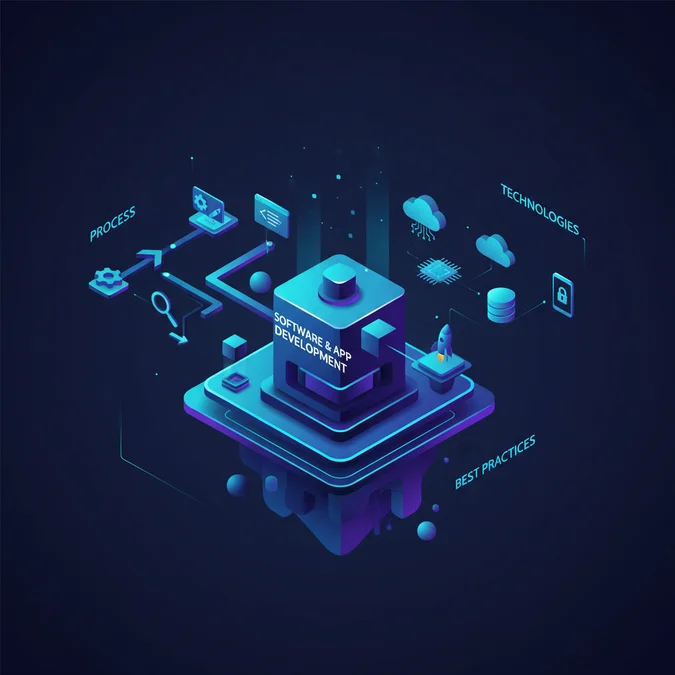

Software and app development is the structured process of conceptualizing, designing, building, deploying, and maintaining digital solutions, ranging from mobile applications to complex enterprise systems. It encompasses the entire lifecycle of creating functional software that addresses specific business needs or consumer demands, driving innovation and digital transformation across industries.
In today’s hyper-connected world, a robust digital presence is non-negotiable. Whether it’s streamlining operations, engaging customers, or launching a new product, custom software and app solutions are the bedrock of competitive advantage. This guide provides an authoritative overview of the entire development landscape, from initial idea to ongoing maintenance.
We will explore the critical stages of the development lifecycle, dissect the architectural trade-offs of various technology stacks, and differentiate between mobile application types. Furthermore, we’ll delve into the essential roles within a development team, strategic planning considerations like cost and partner selection, and the transformative trends shaping the future of software and app development.
Understanding Software and App Development
At its core, software and app development is the engineering discipline focused on creating computer programs or applications. This broad field encompasses everything from simple utility tools to sophisticated operating systems and intricate enterprise resource planning (ERP) systems. For many businesses, the primary focus is on developing custom solutions, often in the form of a mobile dev application, to solve unique challenges or capitalize on market opportunities.
Software and app development is not merely about writing code; it’s a holistic process involving problem identification, solution design, technical implementation, rigorous testing, and continuous iteration. Effective app dev ensures that the final product is not only functional but also secure, scalable, and user-centric, directly contributing to business growth and operational efficiency.
The strategic importance of dedicated app dev cannot be overstated. It enables businesses to automate processes, enhance customer experiences, gather valuable data, and establish new revenue streams. Companies leverage tailored software to gain a competitive edge, differentiate their offerings, and adapt to rapidly changing market demands, making it a critical investment in the digital economy.
The Complete App Development Lifecycle
A structured approach is paramount for successful app dev. The development lifecycle typically follows several distinct, yet often iterative, stages:
- Ideation and Discovery: This initial phase involves defining the core problem, target audience, and key features. It includes market research, competitive analysis, and feasibility studies to validate the concept and establish clear project goals.
- Requirements Gathering and Planning: Detailed functional and non-functional requirements are documented. This stage produces a comprehensive project plan, including scope, timeline, budget, resource allocation, and a technology roadmap.
- UI/UX Design: User Interface (UI) and User Experience (UX) designers create wireframes, mockups, and prototypes. The focus is on intuitive navigation, aesthetic appeal, and an engaging user journey to ensure the app is both easy to use and visually appealing.
- Development and Implementation: This is where the actual coding takes place. Developers build the application’s backend infrastructure (servers, databases, APIs) and frontend interfaces (user-facing components) based on the approved designs and technical specifications.
- Testing and Quality Assurance (QA): Rigorous testing is conducted to identify and rectify bugs, performance issues, and security vulnerabilities. This includes unit testing, integration testing, system testing, user acceptance testing (UAT), and performance testing to ensure the app meets all requirements and functions flawlessly.
- Deployment and Launch: Once thoroughly tested and approved, the application is deployed to production environments, such as app stores (Apple App Store, Google Play Store) or enterprise servers. This involves setting up infrastructure, configuring servers, and preparing for public release.
- Maintenance and Support: Post-launch, ongoing maintenance is crucial. This includes monitoring performance, releasing updates, fixing bugs, adding new features, ensuring compatibility with new OS versions, and providing technical support to users. This continuous improvement cycle is vital for the long-term success of any app dev project.
Each stage contributes significantly to the overall quality and success of the application, emphasizing the need for meticulous planning and execution throughout the app dev journey.
Choosing Your Tech Stack: Architectural Trade-offs for Dev Applications
Selecting the right technology stack is a pivotal decision for any dev application, directly impacting performance, scalability, development speed, and cost. A tech stack comprises programming languages, frameworks, databases, servers, and cloud platforms.
Consider the following common architectural patterns and their associated trade-offs:
| Component Type | Common Technologies | Pros for Dev Application | Cons for Dev Application |
|---|---|---|---|
| Frontend (Web) | React, Angular, Vue.js | Rich UI, component-based, large communities | Steeper learning curve, larger bundle sizes |
| Frontend (Mobile Native) | Swift (iOS), Kotlin (Android) | Optimal performance, full device access, best UX | Platform-specific codebases, higher cost for dual platform |
| Frontend (Mobile Cross-Platform) | React Native, Flutter, Xamarin | Code reusability, faster development, single codebase | Potential performance limitations, limited device access, dependency on framework updates |
| Backend (Server-side) | Node.js (Express), Python (Django, Flask), Java (Spring Boot).NET (C#) | Scalability, diverse ecosystems, robust frameworks | Complexity, resource intensity, specific expertise required |
| Databases | PostgreSQL, MySQL (SQL); MongoDB, Cassandra (NoSQL) | Structured queries, data integrity (SQL); Flexibility, scalability (NoSQL) | Rigid schema (SQL); Eventual consistency, less mature tooling (NoSQL) |
| Cloud Platforms | AWS, Azure, Google Cloud Platform (GCP) | Scalability, global reach, managed services | Cost complexity, vendor lock-in, steep learning curve |
For instance, a real-time chat dev application might benefit from Node.js with a NoSQL database like MongoDB for its event-driven architecture and flexible data model. Conversely, a financial dev application requiring strong transactional integrity would likely opt for Java with a robust SQL database like PostgreSQL.
Here’s a simplified example of backend API routing in Node.js with Express:
const express = require('express');
const app = express();
const PORT = 3000;

app.get('/api/data', (req, res) => {
  res.json({ message: 'Data fetched successfully!' });
});

app.post('/api/data', (req, res) => {
  // Logic to process posted data
  res.status(201).json({ message: 'Data created successfully!' });
});

app.listen(PORT, () => {
  console.log(`Server running on port ${PORT}`);
});
The choice ultimately hinges on the specific project requirements, performance expectations, budget, and the expertise of the development team. Evaluating these trade-offs early in the project lifecycle is crucial for long-term success.
Types of Mobile Applications: Native, Hybrid, and Web
When embarking on app dev, understanding the different types of mobile applications is essential, as each comes with its own set of advantages, disadvantages, and ideal use cases:
| App Type | Description | Advantages for App Dev | Disadvantages for App Dev | Ideal Use Cases |
|---|---|---|---|---|
| Native Apps | Built specifically for a single mobile operating system (iOS or Android) using platform-specific programming languages and tools (e.g., Swift/Kotlin). | Superior performance, access to all device features (GPS, camera, sensors), best UX, offline capabilities. | Higher development cost (separate codebases), longer development time, platform-specific updates. | High-performance games, complex graphics apps, apps requiring extensive device hardware integration. |
| Hybrid Apps | Developed using web technologies (HTML, CSS, JavaScript) and wrapped in a native container (e.g., React Native, Flutter, Xamarin). | Single codebase for multiple platforms, faster development, lower cost, easier maintenance. | Potential performance limitations, limited access to advanced device features, reliance on framework updates. | Business apps, simple utility apps, content-driven apps, MVP (Minimum Viable Product) development. |
| Progressive Web Apps (PWAs) | Web applications that offer an app-like experience directly in a browser. They can be ‘installed’ to the home screen without an app store. | No installation required, cross-platform compatibility, low development cost, SEO benefits, always up-to-date. | Limited access to device hardware, no app store presence, less powerful offline capabilities than native. | E-commerce sites, blogs, news portals, apps requiring broad accessibility without installation friction. |
The choice among native, hybrid, or PWA for your app dev project depends heavily on your specific business goals, target audience, budget constraints, performance requirements, and desired user experience. Each approach offers a distinct balance of reach, performance, and development efficiency.
Key Roles in App Development: The Mobile Developer and Beyond
A successful app development project relies on a cohesive team with diverse skill sets. While the mobile developer is central, several other roles are crucial for bringing a project to fruition:
- Project Manager: Oversees the entire project, ensuring it stays on track, within budget, and meets deadlines. They facilitate communication, manage resources, and mitigate risks.
- Business Analyst: Bridges the gap between business needs and technical solutions. They gather, analyze, and document requirements, ensuring the developed solution aligns with strategic objectives.
- UI/UX Designer: Focuses on the user experience and visual design. UI designers craft the look and feel, while UX designers ensure the app is intuitive, efficient, and enjoyable to use.
- Mobile Developer: This is the core technical role. A mobile developer specializes in writing code for mobile platforms. This can be an iOS Developer (Swift/Objective-C), an Android Developer (Kotlin/Java), or a Cross-Platform Developer (React Native, Flutter, Xamarin). They are responsible for implementing features, integrating APIs, optimizing performance, and ensuring code quality.
- Backend Developer: Builds and maintains the server-side logic, databases, and APIs that power the mobile application. They ensure data is stored, retrieved, and processed efficiently and securely.
- Quality Assurance (QA) Engineer: Tests the application rigorously to identify bugs, performance issues, and usability problems. They ensure the app meets all functional and non-functional requirements before release.
- DevOps Engineer: Automates and optimizes development, testing, and deployment processes. They manage infrastructure, implement CI/CD pipelines, and ensure smooth operations and scalability.
The synergy between these roles is vital. For example, the mobile developer works closely with designers to implement the user interface, with backend developers to integrate APIs, and with QA engineers to resolve reported issues. This collaborative environment ensures a high-quality, fully functional application.
Strategic Planning: Cost, Timeline, and Partner Selection for Software and App Development
Strategic planning is critical for any software and app development initiative. Understanding potential costs, realistic timelines, and how to select the right development partner are paramount for success.
Factors Influencing Cost and Timeline:
The budget and schedule for software and app development are highly variable, influenced by:
- Complexity and Features: A simple app with basic functionality will cost significantly less and take less time than a complex enterprise solution with multiple integrations, custom algorithms, and AI capabilities.
- Platform Scope: Developing for a single platform (iOS or Android) is typically less expensive and faster than building for both, or for web, iOS, and Android simultaneously.
- Design Complexity: Highly customized, animated, or cutting-edge UI/UX designs require more design and development effort.
- Integrations: Connecting with third-party APIs (payment gateways, social media, CRM systems) adds complexity and development time.
- Team Size and Location: Larger teams or teams in regions with higher labor costs will increase expenses.
- Testing and QA: Comprehensive testing, especially for critical applications, requires dedicated time and resources.
- Post-Launch Support: Ongoing maintenance, updates, and feature enhancements are continuous costs.
Selecting a Development Partner for Software and App Development:
Choosing the right partner is a make-or-break decision. Use this checklist:
- Experience and Portfolio: Review their past projects. Do they have experience with similar applications or industries?
- Technical Expertise: Do they possess the specific technical skills and knowledge of the tech stack required for your project?
- Communication and Transparency: Evaluate their communication style, responsiveness, and how they report progress.
- Development Methodology: Do they use Agile, Waterfall, or a hybrid? Agile is often preferred for its flexibility and iterative approach.
- Client References: Speak to their previous clients to gauge satisfaction and project outcomes.
- Support and Maintenance: Understand their post-launch support offerings and maintenance plans.
- Cost Structure: Ensure their pricing model is transparent and aligns with your budget and expectations.
- Intellectual Property (IP) Rights: Clearly define ownership of the developed code and assets in the contract.
| Evaluation Criterion | Questions to Ask | Red Flags |
|---|---|---|
| Experience | Can you show me 3-5 relevant case studies? What was your role in each? | No portfolio, vague project descriptions, inability to discuss technical challenges. |
| Technical Skills | What specific technologies do you specialize in? How do you stay updated? | Lack of depth in required tech, over-reliance on single technology, no continuous learning. |
| Process | Describe your typical development workflow. How do you handle changes in requirements? | Rigid process, no clear change management, lack of testing phases. |
| Communication | How often will we communicate? What tools do you use for project management? | Slow response times, unclear communication channels, resistance to collaboration. |
A thorough selection process for your software and app development partner will lay a strong foundation for a successful project.
Future Trends Shaping Software and App Development
The landscape of software and app development is continuously evolving, driven by rapid technological advancements. Staying abreast of emerging trends is crucial for building future-proof applications and maintaining a competitive edge in app dev.
- Artificial Intelligence (AI) and Machine Learning (ML) Integration: AI and ML are becoming integral to applications, enabling features like personalized recommendations, predictive analytics, natural language processing (NLP), and intelligent automation. This enhances user experience and operational efficiency across various industries.
- Internet of Things (IoT) Connectivity: As more devices become interconnected, app dev is increasingly focused on creating applications that seamlessly interact with IoT ecosystems, from smart homes to industrial sensors, enabling new levels of control and data collection.
- Enhanced Security and Privacy: With growing data breaches and privacy concerns, robust security measures, blockchain for data integrity, and privacy-by-design principles are paramount in all forms of software and app development.
- Serverless Architectures: Serverless computing (e.g., AWS Lambda, Azure Functions) allows developers to build and run applications without managing servers, reducing operational overhead and enabling highly scalable, event-driven architectures.
- Low-Code/No-Code Platforms: These platforms are democratizing app dev by enabling non-technical users to build applications with minimal or no coding, accelerating development cycles for simpler applications and prototypes.
- Augmented Reality (AR) and Virtual Reality (VR): AR/VR technologies are moving beyond gaming, finding applications in training, retail, design, and entertainment, pushing the boundaries of immersive user experiences in mobile and web applications.
- Progressive Web App (PWA) Dominance: PWAs continue to gain traction due to their ability to deliver native app-like experiences through a web browser, offering cost-effectiveness and broad accessibility.
These trends highlight a future where applications are more intelligent, interconnected, secure, and accessible, requiring developers and businesses to adapt and innovate continuously in the realm of software and app development.
Factors That Affect Development Cost
- Project complexity
- Number of features
- Platform scope (iOS, Android, Web)
- UI/UX design intricacy
- Third-party integrations
- Team size and location
- Testing and QA rigor
- Post-launch support and maintenance
The cost for software and app development varies significantly based on project scope and specific requirements, making a universal estimate impractical without detailed specifications.
Frequently Asked Questions
What is the typical timeline for app dev from concept to launch?
The timeline for app development varies significantly based on complexity, features, and team size. A simple app might take 3-6 months, while a complex enterprise-level dev application could span 9-18 months or more, including design, development, testing, and deployment phases.
What skills are essential for a successful mobile developer?
A successful mobile developer needs strong programming skills in languages like Swift/Kotlin, Java, or React Native. They also require problem-solving abilities, UI/UX understanding, knowledge of APIs, database management, and version control. Continuous learning is crucial in this evolving field.
How much does software and app development typically cost?
The cost of software and app development ranges widely, from tens of thousands to millions of dollars. Factors influencing cost include app complexity, features, platform (iOS, Android, web), design intricacy, and the development team’s location and expertise. Custom enterprise solutions are generally more expensive.
What is the difference between a web app and a dev application?
A web app runs in a browser and is accessed via a URL, while a ‘dev application’ (often referring to a native or hybrid mobile app) is installed directly onto a device. Dev applications can access device hardware and often offer better performance and offline capabilities compared to web apps.
The journey of software and app development is a complex yet rewarding endeavor, demanding a blend of technical prowess, strategic foresight, and meticulous execution. From the initial spark of an idea to the ongoing cycle of maintenance and enhancement, each stage requires careful consideration and expert handling to ensure the creation of a truly impactful digital product.
By understanding the complete development lifecycle, making informed decisions about technology stacks and application types, assembling a skilled team, and strategically planning for costs and partnerships, businesses can navigate this landscape with confidence. Embracing future trends will further ensure your solutions remain relevant and competitive.
NR Studio specializes in guiding clients through every facet of this journey, delivering robust, scalable, and user-centric software and app development solutions that drive tangible business value. Partner with us to transform your vision into a successful digital reality.
NR Studio builds custom web apps, mobile apps, SaaS platforms, and internal tools for growing businesses. If you’re working through a technical decision, feel free to reach out — no commitment required.