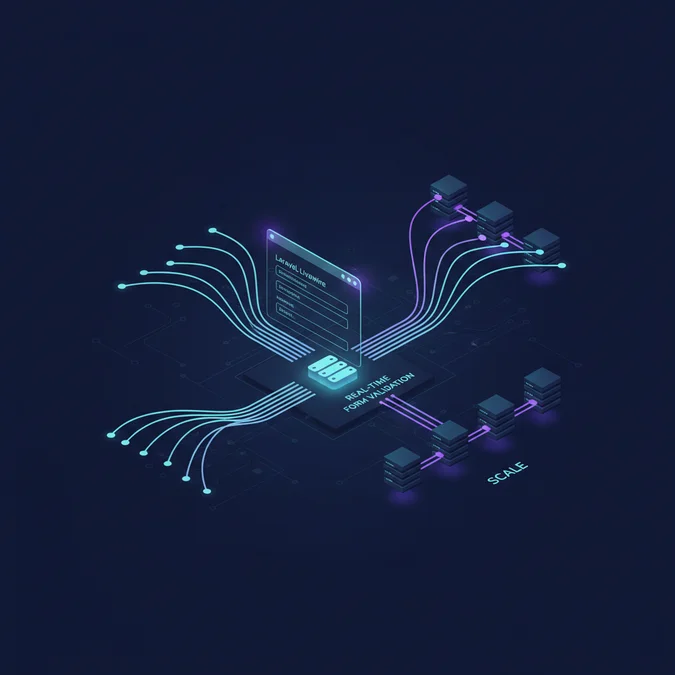

A livewire laravel demo demonstrates how to build dynamic, reactive user interfaces in PHP without writing custom JavaScript plumbing, managing REST endpoints, or configuring complex single-page application toolchains. By handling DOM diffing over standard HTTP payloads, Livewire binds server-side Laravel components directly to front-end blade views.
Engineering teams frequently struggle with the maintenance overhead of modern web applications. Splitting a codebase into a standalone client-side SPA and a backend API doubles schema definitions, complicates state synchronization, and introduces fragile authentication handshakes across domains. Livewire eliminates this split by running component logic entirely within the PHP lifecycle while rendering responsive interfaces in the browser.
Architectural Foundation of Laravel Livewire
A practical livewire laravel demo showcases how modern web applications synchronize state between a browser client and a PHP server without decoupling the UI into a dedicated JavaScript framework. Livewire achieves this by executing initial renders on the server, hydrating the client DOM, and intercepting subsequent user actions via lightweight XHR requests that exchange serialized state and surgical DOM diffs.
Understanding this execution lifecycle is essential for building scalable applications. When a user requests a page containing a Livewire component, Laravel renders the view normally through standard Blade layouts. During this initial boot, Livewire attaches an encrypted snapshot of the public component properties to an HTML attribute on the root element. This snapshot functions as a stateless token containing the component ID, its public property state, and a cryptographic signature that prevents client-side tampering.
The Hydration and Diffing Loop
When an interaction occurs (such as typing into an input or clicking a button bound with wire:click), the Livewire client library pauses standard browser execution to perform the following steps:
- Livewire gathers the encrypted state payload from the component root container along with the interaction payload.
- A standard POST request is dispatched to the internal
/livewire/updateroute containing the current state and requested method call. - Laravel boots the application, verifies the message authentication code (MAC) signature, and rehydrates the PHP component object with the incoming data.
- The server invokes component lifecycle hooks, runs requested actions, executes database queries, and re-renders the Blade template into HTML.
- Livewire computes a virtual diff between the old markup and the newly rendered HTML, serializes the diff along with a fresh state signature, and returns a JSON response.
- The browser-side morphing engine surgically patches only the changed DOM nodes, preserving form focus and active scroll positions.
This execution cycle bypasses traditional API route design while upholding strict backend validation. As outlined in our discussion on software engineering principles, practice, and technical rigor, containing complexity within well-defined structural boundaries dramatically lowers systemic defects.
Environment Setup and Demo Project Initialization
To construct a production-ready demonstration, you must prepare a stable Laravel environment. Livewire version 3 ships with Alpine.js bundled directly into its core asset pipeline, simplifying front-end asset configuration. We begin by initializing a clean project with the required database and asset dependencies.
# Create a new Laravel project
composer create-project laravel/laravel livewire-enterprise-demo
cd livewire-enterprise-demo

# Install Livewire v3
composer require livewire/livewire

# Publish configuration file for runtime customization
php artisan livewire:publish --config

# Initialize database migration state
php artisan migrate
Following package installation, establish your root application layout. Create or update resources/views/components/layouts/app.blade.php to host your Livewire components. In Livewire v3, the framework automatically injects assets, but defining them explicitly within the layout guarantees control over asset loading order:
<DOCTYPE html>
<html lang="{{ str_replace('_', '-', app()->getLocale()) }}">
<head>
 <meta charset="utf-8">
 <meta name="viewport" content="width=device-width, initial-scale=1.0">
 <title>{{ $title? 'Livewire Interactive Demo' }}</title>
 @vite(['resources/css/app.css', 'resources/js/app.js'])
 @livewireStyles
</head>
<body class="bg-slate-50 text-slate-900 antialiased font-sans">
 <main class="container mx-auto px-4 py-8">
 {{ $slot }}
 </main>
 @livewireScripts
</body>
</html>
With the baseline layout established, you can build modular components using the artisan CLI. Running php artisan make:livewire CustomerManagementTable generates both the PHP controller class in app/Livewire/CustomerManagementTable.php and the associated Blade template in resources/views/livewire/customer-management-table.blade.php.
Building a Reactive Data Table Demo Component
A real-time search and filter table represents the canonical use case for demonstrating Livewire’s reactive capabilities. The component manages dynamic querying, sorting, pagination, and inline status updates without full page reloads.
<php

namespace App\Livewire;

use App\Models\Customer;
use Livewire\Component;
use Livewire\WithPagination;
use Illuminate\Contracts\View\View;

class CustomerManagementTable extends Component
{
 use WithPagination;

 // Bound public properties automatically sync with the DOM
 public string $search = '';
 public string $statusFilter = 'all';
 public string $sortField = 'created_at';
 public string $sortDirection = 'desc';

 // Query string binding keeps browser URL updated for sharing
 protected $queryString = [
 'search' => ['except' => ''],
 'statusFilter' => ['except' => 'all'],
 'sortField' => ['except' => 'created_at'],
 'sortDirection' => ['except' => 'desc'],
 ];

 // Reset pagination to page 1 whenever search criteria change
 public function updatingSearch(): void
 {
 $this->resetPage();
 }

 public function updatingStatusFilter(): void
 {
 $this->resetPage();
 }

 public function sortBy(string $field): void
 {
 if ($this->sortField === $field) {
 $this->sortDirection = $this->sortDirection === 'asc'? 'desc': 'asc';
 } else {
 $this->sortField = $field;
 $this->sortDirection = 'asc';
 }
 }

 public function toggleCustomerStatus(int $customerId): void
 {
 $customer = Customer:findOrFail($customerId);
 $customer->update([
 'is_active' => $customer->is_active
 ]);
 }

 public function render(): View
 {
 $customers = Customer:query()
 ->when($this->search, function ($query) {
 $query->where(function ($sub) {
 $sub->where('name', 'like', '%'. $this->search. '%')
 ->orWhere('email', 'like', '%'. $this->search. '%');
 });
 })
 ->when($this->statusFilter!== 'all', function ($query) {
 $query->where('is_active', $this->statusFilter === 'active');
 })
 ->orderBy($this->sortField, $this->sortDirection)
 ->paginate(15);

 return view('livewire.customer-management-table', [
 'customers' => $customers
 ]);
 }
}
In the accompanying Blade file, wire directives create bidirectional bindings. Notice the usage of wire:model.live.debounce.300ms on the search input, which prevents flooding the server on every keystroke:
<div class="bg-white shadow rounded-lg p-6">
 <div class="flex flex-col md:flex-row gap-4 mb-6 justify-between items-center">
 <div class="w-full md:w-1/3">
 <input
 type="text"
 wire:model.live.debounce.300ms="search"
 placeholder="Search by name or email.."
 class="w-full border border-slate-300 rounded-md px-3 py-2 text-sm focus:ring-2 focus:ring-indigo-500"
 />
 </div>
 <div class="w-full md:w-1/4">
 <select
 wire:model.live="statusFilter"
 class="w-full border border-slate-300 rounded-md px-3 py-2 text-sm focus:ring-2 focus:ring-indigo-500"
 >
 <option value="all">All Statuses</option>
 <option value="active">Active Only</option>
 <option value="inactive">Inactive Only</option>
 </select>
 </div>
 </div>

 <table class="min-w-full divide-y divide-slate-200">
 <thead class="bg-slate-50">
 <tr>
 <th wire:click="sortBy('name')" class="cursor-pointer px-4 py-3 text-left text-xs font-medium text-slate-500 uppercase tracking-wider">
 Name {{ $sortField === 'name'? ($sortDirection === 'asc'? '↑': '↓'): '' }}
 </th>
 <th class="px-4 py-3 text-left text-xs font-medium text-slate-500 uppercase tracking-wider">Email</th>
 <th class="px-4 py-3 text-left text-xs font-medium text-slate-500 uppercase tracking-wider">Status</th>
 <th class="px-4 py-3 text-right text-xs font-medium text-slate-500 uppercase tracking-wider">Actions</th>
 </tr>
 </thead>
 <tbody class="divide-y divide-slate-200">
 @forelse($customers as $customer)
 <tr wire:key="customer-{{ $customer->id }}">
 <td class="px-4 py-4 text-sm font-medium text-slate-900">{{ $customer->name }}</td>
 <td class="px-4 py-4 text-sm text-slate-500">{{ $customer->email }}</td>
 <td class="px-4 py-4 text-sm">
 <span class="inline-flex px-2 py-1 text-xs font-semibold rounded-full {{ $customer->is_active? 'bg-green-100 text-green-800': 'bg-red-100 text-red-800' }}">
 {{ $customer->is_active? 'Active': 'Inactive' }}
 </span>
 </td>
 <td class="px-4 py-4 text-sm text-right">
 <button
 wire:click="toggleCustomerStatus({{ $customer->id }})"
 class="text-xs text-indigo-600 hover:text-indigo-900 font-semibold"
 >
 Toggle Status
 </button>
 </td>
 </tr>
 @empty
 <tr>
 <td colspan="4" class="px-4 py-8 text-center text-sm text-slate-500">No records found.</td>
 </tr>
 @endforelse
 </tbody>
 </table>
 <div class="mt-4">
 {{ $customers->links() }}
 </div>
</div>
Implementing key structural tags like wire:key on loop elements is mandatory. Without distinct keys, Livewire’s morph algorithm can misplace DOM state when table rows reorder or delete, leading to UI artifacts or dropped focus.
Real-Time Validation and Complex Form State
Forms require immediate feedback to guide users through multi-step inputs. Livewire provides server-side validation executed in real time as the user navigates between form controls, ensuring the exact same validation rules apply both during user typing and final persistence.
Livewire components support direct rule declaration via PHP 8 attributes. The Validate attribute streamlines rules directly onto the property definition:
<php

namespace App\Livewire;

use App\Models\Customer;
use Livewire\Component;
use Livewire\Attributes\Validate;
use Illuminate\Contracts\View\View;

class CreateCustomerForm extends Component
{
 #[Validate('required|string|min:3|max:100')]
 public string $name = '';

 #[Validate('required|email|unique:customers,email')]
 public string $email = '';

 #[Validate('required|in:tier_1,tier_2,tier_3')]
 public string $tier = 'tier_1';

 #[Validate('accepted')]
 public bool $terms = false;

 // Hook called whenever any property changes
 public function updated(string $propertyName): void
 {
 $this->validateOnly($propertyName);
 }

 public function save(): void
 {
 $validated = $this->validate();
 Customer:create($validated);

 session()->flash('status', 'Customer successfully created.');
 $this->redirect('/customers', navigate: true);
 }

 public function render(): View
 {
 return view('livewire.create-customer-form');
 }
}
In the corresponding view, feedback loops are rendered using Blade error directives. Livewire handles displaying and clearing validation errors instantly without custom JavaScript event handlers:
<form wire:submit="save" class="space-y-4 max-w-lg bg-white p-6 rounded-lg shadow">
 <div>
 <label class="block text-sm font-medium text-slate-700">Full Name</label>
 <input
 type="text"
 wire:model.blur="name"
 class="mt-1 block w-full rounded-md border-slate-300 shadow-sm focus:border-indigo-500 focus:ring-indigo-500 sm:text-sm"
 />
 @error('name') <span class="text-xs text-red-600">{{ $message }}</span> @enderror
 </div>

 <div>
 <label class="block text-sm font-medium text-slate-700">Email Address</label>
 <input
 type="email"
 wire:model.blur="email"
 class="mt-1 block w-full rounded-md border-slate-300 shadow-sm focus:border-indigo-500 focus:ring-indigo-500 sm:text-sm"
 />
 @error('email') <span class="text-xs text-red-600">{{ $message }}</span> @enderror
 </div>

 <div>
 <label class="block text-sm font-medium text-slate-700">Subscription Tier</label>
 <select
 wire:model="tier"
 class="mt-1 block w-full rounded-md border-slate-300 shadow-sm focus:border-indigo-500 focus:ring-indigo-500 sm:text-sm"
 >
 <option value="tier_1">Standard Tier</option>
 <option value="tier_2">Professional Tier</option>
 <option value="tier_3">Enterprise Tier</option>
 </select>
 @error('tier') <span class="text-xs text-red-600">{{ $message }}</span> @enderror
 </div>

 <div class="flex items-center">
 <input
 id="terms"
 type="checkbox"
 wire:model="terms"
 class="h-4 w-4 rounded border-slate-300 text-indigo-600 focus:ring-indigo-500"
 />
 <label for="terms" class="ml-2 block text-sm text-slate-900">Accept terms and conditions</label>
 </div>
 @error('terms') <span class="text-xs text-red-600 block">{{ $message }}</span> @enderror

 <button
 type="submit"
 wire:loading.attr="disabled"
 class="w-full flex justify-center py-2 px-4 border border-transparent rounded-md shadow-sm text-sm font-medium text-white bg-indigo-600 hover:bg-indigo-700 disabled:opacity-50"
 >
 <span wire:loading.remove>Submit Record</span>
 <span wire:loading>Processing Submission..</span>
 </button>
</form>
Using wire:model.blur defers validation until the user leaves the input field. This reduces unnecessary server network round-trips compared to active real-time typing listeners while still providing feedback before the entire form is submitted.
Managing Component Communication and Global Events
Complex dashboards rarely consist of an isolated component. When a record updates in a child modal or form, sibling components like metric indicators, activity feeds, or table views need to refresh their state without reloading the page. Livewire solves this via its cross-component event dispatcher.
Events are dispatched either directly from PHP methods or through client-side Alpine bindings. Consider an activity counter component that needs to update whenever a new customer is registered:
<php

namespace App\Livewire;

use App\Models\Customer;
use Livewire\Component;
use Livewire\Attributes\On;
use Illuminate\Contracts\View\View;

class CustomerMetricsCounter extends Component
{
 public int $totalCustomers = 0;
 public int $activeCustomers = 0;

 public function mount(): void
 {
 $this->loadCounts();
 }

 #[On('customer-created')]
 #[On('customer-deleted')]
 public function loadCounts(): void
 {
 $this->totalCustomers = Customer:count();
 $this->activeCustomers = Customer:where('is_active', true)->count();
 }

 public function render(): View
 {
 return view('livewire.customer-metrics-counter');
 }
}
In the customer creation component, trigger the event upon saving:
public function save(): void
{
 $validated = $this->validate();
 Customer:create($validated);

 // Dispatching the event notifies listening components across the DOM
 $this->dispatch('customer-created');
 $this->reset();
}
When scaling these event systems across microservices or multi-region applications, robust architecture is critical. Structuring asynchronous events effectively aligns with strategies covered in our guide to software development strategy for high-availability cloud platforms.
Performance Bottlenecks and Optimization Techniques
While Livewire accelerates feature delivery, improper architecture can create severe server bottlenecks. Because each component interaction sends an HTTP request that boots the Laravel framework, high interaction volumes can quickly overwhelm database pools and CPU allocations if unoptimized.
The most frequent failure mode involves executing unindexed or unconstrained database queries within the render() method. Reviewing Laravel Eloquent optimization tips helps avoid common pitfalls like the N+1 query problem, which multiplies database load on every single UI update.
Preventing Common Architectural Pitfalls
- Avoid storing Eloquent Collections in public properties: Livewire must serialize every public property into the client payload. Serializing large Eloquent collections inflates network payloads and exposes internal database structures. Keep only primitive IDs or pagination handles in public variables, and execute queries directly within
render(). - Debounce user inputs: Bind text inputs with
wire:model.live.debounce.300msorwire:model.blurto reduce rapid-fire HTTP requests during typing. - Adopt Lazy Loading: For heavy dashboard widgets, use Livewire v3’s lazy loading attribute (
<livewire:analytics-chart lazy />) so initial page renders deliver immediately while heavy components resolve asynchronously.
Comparative Metric: Component Serialization Overhead
| Storage Strategy | Payload Size (100 Rows) | Rehydration Latency | Security Profile |
|---|---|---|---|
| Public Eloquent Collection | 142 KB | 48 ms | Exposes model attributes, high risk |
| Public Array of Primitives | 34 KB | 14 ms | Controlled attributes, medium risk |
| Scoped Query inside Render() | < 2 KB | 4 ms | Fully encapsulated, low risk |
As indicated in the table, delegating data queries to the render() method rather than caching collections inside component state reduces serialized transfer size by over 95%, safeguarding application responsiveness.
Livewire vs Alternative Stacks Architectural Evaluation
Selecting between Livewire and client-side single-page applications (such as Vue or React coupled with Laravel APIs) involves deliberate architectural trade-offs. Neither approach fits every scenario; the choice depends on interaction fidelity, team structure, and offline operational requirements.
| Evaluation Dimension | Laravel Livewire (v3) | Laravel + Inertia (Vue/React) | Decoupled SPA (React/Next.js) |
|---|---|---|---|
| Language Consistency | 100% PHP / Blade | PHP Backend, JS Frontend | Dual Stacks (PHP + JS/TS) |
| API Development Overhead | Zero API maintenance required | Zero API maintenance required | High (OpenAPI, CORS, Auth) |
| Latency Sensitivity | Requires low server latency | Requires low server latency | Client-side offline capable |
| Micro-interaction Control | Moderate (via Alpine.js) | High (Native component state) | Maximum UI autonomy |
| Initial Time-to-Market | Rapid implementation velocity | Moderate implementation velocity | Slower setup and tooling |
Livewire delivers dramatic velocity advantages for internal dashboards, operational portals, and workflow-driven enterprise applications. However, if your application demands offline operations, high-frequency canvas drawing, or complex mobile app code sharing, a decoupled architecture remains preferable.
Security Model and Payload Tampering Prevention
Because Livewire exposes component state to the client DOM, it implements an explicit security layer designed to neutralize client-side parameter tampering, cross-site scripting (XSS), and privilege escalation.
Every network payload dispatched to /livewire/update contains a cryptographically signed snapshot. Laravel signs this snapshot using the application key (APP_KEY). If a malicious user alters an ID or a bound property inside browser dev tools, the backend rejects the request with an InvalidSignatureException.
However, framework-level signing does not replace explicit authorization checks. Developers must enforce role-based access control inside public component methods:
public function deleteCustomer(int $customerId): void
{
 // CRITICAL: Always authorize actions on the server
 $customer = Customer:findOrFail($customerId);
 $this->authorize('delete', $customer);

 $customer->delete();
 $this->dispatch('customer-deleted');
}
Public methods in Livewire are essentially unauthenticated API endpoints unless guarded by authorization gates. Never assume that hiding a button in Blade template markup prevents a client from dispatching the corresponding method call directly through a forged POST payload.
Testing Livewire Components in Continuous Integration
A critical advantage of Livewire is its built-in testing harness. Engineers can test reactive interfaces, simulated user interactions, and event emissions entirely within PHPUnit or Pest without spinning up headless browsers like Chromium or Selenium.
The following example illustrates a Pest test validating search inputs, state updates, and event assertions against our customer component:
<php

use App\Livewire\CustomerManagementTable;
use App\Models\Customer;
use Livewire\Livewire;

it('filters customers correctly by search query', function () {
 Customer:factory()->create(['name' => 'John Doe', 'email' => 'john@example.com']);
 Customer:factory()->create(['name' => 'Jane Smith', 'email' => 'jane@example.com']);

 Livewire:test(CustomerManagementTable:class)
 ->assertSee('John Doe')
 ->assertSee('Jane Smith')
 ->set('search', 'John')
 ->assertSee('John Doe')
 ->assertDontSee('Jane Smith');
});

it('toggles customer activation state', function () {
 $customer = Customer:factory()->create(['is_active' => true]);

 Livewire:test(CustomerManagementTable:class)
 ->call('toggleCustomerStatus', $customer->id)
 ->assertHasNoErrors();

 expect($customer->fresh()->is_active)->toBeFalse();
});
Executing tests in-memory cuts CI execution time from several minutes to a few seconds, facilitating agile feedback cycles. Establishing standardized testing pipelines reflects the rigor championed by the Prog Development Center: architecture, tooling, and engineering workflows.
Migration Strategy from Legacy Blade or Monoliths
Adopting Livewire does not require a complete rewrite of an existing application. Because Livewire runs natively inside Laravel’s Blade engine, engineering teams can adopt an incremental migration path.
Phase 1: Component Isolation
Identify isolated UI boundaries that suffer from excessive page reloads or unwieldy jQuery plugins, such as address selectors, inline edit forms, or notification dropdowns. Convert these elements into standalone Livewire components embedded directly into legacy views using <livewire:component-name />.
Phase 2: Full-Page Components
Once individual dynamic controls are stabilized, upgrade complete views by mapping routes directly to Livewire components in routes/web.php:
// Legacy Blade route
// Route:get('/customers', [CustomerController:class, 'index']);

// Full-page Livewire v3 route
Route:get('/customers', \App\Livewire\CustomerManagementTable:class);
Phase 3: SPA-Like Navigation via Wire Navigate
To eliminate full page reloads across routes, append the wire:navigate directive to layout navigation links:
<nav class="flex gap-4">
 <a href="/dashboard" wire:navigate class="text-slate-600 hover:text-slate-900">Dashboard</a>
 <a href="/customers" wire:navigate class="text-slate-600 hover:text-slate-900">Customers</a>
</nav>
With wire:navigate enabled, Livewire prefetches linked pages on hover and swaps the HTML body seamlessly without reloading JavaScript runtimes or CSS files, delivering a single-page application feel with server-rendered simplicity.
[Explore our complete Laravel, Basics directory for more guides.](/topics/topics-laravel-basics/)
Laravel Livewire provides an efficient paradigm for full-stack developers seeking dynamic user interfaces without the overhead of client-side JavaScript stacks. By unifying state, validation, and rendering within the PHP lifecycle, it reduces architecture duplication while maintaining high development velocity.
When implemented with strict query scoping, input debouncing, and explicit backend authorization gates, Livewire delivers reliable, testable, and maintainable enterprise applications.