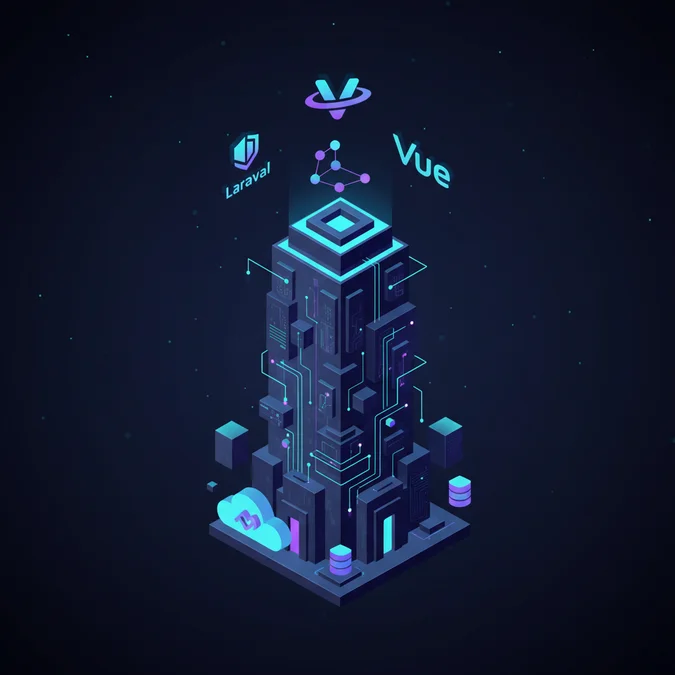

Laravel Inertia Vue is a modern web application stack that combines Laravel as the server-side backend with Vue.js as the dynamic client-side view layer, using Inertia.js as the routing adapter to eliminate client-side APIs while preserving single-page application interactivity.
Think of traditional web application architectures as dining models. A classic server-rendered application resembles a fixed dining room where the kitchen sends out an entirely prepared plate and replaces the entire table setting for every new course. A decoupled Single Page Application (SPA) paired with an API is a grocery delivery service: the server ships raw ingredients over JSON endpoints, and the browser must cook, assemble, and style the meal entirely on its own, introducing complex client-side state machines, duplicated validation logic, and token authentication overhead. The Laravel, Inertia, and Vue stack functions like a dumbwaiter directly connecting the kitchen to the chef table. The backend orchestrates business logic, database queries, and authorization, while the frontend dynamically presents the result without reloading the browser page.
By removing the requirement to build, version, and maintain a dedicated REST or GraphQL API for internal views, this architecture dramatically accelerates delivery speed without forfeiting the reactive, component-driven user experience modern software demands. In the following sections, we examine the network lifecycle, component hydrations, state handling, security boundaries, and enterprise integration patterns that define this modern monolithic approach.
Understanding the Inertia Protocol and Network Lifecycle
The core innovation behind the Laravel, Inertia, and Vue stack is the Inertia protocol, a lightweight contract governing how the browser and the PHP runtime exchange data during page transitions. Rather than returning HTML strings or acting as a stateless JSON API, an Inertia-powered application intercepts standard anchor clicks and form submissions via an internal event listener.
When a user clicks an Inertia-enabled link, the client library prevents the default browser navigation and issues an XMLHttpRequest or fetch request with specialized HTTP headers, notably X-Inertia: true. Upon inspecting this header, the Laravel backend avoids running its full Blade layout rendering pipeline. Instead, it serializes the view payload into a structured JSON response containing the target Vue component name, the component properties (props), the current URL, and an asset version hash.
{
 "component": "Projects/Index",
 "props": {
 "auth": {
 "user": {
 "id": 14,
 "name": "Devon Vance",
 "email": "devon@example.internal"
 }
 },
 "projects": [
 {
 "id": 101,
 "title": "Warehouse Sync Engine",
 "status": "active"
 }
 ]
 },
 "url": "/projects",
 "version": "6b823e27a6c98d63a43fa48a04297fd0"
}
On the browser side, the client-side Inertia adapter receives this payload, looks up the registered Vue page component in its component map, swaps the dynamic component inside the root container, and pushes the new URL into the browser History stack using window.history.pushState(). This workflow yields an instantaneous client-side transition while retaining standard server-side routing paradigms.
Initial Document Hydration
For the initial request (such as a hard reload or typing the URL directly into the address bar), the request arrives without the X-Inertia header. In this scenario, the Laravel middleware returns a standard HTML shell containing a single mounting root element (typically <div id="app" data-page=".."></div>) with the initial JSON payload encoded directly within an HTML attribute. Vue mounts onto this DOM element, boots the application, and sets up client-side interception for all subsequent navigations.
Architectural Topology: Traditional SPA vs Inertia Monolith vs SSR
Selecting an application topology requires balancing engineering complexity, infrastructure footprint, and user experience. Engineering teams evaluating full-stack frameworks frequently compare decoupled Single Page Applications, traditional server-side Blade architectures, and Inertia-driven setups.
A decoupled architecture demands independent deployment pipelines, Cross-Origin Resource Sharing (CORS) configurations, OAuth2 or personal access token state management, and continuous synchronization between TypeScript interfaces and backend database schemas. Conversely, classic server-rendered templates avoid this overhead but introduce jarring full-page refreshes that degrade client-side UX. Inertia occupies a balanced middle ground, functioning as a high-fidelity monolith.
| Architectural Vector | Decoupled SPA (Vue + REST API) | Classic Blade Server Rendering | Laravel + Inertia + Vue |
|---|---|---|---|
| Routing Layer | Client-side (vue-router) + API routes | Server-side (Laravel web.php) | Server-side (Laravel web.php) |
| State Management | Pinia/Vuex + Cache synchronization | Session-based server state | Server props + Local component state |
| Authentication | Sanctum tokens or OAuth2 JWTs | Standard HTTP session cookies | Standard HTTP session cookies |
| Hydration Overhead | High (Boot runtime, fetch API data) | Zero (Raw HTML sent by web server) | Low (Single layout boot, swap components) |
| Deployment Pipeline | Dual (S3/CloudFront + PHP-FPM API) | Single (Nginx + PHP-FPM) | Single (Nginx + PHP-FPM) |
| Schema Sync Cost | High (OpenAPI specs, code generation) | Zero (Direct model binding in views) | Minimal (Direct prop serialization) |
Teams building complex internal software tools often review our analysis of custom software development architecture when assessing whether a unified monolithic stack matches long-term maintenance capacity better than microservices.
Setting Up the Runtime: Vite, Inertia Middleware, and Vue 3 Setup
Bootstrapping a production-ready Laravel, Inertia, and Vue application requires configuring the server package, the client adapter, and the Vite compilation pipeline. Modern Laravel distributions leverage Vite for module bundling, offering near-instant Hot Module Replacement (HMR).
Server-Side Installation
First, install the Inertia server-side adapter via Composer and publish the root middleware:
composer require inertiajs/inertia-laravel
php artisan inertia:middleware
The published middleware, HandleInertiaRequests, must be registered within your application bootstrap file (bootstrap/app.php in modern Laravel distributions). This middleware defines global props passed down to every rendered page, such as flash notifications and authenticated user context.
<php

namespace App\Http\Middleware;

use Illuminate\Http\Request;
use Inertia\Middleware;

class HandleInertiaRequests extends Middleware
{
 protected $rootView = 'app';

 public function version(Request $request):string
 {
 // Automatically invalidate client cache when assets recompile
 return parent:version($request);
 }

 public function share(Request $request): array
 {
 return array_merge(parent:share($request), [
 'auth' => [
 'user' => $request->user()? [
 'id' => $request->user()->id,
 'name' => $request->user()->name,
 'email' => $request->user()->email,
 'permissions' => $request->user()->getAllPermissions()->pluck('name'),
 ]: null,
 ],
 'flash' => [
 'banner' => fn () => $request->session()->get('banner'),
 'error' => fn () => $request->session()->get('error'),
 ],
 ]);
 }
}
Client-Side Integration
Install the Vue 3 adapter alongside the core packages using your package manager:
npm install @inertiajs/vue3 vue @vitejs/plugin-vueConfigure your entry point (resources/js/app.js) to initialize the dynamic component resolver:
import { createApp, h } from 'vue';
import { createInertiaApp } from '@inertiajs/vue3';
import { resolvePageComponent } from 'laravel-vite-plugin/inertia-helpers';

createInertiaApp({
 title: (title) => title? `${title} - Operations Console`: 'Operations Console',
 resolve: (name) => resolvePageComponent(
 `./Pages/${name}.vue`,
 import.meta.glob('./Pages/**/*.vue')
 ),
 setup({ el, App, props, plugin }) {
 createApp({ render: () => h(App, props) }).use(plugin).mount(el);
 },
 progress: {
 color: '#2563EB',
 showSpinner: false,
 },
});
Routing, Controller Mechanics, and Prop Serialization
A major design strength of the Inertia stack is routing consolidation. Developers define routes exclusively within Laravel’s route files (such as routes/web.php). There is no client-side router configuration or duplicate route matching logic in Vue.
Writing the Controller
Laravel controllers return an instance of Inertia:render(), passing the target component name and an array of reactive properties:
<php

namespace App\Http\Controllers;

use App\Models\Customer;
use Illuminate\Http\Request;
use Inertia\Inertia;
use Inertia\Response;

class CustomerController extends Controller
{
 public function index(Request $request): Response
 {
 $filters = $request->only(['search', 'status']);

 $customers = Customer:query()
 ->when($filters['search']? null, function ($query, $search) {
 $query->where('company_name', 'like', "%{$search}%");
 })
 ->when($filters['status']? null, function ($query, $status) {
 $query->where('account_status', $status);
 })
 ->paginate(25)
 ->withQueryString()
 ->through(fn ($customer) => [
 'id' => $customer->id,
 'company_name' => $customer->company_name,
 'account_status' => $customer->account_status,
 'annual_contract_value' => $customer->formatted_acv,
 ]);

 return Inertia:render('Customers/Index', [
 'customers' => $customers,
 'filters' => $filters,
 ]);
 }
}
Notice that we use Laravel’s pagination through() transform method to map database models into structured arrays. This practice guarantees that internal database columns, soft-deletion timestamps, and sensitive foreign keys are not inadvertently broadcast to the browser DOM.
Understanding these controller and routing patterns fits within the broader context of what Laravel is used for across enterprise environments, particularly when building maintainable administrative interfaces and customer-facing portals.
Client-Side Consumption: Vue 3 Composition API Patterns
Consuming data inside your Vue 3 components requires standard script setup conventions. Inertia injects all controller payload keys as top-level component props.
<script setup>
import { ref, watch } from 'vue';
import { router, Head, Link } from '@inertiajs/vue3';
import debounce from 'lodash/debounce';

// Define component props with explicit typing
const props = defineProps({
 customers: {
 type: Object,
 required: true,
 },
 filters: {
 type: Object,
 default: () => ({ search: '', status: '' }),
 },
});

const search = ref(props.filters.search);

// Debounce search input to avoid excessive network traffic
const performSearch = debounce((value) => {
 router.get(
 '/customers',
 { search: value },
 {
 preserveState: true,
 preserveScroll: true,
 replace: true,
 }
 );
}, 300);

watch(search, (newValue) => {
 performSearch(newValue);
});
</script>

<template>
 <Head title="Customer Directory" />

 <main class="p-6 max-w-7xl mx-auto">
 <header class="flex justify-between items-center mb-6">
 <h1 class="text-2xl font-bold text-gray-900">Customer Directory</h1>
 <input
 v-model="search"
 type="text"
 placeholder="Search by company.."
 class="rounded border-gray-300 shadow-sm px-4 py-2"
 />
 </header>

 <div class="bg-white shadow overflow-hidden rounded-md">
 <ul class="divide-y divide-gray-200">
 <li v-for="customer in customers.data":key="customer.id" class="p-4 hover:bg-gray-50">
 <div class="flex justify-between">
 <span class="font-medium text-blue-600">{{ customer.company_name }}</span>
 <span class="text-sm text-gray-500">{{ customer.account_status }}</span>
 </div>
 </li>
 </ul>
 </div>
 </main>
</template>
In the template above, the router.get invocation includes crucial navigation flags: preserveState maintains local reactive data without unmounting components, while preserveScroll prevents jumping back to the window top when the data refetches.
Form Handling, Server-Side Validation, and Flash Data
Form mutations in standard SPAs involve manually trapping submit events, making asynchronous calls via Axios or Fetch, handling promise rejections, and mapping JSON error arrays onto field keys. Inertia provides the useForm composable, which automates validation lifecycle management while keeping business logic inside Laravel form requests.
Writing the Laravel Form Request
<php

namespace App\Http\Requests;

use Illuminate\Foundation\Http\FormRequest;

class StoreCustomerRequest extends FormRequest
{
 public function authorize(): bool
 {
 return $this->user()->can('create_customer_records');
 }

 public function rules(): array
 {
 return [
 'company_name' => ['required', 'string', 'max:255', 'unique:customers,company_name'],
 'contact_email' => ['required', 'email', 'max:255'],
 'service_tier' => ['required', 'in:standard,enterprise,custom'],
 ];
 }
}
Vue Form Component Implementation
When validation fails in Laravel, the framework redirects back to the previous page with error messages stored in the session. Inertia automatically extracts these errors and binds them to the active useForm helper on the client side:
<script setup>
import { useForm } from '@inertiajs/vue3';

const form = useForm({
 company_name: '',
 contact_email: '',
 service_tier: 'standard',
});

const submit = () => {
 form.post('/customers', {
 onSuccess: () => form.reset(),
 onError: (errors) => {
 console.warn('Form validation failed with errors:', errors);
 },
 });
};
</script>

<template>
 <form @submit.prevent="submit" class="space-y-4 max-w-lg mx-auto">
 <div>
 <label class="block text-sm font-medium text-gray-700">Company Name</label>
 <input
 v-model="form.company_name"
 type="text":class="{'border-red-500': form.errors.company_name}"
 class="w-full rounded border-gray-300"
 />
 <p v-if="form.errors.company_name" class="text-xs text-red-600 mt-1">
 {{ form.errors.company_name }}
 </p>
 </div>

 <div>
 <label class="block text-sm font-medium text-gray-700">Contact Email</label>
 <input
 v-model="form.contact_email"
 type="email":class="{'border-red-500': form.errors.contact_email}"
 class="w-full rounded border-gray-300"
 />
 <p v-if="form.errors.contact_email" class="text-xs text-red-600 mt-1">
 {{ form.errors.contact_email }}
 </p>
 </div>

 <button
 type="submit":disabled="form.processing"
 class="bg-blue-600 text-white px-4 py-2 rounded disabled:opacity-50"
 >
 {{ form.processing? 'Persisting..': 'Save Customer' }}
 </button>
 </form>
</template>
The form.processing boolean toggles automatically, providing built-in double-submit protection without bespoke timeout logic.
State Management Strategies: Session Props, Pinia, and Deferred Data
A common mistake when moving to Inertia is attempting to duplicate the entire server database inside a client-side store like Pinia. In this stack, the server acts as the primary source of truth, rendering global client stores largely unnecessary for routine data management.
When to Rely on Inertia Props
Page-level data that changes based on user navigation (such as data tables, profile forms, or document summaries) belongs strictly in Inertia props. Because props refresh on every page transition, you avoid cache invalidation bugs where a client store contains outdated records after a database update.
When to Integrate Pinia
Pinia remains valuable for ephemeral, presentation-only client state that must persist across page changes. Examples include:
- Active audio or video playback controls that must not reset during navigation
- Minimizable floating modal trays and slide-over sidebars
- Complex multi-tab interfaces with unsaved local scratchpads
Optimizing Performance with Deferred and Lazy Props
Loading large datasets or expensive analytics summaries can slow down page navigation. Inertia allows endpoints to defer prop evaluation until after the primary page component renders. This enables instant page transitions with asynchronous background data loading:
return Inertia:render('Dashboard/Analytics', [
 'quickMetrics' => $this->getFastStats(),
 'heavyAuditLogs' => Inertia:defer(fn () => $this->calculateHeavyAudits()),
]);
On the Vue side, wrap the receiving component in a suspense block or inspect the loading state using the Deferred wrapper component.
Asset Versioning, Cache Busting, and Partial Reloads
In long-running Single Page Applications, deploying new JavaScript chunks to production can cause asset mismatch errors when a user clicks a link requiring a script chunk that no longer exists on the CDN or web server. Inertia resolves this natively using asset versioning hashes.
Automatic Cache Invalidation via Asset Hashes
In your HandleInertiaRequests middleware, the version() method evaluates an application fingerprint, typically the MD5 hash of your mix-manifest.json or Vite manifest:
public function version(Request $request):string
{
 return Inertia:version()? parent:version($request);
}
If a user initiates an Inertia navigation and the backend returns a response with a different asset version, the Inertia client intercepts the response, ignores the component payload, and executes an automated hard page reload (window.location.href = href). This fetches the latest HTML shell, stylesheets, and compiled Vue bundles without showing cryptic runtime chunk load errors to the end user.
Partial Reloads for Efficient Bandwidth Use
When updating a small section of a complex dashboard, requesting the entire prop bundle is inefficient. Inertia supports partial reloads, allowing the client to request only specific keys:
router.reload({ only: ['heavyAuditLogs'], preserveScroll: true });The Laravel backend detects this instruction and executes only the closures tied to those requested props, skipping other database queries entirely.
Security Implications: Authentication, Authorization, and Data Exposure
Because Inertia applications serialize PHP arrays directly into browser responses, engineering teams must maintain strict data exposure boundaries. In standard Blade applications, omitting a column from an HTML table keeps it hidden. In an Inertia application, any data included in a serialized prop is visible to anyone inspecting the network tab or running __inertia.page.props in the browser console.
Preventing Accidental Eloquent Over-Exposure
Never pass raw Eloquent models directly to Inertia:render(). A model may contain sensitive columns like two_factor_secret, stripe_id, or audit markers. Instead, always use API Resources or explicit mapping closures:
// INSECURE: Exposes all hidden/visible columns on User
return Inertia:render('Users/Show', ['user' => $user]);

// SECURE: Strict attribute whitelisting
return Inertia:render('Users/Show', [
 'user' => [
 'id' => $user->id,
 'name' => $user->name,
 'role' => $user->role->title,
 ],
]);
Session Protection and Cross-Site Request Forgery (CSRF)
Inertia relies entirely on standard Laravel session cookies and built-in CSRF token verification. Unlike token-based SPAs using local storage, this setup protects your application against local storage exfiltration via Cross-Site Scripting (XSS). Laravel automatically synchronizes the X-XSRF-TOKEN cookie with Axios and Fetch requests under the hood.
For teams evaluating architectures across enterprise platforms, pairing these paradigms with robust team practices mirrors the operational rigor seen in systems engineering and cloud infrastructure, where secure boundaries dictate technical choice.
Migration Path: Transitioning from Blade or Decoupled SPAs
Migrating an existing enterprise codebase to Laravel, Inertia, and Vue does not require a disruptive full rewrite. The architectural model supports progressive adoption strategies from both legacy server-side Blade applications and detached single-page applications.
Strangler Fig Pattern for Legacy Blade Apps
Teams running large Blade codebases can introduce Inertia incrementally alongside standard template views. Both view systems share the exact same session state, routes, and middleware:
- Install the Inertia composer package and publish the base middleware.
- Configure the primary
resources/views/app.blade.phpfile containing the mounting root. - Select a self-contained feature module (such as an administrative report or data table).
- Convert that specific controller endpoint from
return view('admin.reports')toreturn Inertia:render('Admin/Reports'). - Keep legacy navigation links standard; Inertia will treat non-Inertia routes as normal browser navigations without runtime exceptions.
Consolidating Decoupled Frontends
For organizations maintaining a separate Vue repository communicating with a Laravel API, consolidation yields immediate efficiency gains by removing API serialization boilerplate, custom token storage, and CORS issues. Move existing Vue SFC components into resources/js/Pages, replace client-side router links with Inertia <Link> components, and swap internal Axios calls with router.visit or useForm.
Hidden Pitfalls and Operational Constraints
While the Laravel, Inertia, and Vue stack offers exceptional engineering ergonomics, it introduces distinct operational constraints that technical leads must evaluate before adoption.
Search Engine Optimization (SEO) and Social Crawlers
By default, Inertia renders pages entirely on the client side. While Googlebot executes client-side JavaScript effectively, social media crawlers (such as Twitter, Facebook, and LinkedIn) do not execute JavaScript when parsing Open Graph metadata tags. If public-facing landing pages or shareable content cards rely entirely on client-side rendering, meta tags will fail to index correctly.
Mitigation: Enable Inertia Server-Side Rendering (SSR) via Node.js, or keep public marketing pages in native Blade templates while using Inertia for authenticated dashboard routes.
Mobile Application API Reusability
Because Inertia controller endpoints return view-coupled JSON metadata rather than normalized REST or GraphQL resources, you cannot point native iOS or Android mobile applications directly at an Inertia route. Teams requiring native mobile clients must build and maintain a secondary API surface using Laravel Sanctum or Passport.
Memory Leaks in Persistent Client Environments
Because Inertia prevents the browser from refreshing the page between navigations, global window event listeners, orphaned third-party charting libraries, and unmanaged setInterval timers remain active in browser memory. Vue components must rigorously clean up event listeners inside lifecycle hooks:
import { onMounted, onUnmounted } from 'vue';

let resizeHandler = null;

onMounted(() => {
 resizeHandler = () => console.log('Resizing window');
 window.addEventListener('resize', resizeHandler);
});

onUnmounted(() => {
 // Mandatory cleanup to prevent client browser memory leaks
 window.removeEventListener('resize', resizeHandler);
});
Evaluating these operational edge cases early is an essential part of selecting the best software development agency standards for modern web projects.
Further Resources on Laravel Core Paradigms
Understanding modern monolithic architectures requires ongoing study of the framework fundamentals that underpin routing, middleware, and database lifecycles.
Explore our complete Laravel, Basics directory for more guides.
Frequently Asked Questions
What is the primary difference between Inertia.js and a traditional SPA?
A traditional SPA requires client-side routing, an API layer, and client-managed authentication tokens. Inertia eliminates the API layer by routing through the server, returning structured JSON payloads that drive Vue components while preserving standard HTTP session security.
Can you implement Server-Side Rendering (SSR) with Laravel, Inertia, and Vue?
Yes. Inertia supports official SSR integration through a small background Node.js process. When enabled, Laravel sends the page payload to the Node renderer, returning fully pre-rendered HTML to the browser before hydrating on the client side.
Does Inertia replace Vue Router completely?
Yes. Inertia completely replaces Vue Router. All routing definitions are managed within Laravel routes/web.php, eliminating the need to define or duplicate route paths, guards, or redirects on the frontend.
How does authentication work in a Laravel Inertia Vue stack?
Authentication operates via standard Laravel session cookies and built-in CSRF protection. Because all requests are made from the same origin as the web server, you avoid OAuth or JWT token management inside the browser.
The combination of Laravel, Inertia.js, and Vue represents a mature, pragmatic architectural pattern for modern web applications. By eliminating client-side API construction without sacrificing reactive, component-driven interfaces, this stack removes unnecessary complexity for software development teams.
For enterprise systems where speed of delivery, strict validation, clean security boundaries, and code maintainability are paramount, the modern monolith provides an outstanding alternative to decoupled SPAs. Understanding its request lifecycle, prop boundaries, and caching mechanics allows engineering teams to deploy performant, dependable web applications with minimal operational overhead.