
A common misconception is that activating backups inside the Laravel Forge dashboard provides a turnkey disaster recovery platform. In reality, Laravel Forge functions strictly as an automation wrapper around system-level utilities like mysqldump, pg_dump, and remote synchronization tools, leaving storage tiering, data verification, and restore pipelines entirely under your operational ownership.
Laravel Forge automated backups dump your MySQL, MariaDB, or PostgreSQL databases, compress system or application files, and ship them directly to remote object storage providers like Amazon S3, DigitalOcean Spaces, or custom SFTP endpoints. While Forge handles the execution cron and storage upload mechanics reliably, teams often fail to address silent backup corruption, locking overhead on production databases, retention lifecycle costs, and tested recovery time objectives.
Evaluating Forge backups requires an objective architectural audit of what the native feature executes under the hood, how it scales under multi-gigabyte data sets, where custom daemon-level solutions become necessary, and how the total cost of ownership balances against managed database alternatives or third-party backup vendors.
How Laravel Forge Backups Work Under the Hood
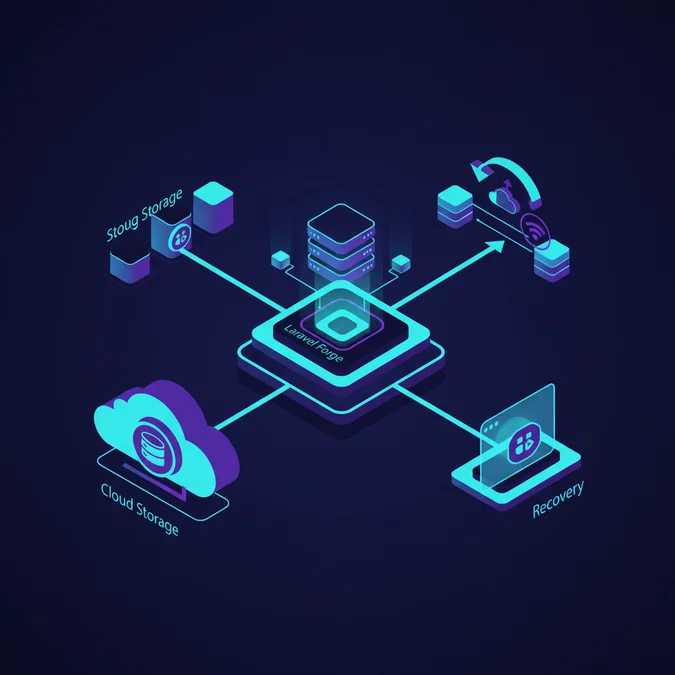
Laravel Forge backups are scheduled automation tasks that invoke database dumping utilities and file archiving commands directly on your provisioned virtual machines, streaming compressed artifacts directly to configured remote cloud storage. They execute without installing proprietary agents, relying on SSH commands, standard cron daemons, and system packages.
When an automated database backup triggers, Forge generates a dynamic shell script executed under the forge user or root. For MySQL and MariaDB databases, Forge triggers mysqldump with flags intended to minimize service disruption, such as --single-transaction and --quick. These flags allow InnoDB tables to be read without placing full read locks on application traffic, streaming output through gzip before transferring the binary blob via cloud storage APIs.
The Under-the-Hood Execution Flow
- Cron Invocation: Forge registers a master cron record within
/etc/cron.d/on your provisioned droplet or compute instance. - Credential Injection: Authentication keys for target object storage (such as AWS IAM access keys or DigitalOcean Spaces tokens) are injected at runtime into a localized environment script.
- Dump Generation: The database engine streams raw tabular data into a localized temporary archive located inside
/tmpor a designated scratch directory. - Compression & Stream: The payload is piped through standard compression utilities like
gzipto minimize transport bandwidth and remote storage consumption. - Object Upload: Forge uses native SDK CLI tools or API calls to push the artifact into the designated storage bucket under a date-stamped folder hierarchy.
- Local Pruning: Temporary dump files on the local disk are immediately unlinked to prevent disk starvation on root volumes.
For PostgreSQL environments, Forge switches underlying operations to pg_dump, utilizing custom archive formats that allow selective table restoration. Because Forge initiates these processes locally on your active database compute node, resource consumption (particularly CPU cycles during compression and disk I/O during dumps) directly shares allocations with your active application threads.
Configuring Storage Providers: Amazon S3, DigitalOcean, and Custom SFTP
Configuring backup destinations inside Laravel Forge requires setting up isolated cloud object storage accounts to isolate backup artifacts from primary server infrastructure. Storing backups on the same instance or even the same local VPC network as your primary server introduces unacceptable single-point-of-failure risks.
Forge natively supports Amazon Web Services (AWS) S3, DigitalOcean Spaces, and custom SFTP servers. To maintain cloud security hygiene, you should never provide your root AWS account credentials or an administrative DigitalOcean API token. Instead, provision dedicated IAM entities constrained to narrow bucket-level operations.
AWS IAM Policy for Forge Backups
{
 "Version": "2012-10-17",
 "Statement": [
 {
 "Sid": "ForgeBackupBucketAccess",
 "Effect": "Allow",
 "Action": [
 "s3:PutObject",
 "s3:GetObject",
 "s3:ListBucket",
 "s3:DeleteObject"
 ],
 "Resource": [
 "arn:aws:s3::production-laravel-backups",
 "arn:aws:s3::production-laravel-backups/*"
 ]
 }
 ]
}
When opting for custom SFTP destinations, ensure your backup server is isolated from the application tier. If deploying advanced asynchronous reporting routines like generating PDFs in Laravel Livewire, offloading file artifacts to dedicated object storage avoids disk contention during concurrent backup operations.
The table below highlights performance and feature differences across the primary storage destinations supported within the Forge backup control panel:
| Storage Provider | Transfer Protocol | Lifecycle Automation | Relative Egress Cost | Encryption at Rest |
|---|---|---|---|---|
| Amazon S3 Standard | HTTPS / REST API | Native (Glacier / Deep Archive) | Moderate to High | SSE-S3 / SSE-KMS |
| DigitalOcean Spaces | HTTPS / S3 API | Basic lifecycle rules | Low (Included bandwidth pool) | Automatic server-side |
| Custom SFTP Host | SSH / SFTP | Manual cron scripts | Variable by host provider | Filesystem dependent |
| Wasabi / Backblaze B2 | HTTPS / S3 API | Bucket lifecycle policies | Lowest / Zero egress tiers | SSE-S3 compatible |
Database Backups: Locking Mechanics and Performance Impact
Running database dumps on high-volume production tables presents substantial locking and performance risks. When mysqldump runs without careful tuning, it can force table metadata locks, exhaust available I/O operations per second (IOPS), and cause queue backups across web worker pools.
While --single-transaction avoids shared read locks on InnoDB tables by leveraging Multi-Version Concurrency Control (MVCC), it creates a transaction snapshot that must hold consistent read states. If long-running analytical queries run alongside the dump, the database undo log can grow rapidly, degrading overall query execution latency.
Common Production Bottlenecks
- Metadata Locks: If any DDL statements (such as
ALTER TABLEmigrations) trigger during the backup window,mysqldumpwill wait for them, holding subsequent queries in aWaiting for table metadata lockqueue until connection pools exhaust. - Disk I/O Saturation: Sequential reading of tables spanning tens of gigabytes monopolizes disk read channels, spiking p99 application latency for active users.
- Buffer Pool Churn: Sweeping an entire dataset to complete a backup pushes frequently accessed hot data out of the MySQL
innodb_buffer_pool, forcing normal queries to read from disk once the backup concludes. - Non-InnoDB Locking: Any legacy MyISAM tables or auxiliary log tables inside the database will trigger an exclusive table-level read lock via
LOCK TABLES, instantly freezing writes to those entities.
For applications managing massive data sets, executing automated integration checks alongside database operations requires stable test pipelines. Reviewing architectural guides like Laravel automated testing architecture helps isolate test suites from production databases to maintain system reliability during heavy I/O operations.
File Archival Strategies: Handling Storage, Uploads, and Runtimes
In addition to relational databases, Laravel Forge allows you to specify arbitrary directory paths for periodic file backup. In typical Laravel deployments, this targets the storage/app directory, uploaded user media, and localized configuration or certificate files.
Backing up application file trees using native Forge tarball archives introduces distinct challenges as asset libraries scale. Archiving thousands of user uploads using localized compression creates severe CPU spikes and rapidly exhausts local disk capacity if temporary staging directories lack adequate headroom.
Architectural Alternatives for Large File Repositories
- Direct S3 Uploads: Do not store user-uploaded assets on the local application server filesystem. Stream uploads directly to an S3-compatible bucket using pre-signed URLs or Flysystem adapters, removing media from local backup scope.
- Point-in-Time Volume Snapshots: For stateful file dependencies hosted directly on virtual machines, utilize cloud provider block storage snapshots (such as AWS EBS Snapshots or DigitalOcean Volume Snapshots) rather than relying on Forge tarball routines.
- Incremental File Syncing: If assets must remain on the droplet, replace monolithic compression with external rsync or Rclone sync scripts to avoid packing unchanged files on every cron run.
Reviewing configuration files during major framework updates is essential for tracking filesystem changes. If you are upgrading legacy systems, refer to our guide on Laravel upgrade strategies and architectural changes to align directory structures with modern cloud-native storage patterns.
Disaster Recovery Testing: Automated Restore Validation Workflows
A backup is merely an unverified assumption until a successful restoration has been executed. The most critical operational failure in backup maintenance is the absence of an automated restore validation loop, which can leave undetected corruption in remote storage files until an outage forces a high-stakes recovery.
Forge itself does not natively validate backup integrity after transferring files to remote storage. To build an enterprise-ready disaster recovery framework, you must implement automated out-of-band verification pipelines that pull backups from storage, restore schemas, and assert data sanity inside an ephemeral container.
Automated Verification Pipeline Architecture
#!/usr/bin/env bash
set -euo pipefail

# Ephemeral DB Restore Verification Script
BACKUP_BUCKET="production-laravel-backups"
LATEST_BACKUP=$(aws s3 ls s3://${BACKUP_BUCKET}/ | sort | tail -n 1 | awk '{print $4}')

echo "Downloading latest backup: ${LATEST_BACKUP}"
aws s3 cp "s3://${BACKUP_BUCKET}/${LATEST_BACKUP}" /tmp/latest_test.sql.gz

echo "Decompressing and validating gzip integrity.."
gzip -t /tmp/latest_test.sql.gz

echo "Restoring into test container.."
gunzip -c /tmp/latest_test.sql.gz | mysql -u test_user -p"${TEST_PASSWORD}" -h 127.0.0.1 sandbox_db

echo "Running table count assertion.."
TABLE_COUNT=$(mysql -u test_user -p"${TEST_PASSWORD}" -h 127.0.0.1 sandbox_db -se "SELECT count(*) FROM information_schema.tables WHERE table_schema='sandbox_db';")

if [ "$TABLE_COUNT" -lt 10 ]; then
 echo "ASSERTION FAILED: Table count too low ($TABLE_COUNT)" >&2
 exit 1
fi

echo "Restore verification successful. Data intact."
Managing custom verification runners inside deployment pipelines mirrors security workflows used across modern developer tooling. When managing team access to deployment configurations, tracking changes through controlled workflows like those outlined in our GitHub Desktop security and threat modeling analysis ensures backup automation scripts are peer-reviewed before reaching production.
Security, Encryption, and Access Control for Backup Archives
Backups contain your entire application dataset, making unencrypted storage buckets an immediate compliance and security risk. An insecure S3 bucket policy or unencrypted local dump script can expose customer PII, hashed passwords, and proprietary company transactions.
To establish adequate defense-in-depth across your backup pipeline, implement cryptographic isolation across all stages of the artifact lifecycle: in transit, at rest, and within bucket access boundaries.
Essential Security Hardening Controls
- Server-Side Encryption (SSE): Require AWS KMS (Key Management Service) or S3 SSE-S3 encryption on all backup buckets. Explicitly configure your bucket policies to deny any
s3:PutObjectrequest that lacks an encryption header. - Client-Side GPG Encryption: Before pushing data to external providers, encrypt the compressed payload using asymmetric GPG keys configured on the Forge server. This prevents cloud bucket compromises from exposing plaintext SQL data.
- S3 Object Lock and Immutability: Protect backup archives against ransomware encryption or accidental administrative deletion by enabling WORM (Write Once, Read Many) policies via S3 Object Lock in Compliance mode.
- Network Isolation: Restrict database dump user privileges. The MySQL account used by Forge for backups should only have
SELECT,SHOW VIEW,RELOAD, andLOCK TABLESpermissions, preventing the user from mutating schema states.
Scaling Challenges: When Forge Backups Hit Their Technical Limit
While Laravel Forge automated backups function reliably for applications with database footprints under 20GB to 50GB, standard monolithic single-instance dumps encounter severe operational bottlenecks as datasets expand toward enterprise scale.
As your production database scales beyond 100GB, executing mysqldump introduces substantial recovery time objective (RTO) risks. Extracting, compressing, and shipping an archive of that scale can take hours, while importing a 100GB single-stream SQL dump file can take 8 to 24 hours to reconstruct indexes and rebuild foreign keys.
Threshold Matrix: Monolithic Dumps vs. Advanced Solutions
| Database Footprint | Recommended Strategy | Backup Duration | Estimated RTO (Restore) | Primary Bottleneck |
|---|---|---|---|---|
| 1 GB to 20 GB | Native Forge Backups | 1 to 5 minutes | 5 to 15 minutes | Compute network egress |
| 20 GB to 100 GB | Forge Backups or Read Replica Dumps | 15 to 60 minutes | 1 to 4 hours | Single-thread index rebuild |
| 100 GB to 500 GB | Physical Snapshots (EBS / ZFS) | Near-instant (Storage level) | 15 to 30 minutes | Disk I/O read operations |
| 500 GB+ | Continuous Replication & Managed DB | Real-time WAL streaming | Minutes (PITR roll-forward) | Locking and network limits |
Once an organization passes the 50GB threshold, moving backups away from the primary read/write server becomes critical. Forge allows you to provision read replicas; targeting backup operations against a replica ensures production web traffic encounters zero locking or CPU performance degradation during backup routines.
Forge Backups vs. Spatie Backup vs. Managed Database Snapshots
When planning backup architecture for a Laravel application, developers typically evaluate three core options: the built-in Laravel Forge backup tool, the community-standard spatie/laravel-backup package, and cloud provider managed database snapshots (such as AWS RDS, DigitalOcean Managed Databases, or Google Cloud SQL).
Understanding how these three architectures differ helps teams select the right option for their operational maturity and compliance obligations.
Architectural Comparisons
- Laravel Forge Backups: Managed completely outside of the application code via server crons. Operates at the OS layer. Does not depend on the Laravel PHP runtime, meaning it runs even if an application code deployment fails or has fatal syntax errors.
- Spatie Laravel Backup: Executed as an Artisan command (
php artisan backup:run) within the application context. Highly customizable via PHP configuration files and event listeners. However, it relies entirely on the PHP CLI runtime, making it vulnerable to memory exhaustion (memory_limit) and PHP timeouts on large datasets. - Managed Database Snapshots: Handled entirely by the underlying cloud infrastructure (AWS RDS, Aurora, DigitalOcean Managed). Operates at the storage block layer, decoupling backup performance completely from server compute resources. Provides true Point-in-Time Recovery (PITR) with continuous Write-Ahead Log (WAL) or binlog tracking.
For high-availability production deployments, relying exclusively on Forge application-layer backups often exposes teams to elevated RTO metrics compared to managed infrastructure snapshots.
Comprehensive Cost Analysis: Build vs Buy and Infrastructure Expenses
Calculating the true cost of an application backup architecture requires looking beyond the monthly Laravel Forge subscription fee. Teams must account for object storage storage fees, network egress charges, custom engineering maintenance hours, and disaster recovery testing time.
Below is a concrete cost comparison across three architectural approaches for an organization maintaining 500GB of production data, with daily backups, 30-day retention, and automated recovery pipelines.
| Cost Dimension | Native Forge + S3 | Spatie + Custom Daemon | AWS RDS Managed Backups |
|---|---|---|---|
| Subscription / Licensing | $19.00 – $39.00 / mo (Forge) | $0.00 (Open Source) | Bundled into RDS Instance |
| Raw Storage Costs (15TB rolling) | $345.00 / mo ($0.023/GB S3) | $90.00 / mo (Wasabi / B2) | $142.50 / mo ($0.095/GB backup) |
| Data Egress / Transfer Fees | $0.00 (Inside AWS) – $45.00 | $0.00 (Free egress tier) | $0.00 (Intra-region snapshot) |
| Initial Setup Engineering (Hours) | 10 hours ($1,200 – $1,800) | 40 hours ($4,800 – $6,000) | 8 hours ($960 – $1,440) |
| Monthly Maintenance & Testing | 4 hours / mo ($480 – $720) | 12 hours / mo ($1,440 – $2,160) | 2 hours / mo ($240 – $360) |
| Estimated Year 1 Total Cost | $10,245 – $13,545 | $23,160 – $32,760 | $6,230 – $7,930 |
Hourly consulting and internal engineering rates are calculated at an industry baseline of $120 to $180 per hour for senior systems engineers. While building custom, agent-driven backup tooling inside the PHP layer seems cost-effective upfront, continuous script maintenance, security patching, and monitoring custom daemons drive up operational expenditure over time.
Laravel Basics Knowledge Base
Deepening your foundational understanding of deployment automation, server orchestration, and runtime configurations ensures your production systems remain resilient. Master core architecture topics to keep your Laravel environments scalable, secure, and production-ready.
Explore our complete Laravel, Basics directory for more guides.
Laravel Forge automated backups provide an accessible operational foundation for smaller systems, centralizing database dumps and file archival without requiring custom agents or complex software suites. However, relying on default configurations without evaluating transaction locking, resource contention, and network transfer ceilings introduces hidden vulnerabilities into your disaster recovery strategy.
As database workloads expand, hardening your backup architecture requires decoupling backups from primary application nodes. Transitioning to dedicated read replicas, enabling immutable object storage policies, automating restore verification scripts, and evaluating managed cloud database snapshots transform fragile dump routines into dependable disaster recovery systems.