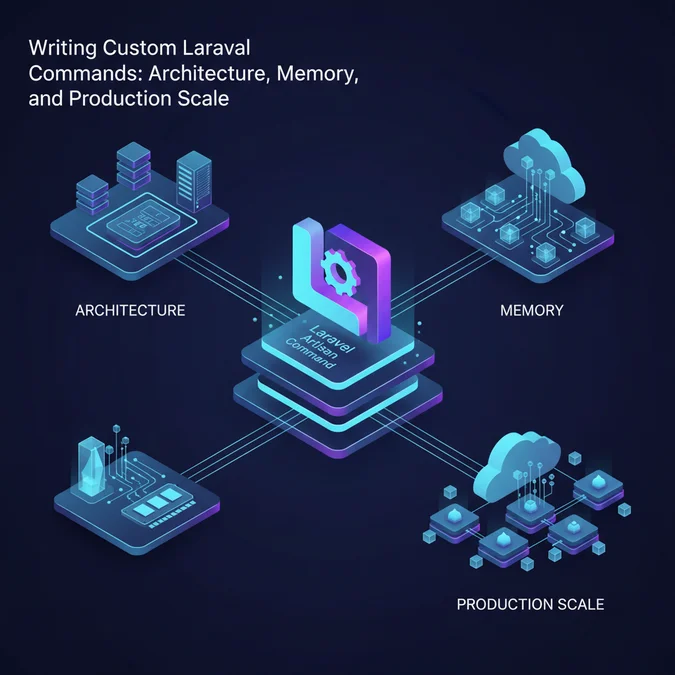

A Laravel command is a standalone PHP class executed via the Artisan CLI console kernel, designed to run automated background jobs, data pipelines, migrations, and maintenance routines outside the standard HTTP request-response cycle.
Many developers treat Artisan commands as mere scratchpads for quick database edits or fire-and-forget shell scripts, assuming they run with unlimited memory and zero operational side effects. In long-running background executions, unchecked memory leaks, blocking synchronous queries, and poorly managed I/O operations quickly exhaust host resources and destabilize production workloads.
Understanding how the Artisan kernel boots, dispatches, and releases resources during CLI execution allows you to write resilient, high-throughput console scripts. This article examines custom console command creation, input validation, memory allocation controls, chunking strategies, asynchronous job dispatching, and automated testing.
The Anatomy of a Laravel Console Command
Every custom Artisan command inherits from Illuminate\Console\Command, which sits atop the Symfony Console component. While web requests boot through the HTTP kernel and terminate after rendering a response, CLI commands run inside the console kernel, executing directly within the host process environment.
The console architecture relies on three primary properties: $signature, $description, and the handle() execution method. The signature defines the command string along with its input arguments and options using an expressive domain-specific syntax.
<php

declare(strict_types=1);

namespace App\Console\Commands;

use Illuminate\Console\Command;
use Symfony\Component\Console\Command\Command as Status;

final class PruneStaleTokensCommand extends Command
{
 /**
 * The name and signature of the console command.
 */
 protected $signature = 'tokens:prune
 {days=30: Delete tokens older than this threshold}
 {--dry-run: Simulate deletion without committing changes}
 {--force: Bypass confirmation prompts in production}';

 /**
 * The console command description.
 */
 protected $description = 'Deletes expired and stale personal access tokens';

 /**
 * Execute the console command.
 */
 public function handle(): int
 {
 $days = (int) $this->argument('days');
 $isDryRun = (bool) $this->option('dry-run');

 $this->components->info("Analyzing tokens older than {$days} days..");

 // Command logic executes here

 return Status:SUCCESS;
 }
}
Unlike web controllers that produce an HTTP response payload, console handlers return an integer exit status. Following POSIX conventions, 0 (represented by Symfony\Component\Console\Command\Command:SUCCESS) denotes a clean termination, while non-zero values (such as Command:FAILURE or Command:INVALID) communicate errors to orchestrators like cron, systemd, or Kubernetes jobs.
Crafting Signatures: Arguments, Options, and Input Validation
The signature string serves as both the parser configuration and the manual reference for your CLI utility. Misconfiguring input parsing often leads to unexpected cast behaviors, unhandled null values, or dangerous unintended script executions.
Laravel provides distinct ways to declare inputs within the signature string:
- Required arguments:
{user_id}must be supplied positional inputs. - Optional arguments with defaults:
{threshold=100}assumes 100 if omitted. - Boolean flags:
{--queue}evaluates tofalseunless present. - Value-accepting options:
{--connection=mysql}accepts a custom string. - Array arguments and options:
{ids*: Process multiple IDs}or{--tags=*: Multiple tags}collect arbitrary arrays of inputs.
Never assume command-line inputs are clean. When running commands in production automation or exposing them to user input through administrative dashboards, validate inputs explicitly before triggering state mutations.
use Illuminate\Support\Facades\Validator;
use Symfony\Component\Console\Command\Command as Status;

public function handle(): int
{
 $validator = Validator:make([
 'days' => $this->argument('days'),
 'connection' => $this->option('connection'),
 ], [
 'days' => ['required', 'integer', 'min:1', 'max:365'],
 'connection' => ['nullable', 'string', 'in:mysql,pgsql,sqlite'],
 ]);

 if ($validator->fails()) {
 foreach ($validator->errors()->all() as $error) {
 $this->components->error($error);
 }
 return Status:INVALID;
 }

 return Status:SUCCESS;
}
Explicit validation prevents unparsed strings from triggering SQL injection risks or passing nonsensical boundary values into downstream operations.
Artisan Console Kernel Bootstrapping vs HTTP Request Lifecycle
Understanding the runtime divergence between the HTTP stack and the CLI stack prevents architecture mismatches. A web request runs through global HTTP middleware, evaluates session persistence, and builds cookies, whereas a console command strips away these presentation layers to execute bare-metal PHP operations.
When a developer reviews the Laravel request lifecycle from entry point to response, they observe that service providers boot uniformly across both environments. However, CLI runs lack session context, authentication state, and server request globals by default.
| Operational Metric | HTTP Request Context | Artisan Console Context |
|---|---|---|
| Execution Lifetime | Ephemeral (typically under 200ms) | Short to continuous (seconds to hours) |
| Memory Ceiling | Controlled via php-fpm.conf (e.g. 128MB) |
Often unbound or memory_limit = -1 |
| Garbage Collection | Handled automatically on request termination | Must be actively managed in batch loops |
| DB Query Logging | Flushed after every response cycle | Accumulates infinitely in memory if enabled |
| Output Target | Buffered HTTP response stream | Direct standard output / standard error streams |
Because the console kernel remains alive throughout prolonged computations, database query logs, event listeners, and Eloquent model hydrations can accumulate indefinitely in memory. Systems designed for web requests will encounter fatal memory allocation exhaustion if adapted to CLI without architectural modifications.
Memory Management in High-Volume CLI Processing
The most common failure mode in custom Laravel commands is the Allowed memory size exhausted fatal error. In long-running batch operations, Eloquent’s internal tracking, relationship caches, and the database query log quickly consume available RAM.
By default, Laravel tracks all database queries in memory during a CLI execution if listeners or specific profilers are enabled. To protect workers running bulk processing operations, disable query logging explicitly at the start of your command.
use Illuminate\Support\Facades\DB;

public function handle(): int
{
 // Prevent internal memory bloat from query logs
 DB:connection()->disableQueryLog();

 // Verify memory baseline
 $this->line('Initial memory: '. round(memory_get_usage(true) / 1024 / 1024, 2). ' MB');

 // Process records..
 return 0;
}
Cursor Pagination vs Standard Chunking
When iterating through hundreds of thousands of records, standard chunk() operations execute SQL queries using LIMIT and OFFSET. As the offset grows into hundreds of thousands of rows, database performance degrades significantly because the database engine must scan and discard all preceding records.
Use chunkById() or lazy collections backed by database cursors to maintain constant, linear performance and prevent database engine contention.
use App\Models\AuditLog;
use Illuminate\Support\LazyCollection;

// Efficient stream-processing using LazyCollection
LazyCollection:make(function () {
 return AuditLog:where('created_at', '<', now()->subYears(2))
 ->cursor();
})->chunk(1000)->each(function ($logs) {
 foreach ($logs as $log) {
 // Process log deletion or export
 }

 // Free local memory allocations
 unset($logs);
 gc_collect_cycles();
});
Explicitly calling gc_collect_cycles() inside long-running batch loops forces the Zend engine to collect circular references immediately, maintaining a stable memory profile across millions of records.
Interactive CLI Design: Prompts, Tables, and Progress Bars
Console scripts executed by human engineers benefit from clear visual telemetry and explicit confirmation barriers. In production deployments, executing destructive mutations without confirmation invites human error.
Laravel provides native interactive methods that streamline console feedback. You can prompt users for text, confirm destructive operations, render tables, and advance dynamic progress bars.
use App\Models\User;

public function handle(): int
{
 if ($this->getLaravel()->environment('production') && $this->option('force')) {
 if (! $this->confirm('This command modifies production billing data. Proceed?')) {
 $this->components->warn('Operation aborted by user.');
 return 1;
 }
 }

 $query = User:where('status', 'pending');
 $total = $query->count();

 if ($total === 0) {
 $this->components->info('No pending users to process.');
 return 0;
 }

 $progressBar = $this->output->createProgressBar($total);
 $progressBar->start();

 $query->chunkById(100, function ($users) use ($progressBar) {
 foreach ($users as $user) {
 // Apply business updates
 $progressBar->advance();
 }
 });

 $progressBar->finish();
 $this->newLine();
 $this->components->info('All pending users verified successfully.');

 return 0;
}
Using progress bars provides continuous feedback during terminal sessions. When writing tools intended for CI/CD environments or cron execution, ensure that interactive confirmations can be bypassed via flags like --force or --no-interaction.
Command Scheduling and the Crontab Engine
Rather than managing dozens of individual cron entries on production servers, Laravel centralizes job scheduling within the application codebase. A single system crontab entry runs every minute, delegating dispatch decisions to the framework.
# The single system crontab entry required on host servers
* * * * * cd /path-to-your-project && php artisan schedule:run >> /dev/null 2>&1
Inside routes/console.php (or the schedule method within App\Console\Kernel in earlier versions), scheduled commands are registered with frequency constraints and concurrency safeguards.
use Illuminate\Support\Facades\Schedule;

Schedule:command('tokens:prune --force')
 ->dailyAt('02:00')
 ->withoutOverlapping(60) // Prevent parallel runs if execution exceeds interval
 ->runInBackground() // Execute as background process via fork
 ->onOneServer() // Ensure execution on only one node in clustered environments
 ->appendOutputTo(storage_path('logs/tokens_prune.log'));
The withoutOverlapping() method creates an atomic cache lock based on the command name. If a scheduled task takes longer than expected, the next scheduled invocation detects the existing lock and exits immediately, preventing process accumulation and database deadlocks.
Parallelization and Asynchronous Job Offloading
A common anti-pattern in command design is executing lengthy, parallelizable tasks serially within the main thread. While suitable for simple linear tasks, heavy workloads like image re-processing, third-party API synchronization, or report compilation should offload work to queue workers.
Instead of processing items sequentially within the command, design the command to serve as an orchestrator that queries the dataset and dispatches lightweight jobs to your queue infrastructure.
namespace App\Console\Commands;

use App\Jobs\ProcessTenantInvoicingJob;
use App\Models\Tenant;
use Illuminate\Console\Command;

final class DispatchInvoicingCommand extends Command
{
 protected $signature = 'invoicing:dispatch {--billing-cycle=monthly}';
 protected $description = 'Pushes invoicing calculations to the background queue';

 public function handle(): int
 {
 $cycle = $this->option('billing-cycle');
 $count = 0;

 // Dispatches discrete jobs across multi-worker queue topologies
 Tenant:where('billing_cycle', $cycle)
 ->where('is_active', true)
 ->chunkById(500, function ($tenants) use (&$count) {
 foreach ($tenants as $tenant) {
 ProcessTenantInvoicingJob:dispatch($tenant->id);
 $count++;
 }
 });

 $this->components->info("Dispatched {$count} invoicing jobs to the queue.");
 return 0;
 }
}
Offloading task processing to queue workers prevents long-running console commands from hanging if a single record fails. It also enables horizontal scaling across multiple queue worker nodes and allows automated retries for transient failures.
Dynamic Command Registration and Discovery
In modern Laravel applications, commands located inside the app/Console/Commands directory are registered automatically through reflection. The framework scans the directory, resolves the command classes, and extracts their signatures dynamically during boot.
However, when building modular monolithic structures, reusable internal packages, or multi-tenant domain layers, you often need to register commands manually. This is handled within a service provider’s boot() method.
namespace App\Providers;

use App\Domain\Billing\Commands\GenerateQuarterlyAudit;
use App\Domain\Reporting\Commands\CompileMetrics;
use Illuminate\Support\ServiceProvider;

final class DomainConsoleServiceProvider extends ServiceProvider
{
 public function boot(): void
 {
 // Register commands only when running within console context
 if ($this->app->runningInConsole()) {
 $this->commands([
 GenerateQuarterlyAudit:class,
 CompileMetrics:class,
 ]);
 }
 }
}
Wrapping registration inside runningInConsole() is a standard optimization. It ensures the command classes and their dependency graphs are resolved only when an Artisan command runs, reducing overhead for incoming web traffic. When integrating components such as Laravel Livewire edit forms for internal dashboards, this separation keeps the HTTP container lean.
Signal Handling and Graceful Shutdowns in CLI Workers
When long-running commands run inside containerized environments like Docker or Kubernetes, orchestrators periodically emit termination signals (such as SIGTERM or SIGINT) during deployments or pod scaling events.
If a command terminates abruptly during a transactional batch process, data can be left in an inconsistent state. Laravel’s command architecture integrates with PHP’s PCNTL extension, allowing you to capture POSIX signals and implement clean shutdown procedures.
namespace App\Console\Commands;

use Illuminate\Console\Command;

final class IngestDataStreamCommand extends Command
{
 protected $signature = 'stream:ingest';
 private bool $shouldKeepRunning = true;

 public function handle(): int
 {
 // Register signal interception for graceful exit
 $this->trap([SIGTERM, SIGINT], function () {
 $this->components->warn('Termination signal received. Flushing buffers..');
 $this->shouldKeepRunning = false;
 });

 while ($this->shouldKeepRunning) {
 $this->processBatch();
 usleep(100000); // 100ms throttle
 }

 $this->components->info('Graceful shutdown complete.');
 return 0;
 }

 private function processBatch(): void
 {
 // Run atomic work unit
 }
}
Using the trap() helper ensures the current processing loop finishes and releases shared resources before the process terminates, preventing orphaned database locks and corrupt batch outputs.
Automated Testing for Console Commands
Console commands should be covered by automated test suites just like HTTP controllers. Testing CLI commands requires validating output text, verifying exit codes, and confirming user input interactions.
Laravel provides fluent console testing assertions through the artisan() test helper, allowing you to test input, output, and exit statuses without executing external shell commands.
namespace Tests\Feature\Console;

use App\Models\User;
use Illuminate\Foundation\Testing\RefreshDatabase;
use Symfony\Component\Console\Command\Command as Status;
use Tests\TestCase;

final class PruneStaleTokensTest extends TestCase
{
 use RefreshDatabase;

 public function test_command_requires_confirmation_on_production(): void
 {
 $this->artisan('tokens:prune')
 ->expectsConfirmation('This command modifies production billing data. Proceed?', 'no')
 ->expectsOutputToContain('Operation aborted')
 ->assertExitCode(1);
 }

 public function test_command_executes_successfully_with_force_flag(): void
 {
 $this->artisan('tokens:prune --force --days=15')
 ->doesntExpectOutputToContain('Operation aborted')
 ->assertExitCode(Status:SUCCESS);
 }
}
Writing tests for your console commands protects against regressions when refactoring business logic, verifying that exit codes, options, and error flows remain reliable in CI/CD pipelines.
Common Anti-Patterns in Laravel CLI Implementations
Writing custom console commands requires different architectural habits than writing web controllers. Avoiding these common mistakes will keep your background tasks reliable and performant:
- Instantiating heavy Eloquent models inside loops: Hydrating thousands of model instances inside a loop consumes substantial memory. For bulk write operations, use direct
insert()orupdate()queries via the query builder instead of loading models into memory. - Ignoring POSIX exit codes: Returning
voidor missing explicit return values defaults to exit code0, even when internal exceptions occur. Always returnCommand:FAILUREor non-zero codes on errors so external orchestrators detect the failure. - Unbounded execution times: CLI processes often inherit
max_execution_time = 0. Without query timeouts or loop bounds, network drops or deadlocks can cause a command to hang indefinitely. Use explicit connection timeouts on external HTTP and database calls. - Direct output via
echoorvar_dump: Using standard output functions bypasses Laravel’s output drivers, making tests unreliable and breaking formatting for commands called programmatically or piped through stdout filters.
Adhering to clean architecture boundaries keeps your console scripts reliable, testable, and maintainable across their entire operational lifecycle.
[Explore our complete Laravel, Basics directory for more guides.](/topics/topics-laravel-basics/)
Laravel’s console layer provides a reliable bridge between your application logic and underlying infrastructure. By treating custom Artisan commands with the same architectural discipline as public HTTP endpoints, you can build reliable background routines that execute safely under high load.
Writing efficient commands requires active memory management, intentional loop bounds, proper validation, and clear exit codes. Designing commands with these considerations ensures your automated pipelines run reliably across local environments, clustered production servers, and containerized deployments.