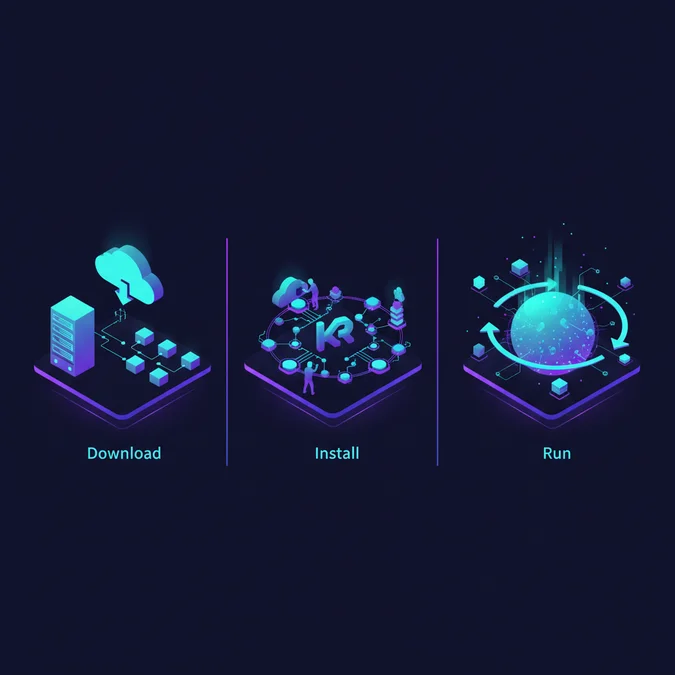

An official kafka download requires choosing the right Scala runtime target, verifying cryptographic SHA-512 hashes against Apache project signing keys, and avoiding legacy ZooKeeper setups. In 2026, Apache Kafka runs exclusively on the high-performance event-driven KRaft (Kafka Raft Metadata) consensus engine, obsoleting the dual-system architectures of the past decade.
Deploying event streaming brokers on local workstations or staging nodes frequently fails due to mismatched Java LTS runtimes, unverified archive mirrors, or subtle OS-level storage constraints. These problems multiply on developer machines where NTFS directory locks routinely abort log-cleaner retention routines on raw Windows partitions.
This engineering deployment guide walks through official mirror acquisition, cryptographic verification, directory architecture, and configuration mechanics. It delivers complete runbooks for modern Linux, macOS, and Windows operating environments under KRaft mode, including service daemonization and mitigation strategies for common storage anomalies.
Selecting the Official Kafka Download Binaries and Checksum Verification
When navigating an official mirror for your kafka download, you must select the binary archive rather than the source code distribution. Source packages require an end-to-end Gradle build, whereas pre-compiled binaries are cross-compiled against specific Scala compiler versions (commonly Scala 2.13). Kafka itself is largely implemented in Java and Scala, but client applications interact with the broker via language-agnostic wire protocols over TCP, making the Scala version choice transparent to upstream client applications.
The Binary Selection Decision Checklist
- Archive Type: Always select the binary download (format:
kafka_{SCALA_VERSION}-{KAFKA_VERSION}.tgz). For a standard setup, use the Scala 2.13 target binary. - Architecture Independence: Kafka binaries run on the Java Virtual Machine (JVM). The same archive functions identically on x86_64 and ARM64 (Apple Silicon, AWS Graviton) runtimes, provided an architecture-appropriate JDK is installed.
- Destination Directory: Avoid directories containing spaces (such as
C:\Program Files) if you plan a kafka download windows workflow. Use clean, short root paths such as/opt/kafkaon POSIX systems orC:\kafkaon Windows platforms.
Never bypass archive integrity validation. Corrupted downloads or compromised proxy caches produce unpredictable runtime segmentation faults and classloader errors. Apache hosts GPG signatures (.asc files) and SHA-512 hashes (.sha512 files) on its central security domains.
Security Notice: Binary mirrors are distributed across global CDNs, but cryptographic signature files (ASC) and checksums (SHA512) must always be pulled directly from the authoritative
downloads.apache.orgdomain.
Execute the following cryptographic validation sequence in your terminal:
# 1. Define release versions
KAFKA_VER="3.9.0"
SCALA_VER="2.13"
FILE_NAME="kafka_${SCALA_VER}-${KAFKA_VER}.tgz"

# 2. Download binary mirror and canonical checksums
wget "https://dlcdn.apache.org/kafka/${KAFKA_VER}/${FILE_NAME}"
wget "https://downloads.apache.org/kafka/${KAFKA_VER}/${FILE_NAME}.sha512"
wget "https://downloads.apache.org/kafka/KEYS"

# 3. Cryptographic SHA-512 Verification
echo "$(cat ${FILE_NAME}.sha512)" | shasum -a 512 --check

# 4. (Optional) Cryptographic PGP Signature Verification
gpg --import KEYS
wget "https://downloads.apache.org/kafka/${KAFKA_VER}/${FILE_NAME}.asc"
gpg --verify ${FILE_NAME}.asc ${FILE_NAME}
On success, the shell prints OK. You can now safely decompress the archive to your target directory using tar -xzf kafka_2.13-3.9.0.tgz -C /opt/kafka --strip-components=1.
System Architecture: Modern KRaft Mode vs Deprecated ZooKeeper Deployments
When you prepare to install kafka in production or local environments, you must adopt Kafka Raft (KRaft) metadata mode. In legacy architectures, metadata state management, broker registration, topic partitions, and leader elections were externalized to an Apache ZooKeeper quorum. This created an operational dual-consensus bottleneck: every metadata change required double synchronization, increasing cluster recovery times from seconds to tens of minutes when replaying millions of partition states.
KRaft unifies metadata management directly within the Kafka process boundary using an internal, event-driven Raft consensus log (the @metadata partition). Brokers take on distinct or combined roles: broker, controller, or hybrid broker,controller modes.
+-------------------------------------------------------+
| KRaft Mode (Modern) |
| |
| +---------------------+ +---------------------+ |
| | Node 1: Broker+Ctrl | <=> | Node 2: Broker+Ctrl | |
| +---------------------+ +---------------------+ |
| \ / |
| +-----------------+ |
| | Node 3: Broker | |
| +-----------------+ |
| Direct Raft Quorum Metadata Protocol |
+-------------------------------------------------------+
 vs
+-------------------------------------------------------+
| ZooKeeper Mode (Deprecated) |
| |
| [ Broker 1 ] <=== Dual-Hop Sync ===> [ Broker 2 ] |
| \ / |
| +-----------------------------------------+ |
| | External ZooKeeper Ensemble (3-5 Nodes)| |
| +-----------------------------------------+ |
+-------------------------------------------------------+
Architectural and Operational Trade-Offs
| Metric / Architectural Trait | KRaft Consensus Engine | Legacy ZooKeeper Ensemble |
|---|---|---|
| Operational Components | Single technology stack; Kafka processes only | Two distinct systems (JVM Kafka + JVM ZooKeeper) |
| Java Runtime Prerequisites | Java 17 LTS or Java 21 LTS | Java 8, 11, or 17 |
| Partition Scaling Limits | Supports millions of topic partitions per cluster | Degrades severely past 200,000 total partitions |
| Controller Failover Latency | Sub-second; active metadata is fully in-memory | Tens of seconds to minutes to resync state tree |
| Local Footprint & Complexity | Minimal; single command initializes storage ID | Requires ZooKeeper cluster configuration first |
JDK Notice: Apache Kafka relies heavily on modern garbage collectors such as ZGC or G1GC and zero-copy OS system calls (such as
sendfile). You must configure your environment with a standard 64-bit distribution of Eclipse Temurin, Amazon Corretto, or Oracle JDK 17 or 21. Java 8 support has been fully dropped.
Native Execution vs WSL2: How to Install Kafka on Windows Systems
Engineers attempting to install kafka on windows face distinct environmental hurdles. While Apache Kafka includes Windows batch files in the bin\windows directory, running these scripts directly against native Windows environments leads to production-halting bugs due to fundamental platform differences in file handling and thread scheduling.
Native Batch Execution vs WSL2 Linux Layer
| Operational Metric | Native Windows (.bat Scripts) | WSL2 (Ubuntu Engine) | Docker Desktop (Containerized) |
|---|---|---|---|
| NTFS File Lock Failure Rate | High (cleaner threads fail during log rolling) | Zero (uses virtual ext4 VHDX filesystem) | Zero (isolated Linux kernel space) |
| POSIX Signal Compliance | Poor (SIGTERM maps to abrupt process termination) |
Full POSIX compliance | Full POSIX compliance |
| Path Length Constraints | Strict 260-char MAX_PATH limit risks failures | No 260-char path limitations | Isolated container paths |
| Development Parity | Low (does not mirror production Linux nodes) | Identical to enterprise Linux runtimes | Standardized CI/CD workflow image |
To avoid log cleaner crashes and terminal command overflow when completing a kafka download windows setup, the production standard is running Kafka inside Windows Subsystem for Linux (WSL2).
Step-by-Step Installation Runbook for Windows
- Initialize WSL2 with Ubuntu: Open Windows PowerShell with elevated Administrator privileges and run:
wsl --install -d Ubuntu-24.04 wsl --set-default-version 2 - Install OpenJDK 21 LTS Inside WSL2: Launch your newly created Ubuntu environment and update the package index:
sudo apt update && sudo apt install -y openjdk-21-jdk curl tar java -version - Download and Unpack Kafka Inside the Linux Environment:
export KAFKA_VERSION="3.9.0"
export SCALA_VERSION="2.13"
cd /opt
sudo curl -O https://dlcdn.apache.org/kafka/${KAFKA_VERSION}/kafka_${SCALA_VERSION}-${KAFKA_VERSION}.tgz
sudo tar -xzf kafka_${SCALA_VERSION}-${KAFKA_VERSION}.tgz
sudo mv kafka_${SCALA_VERSION}-${KAFKA_VERSION} kafka
sudo chown -R $USER:$USER /opt/kafka
cd /opt/kafka
If native Windows execution is an absolute requirement, you must never extract the broker into system-managed directories. Extract the archive into C:\kafka, avoid spaces entirely, and adjust config\kraft\server.properties to point to clean partition drives.
Configuring Persistent Log Paths and Kafka Setup on Windows Services
A stable kafka setup on windows requires isolating the ephemeral broker logs from temporary directories. By default, Kafka configures log.dirs=/tmp/kraft-combined-logs on Linux and log.dirs=C:/tmp/kraft-combined-logs on Windows. If operating natively or under WSL2, operating system clean-up tasks purge temporary directories on system reboots, corrupting the @metadata partition and permanently desynchronizing commit offsets.
Step 1: Modify Cluster Storage Settings
Edit your configuration file (for single-node combined KRaft mode, use config/kraft/server.properties):
# Identity roles for modern KRaft
process.roles=broker,controller
node.id=1
controller.quorum.voters=1@localhost:9093

# Network Listeners
listeners=PLAINTEXT://0.0.0.0:9092,CONTROLLER://0.0.0.0:9093
advertised.listeners=PLAINTEXT://localhost:9092
controller.listener.names=CONTROLLER
listener.security.protocol.map=CONTROLLER:PLAINTEXT,PLAINTEXT:PLAINTEXT,SSL:SSL,SASL_PLAINTEXT:SASL_PLAINTEXT,SASL_SSL:SASL_SSL

# Persistent Storage Isolation (Windows Native: C:/kafka/data/kraft-logs)
log.dirs=/var/lib/kafka/data

# Partition Retention Limits
log.retention.hours=168
log.segment.bytes=1073741824
log.retention.check.interval.ms=300000
Step 2: Initialize Cluster Storage ID
Unlike legacy ZooKeeper modes, a KRaft broker will fail to start if the target data directory is unformatted. You must generate a cluster storage ID and stamp the metadata log directory:
# Generate a cryptographic random cluster UUID
KAFKA_CLUSTER_ID="$(/opt/kafka/bin/kafka-storage.sh random-uuid)"
echo "Cluster ID: ${KAFKA_CLUSTER_ID}"

# Format the storage directory with the generated ID
/opt/kafka/bin/kafka-storage.sh format -t ${KAFKA_CLUSTER_ID} -c /opt/kafka/config/kraft/server.properties
Critical Operational Check: Formatting the log directory is an irreversible operation. Running
formatagainst an active, existing partition log wipes all committed metadata offsets.
Step 3: Register Kafka as an Automated Service (NSSM on Windows)
If running natively on Windows without container orchestration, developers rely on third-party daemon wrappers to prevent terminal hang-ups. Using the Non-Sucking Service Manager (NSSM), register the service to manage startup and recovery automatically:
# Execute in elevated Administrator PowerShell
# Download NSSM and navigate to the extracted binary directory.\nssm.exe install KafkaBroker "C:\kafka\bin\windows\kafka-server-start.bat" "C:\kafka\config\kraft\server.properties"

# Set auto-restart on unexpected crashes.\nssm.exe set KafkaBroker AppExit Default Restart.\nssm.exe set KafkaBroker AppRestartDelay 5000

# Launch the newly registered Windows service
Start-Service KafkaBroker
Cluster Validation: Executing End-to-End Producer and Consumer Tests
Once you install kafka and format the metadata directory, you must run end-to-end integration tests to verify internal thread execution, broker socket readiness, and consumer group offset commitments. The broker runs on port 9092 for plain-text client communication, while internal controller consensus traffic negotiates on port 9093.
Step 1: Start the Kafka Broker Process
In your WSL2 terminal or POSIX environment, initialize the broker process:
/opt/kafka/bin/kafka-server-start.sh /opt/kafka/config/kraft/server.propertiesConfirm broker readiness by observing the STDOUT log for the signature event line: [KafkaServer id=1] started (kafka.server.KafkaRaftServer).
Step 2: Create a Validated Cluster Topic
Open a secondary terminal window and invoke the partition creation tool:
/opt/kafka/bin/kafka-topics.sh --create \
 --bootstrap-server localhost:9092 \
 --replication-factor 1 \
 --partitions 3 \
 --topic cluster-health-check

# Verify topic partition layout and leadership
/opt/kafka/bin/kafka-topics.sh --describe \
 --bootstrap-server localhost:9092 \
 --topic cluster-health-check
The console prints the topic description, displaying partition assignments, leader broker node IDs, and synchronous in-sync replica (ISR) sets:
Topic: cluster-health-check TopicId: 4L62VZy7T-C-Jp60d3P1Qw PartitionCount: 3 ReplicationFactor: 1 Configs:
 Topic: cluster-health-check Partition: 0 Leader: 1 Replicas: 1 Isr: 1
 Topic: cluster-health-check Partition: 1 Leader: 1 Replicas: 1 Isr: 1
 Topic: cluster-health-check Partition: 2 Leader: 1 Replicas: 1 Isr: 1
Step 3: End-to-End Stream Simulation
Verify synchronous write execution using the command-line producer, then pipe records through an attached consumer group:
# 1. Initialize Console Producer (Send 3 validation events)
/opt/kafka/bin/kafka-console-producer.sh \
 --bootstrap-server localhost:9092 \
 --topic cluster-health-check
> event-payload-alpha
> event-payload-bravo
> event-payload-charlie

# 2. Open another terminal session and read the stream from beginning
/opt/kafka/bin/kafka-console-consumer.sh \
 --bootstrap-server localhost:9092 \
 --topic cluster-health-check \
 --from-beginning \
 --group health-audit-group
The consumer terminal instantly reads and outputs the payload strings in sequence. This validates correct internal state machine initialization, consumer coordinator heartbeats, and cluster readiness.
Production Windows Troubleshooting: File Locks, Path Overflow, and Port Collisions
When maintaining a local or test kafka setup on windows, engineers regularly run into operational edge cases caused by differences between POSIX and Windows system calls. If you must run Kafka without Linux virtualization, you will encounter three recurring issues:
1. The Java File System Lock Crash (NTFS Failure)
Under Linux ext4 or XFS filesystems, an active process can unlink, rotate, or delete an open file without throwing errors. The OS simply defers physical block deletion until all open file descriptors close. In contrast, Windows NTFS enforces mandatory file locking. When Kafka’s internal background cleaner thread attempts to clean old partition segments based on log.retention.hours, Windows denies the file deletion operation. This triggers an unhandled java.io.FileNotFoundException or AccessDeniedException, crashing the entire broker process.
Remediation: Modify your server.properties file to turn off memory-mapped buffer pooling and increase retention intervals:
# Mitigate file locking contention on NTFS partitions
log.cleaner.enable=false
log.segment.delete.delay.ms=60000
2. The Batch Script Input Line Too Long Overflow
Kafka batch files (such as kafka-run-class.bat) build a Java classpath string by concatenating the full path of every JAR file in the libs folder. On Windows, if Kafka is extracted deep inside nested directories, this dynamic variable string exceeds the native CMD limit of 8,191 characters. The batch launcher abruptly aborts with the error: The input line is too long. The syntax of the command is incorrect.
Windows Production Troubleshooting Checklist
- Directory Nesting: Extract the archive only into shallow paths such as
C:\kafka. Never extract into paths likeC:\Users\username\Documents\Projects\kafka. - Whitespace Violations: Ensure no directories in the path contain spaces. Do not install into
C:\Program Files. - Network Port Conflicts (TCP 9092 / 9093): Verify that another local broker or system service is not occupying the default listener port. Identify socket owners using PowerShell:
Get-NetTCPConnection -LocalPort 9092,9093 -ErrorAction SilentlyContinue | Format-Table OwningProcess, LocalAddress, LocalPort, StateTerminate any rogue processes holding open ports using
Stop-Process -Id <PID> -Forcebefore starting Kafka. - Long Path Registry Override: Enable Windows long-path handling by running an elevated PowerShell command:
New-ItemProperty -Path "HKLM:\SYSTEM\CurrentControlSet\Control\FileSystem" -Name "LongPathsEnabled" -Value 1 -PropertyType DWORD -Force
Architecture Recommendation: If NTFS file-locking bugs continue to cause intermittent partition corruption, migrate your local development broker to WSL2 or official Docker containers. WSL2 operates on a dedicated ext4 virtual disk image (VHDX), permanently bypassing Windows NTFS file-system constraints.
Frequently Asked Questions
Where is the safest mirror for an Apache Kafka download?
Always obtain Apache Kafka directly from kafka.apache.org/downloads or official Apache CDN mirrors. Verify the downloaded tgz archive using the official SHA-512 checksum and Apache project release signing keys using GPG before extracting the binary to prevent corrupted or tampered installations.
Can I install Kafka on Windows without third-party tools?
Yes, Apache Kafka includes Windows batch scripts inside the bin/windows directory. However, running Kafka natively on Windows often triggers NTFS file-locking bugs during log deletion. The standard industry recommendation is installing Kafka inside WSL2 Ubuntu or through official Docker containers.
What Java version is required to install Kafka in 2026?
Modern Apache Kafka releases require Java 17 or Java 21 LTS runtimes. Older iterations supported Java 8 and 11, but recent builds mandate contemporary JDK versions. Verify your environment by setting the JAVA_HOME system variable to point to a valid 64-bit JDK 17 or 21 installation.
How do I start a modern Kafka setup on Windows without ZooKeeper?
Generate a unique cluster identifier using kafka-storage.bat random-uuid, format your storage directory using kafka-storage.bat format, and launch the standalone broker using kafka-server-start.bat pointing to config/kraft/server.properties. This configures Kafka in KRaft mode, removing the need for external ZooKeeper instances.
Acquiring and configuring Apache Kafka requires adopting KRaft metadata modes and contemporary Java runtimes. By migrating away from deprecated ZooKeeper clusters, event streaming architectures benefit from faster metadata synchronization, sub-second leader elections, and significantly reduced operational overhead. Cryptographic verification of official release mirrors ensures that your development and deployment workflows remain free of tampered or incomplete archives.
When deploying on Windows environments, using WSL2 or standardized OCI container runtimes avoids the persistent NTFS file-locking bugs and command string limits inherent to native batch execution. With your broker running, cluster IDs formatted, and validation topics passing health checks, your event streaming foundation is ready for high-throughput enterprise pipelines.