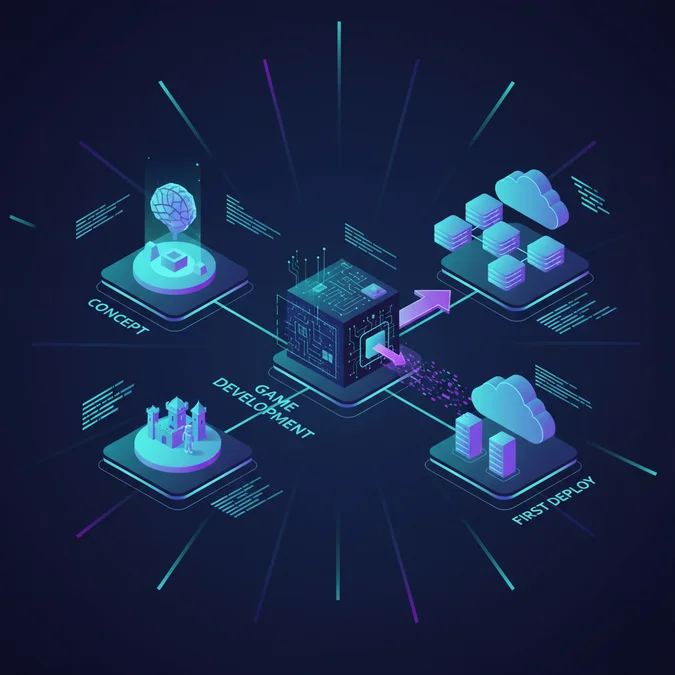

Creating a robust and engaging game in 2026 demands a structured engineering approach, encompassing architectural design, iterative development, and a deep understanding of platform-specific optimizations. The process extends beyond creative vision to include rigorous technical planning, efficient asset management, and a scalable code base capable of evolving with player expectations and emerging technologies.
This guide provides a practitioner’s blueprint for game development, dissecting the technical lifecycle from initial concept through to deployment. We will explore critical decisions, such as engine selection, advanced programming patterns for game logic, and the integration of cutting-edge features like AI, equipping you with the knowledge to navigate the complexities of building a production-ready game.
The Game Development Lifecycle: A Technical Overview
The journey to create a game is an iterative engineering process, fundamentally structured into distinct phases: pre-production, production, and post-production. Each phase demands specific technical considerations to ensure a coherent and maintainable final product. In pre-production, the focus is on conceptualization, prototyping, and technical design documents. This is where architects define core systems, data structures, and the overall game architecture. Understanding how can we make a game that is both engaging and technically feasible begins here, by establishing a clear Minimum Viable Product (MVP) scope.
Production involves the bulk of asset creation, programming, and integration. Engineers implement game mechanics, rendering pipelines, physics systems, and networking layers. Continuous integration and testing are paramount to catch regressions early. Post-production includes launch, ongoing maintenance, bug fixes, and potentially new content updates or expansions. The question of how can I create a game that stands the test of time is answered by a robust lifecycle management approach, emphasizing modularity and extensibility from the outset.
Technical Insight: A common pitfall in game development is underestimating the complexity of integrating disparate systems. Early architectural decisions, such as choosing between an Entity Component System (ECS) or an Object-Oriented approach, significantly impact development velocity and long-term maintainability.
Architecting Your Game: Engine Selection & Core Tooling
Choosing the right game engine and development software is a foundational architectural decision that impacts every subsequent phase of your project. The market offers a diverse range of options, each with unique strengths and weaknesses regarding technical capabilities, performance, learning curve, and licensing. This choice defines the primary technology for coding games and influences the entire development workflow.
For instance, while Unity and Unreal Engine are dominant, powerful platforms, a smaller project might benefit more from a lightweight game design software like Godot or GameMaker. Evaluating the best game creator software involves assessing rendering capabilities, physics engines, scripting languages, asset pipeline integration, and community support. The best game dev software for one project might be suboptimal for another, depending on target platforms, team size, and specific game genre requirements.
When considering video game development software, it’s crucial to look beyond features and evaluate the ecosystem: available plugins, documentation quality, and the ease of debugging. For those seeking the best game maker software, particularly for 2D or mobile titles, tools like Construct or GDevelop offer visual scripting, reducing the initial coding barrier. Conversely, for high-fidelity 3D experiences, Unreal Engine’s C++ foundation and advanced rendering features often make it the preferred video game design software.
Engine Selection Checklist:
- Performance Requirements: Does the engine meet your target frame rates and memory footprint for intended platforms?
- Language & Tooling: Does it support your team’s preferred programming languages (C#, C++, GDScript, visual scripting)?
- Asset Pipeline: How seamlessly does it integrate with 3D modeling, animation, and audio tools?
- Platform Support: Does it export efficiently to all your target platforms (PC, mobile, console, web)?
- Licensing & Cost: Understand royalty structures, subscription fees, or open-source implications.
- Community & Documentation: Is there a robust community, extensive tutorials, and clear documentation for troubleshooting?
- Extensibility: Can you easily integrate custom shaders, plugins, or modify engine source code if needed?
| Engine | Primary Language(s) | Learning Curve | Typical Use Cases | Licensing Model (2026) | Key Technical Advantage |
|---|---|---|---|---|---|
| Unity | C# | Moderate | Mobile, 2D, 3D Indie, VR/AR, simulations | Subscription, revenue share above threshold | Extensive asset store, cross-platform support, C# ecosystem |
| Unreal Engine | C++, Blueprints | Steep | High-fidelity AAA, cinematic, photorealistic 3D, large-scale projects | Royalty-based (5% above threshold) | Advanced rendering, visual scripting (Blueprints), robust C++ |
| Godot Engine | GDScript, C#, C++ | Gentle to Moderate | 2D, 3D Indie, FOSS projects | MIT License (Free, Open Source) | Lightweight, node-based architecture, open development |
| GameMaker Studio 2 | GML (GameMaker Language), Visual Scripting | Gentle | 2D pixel art, retro games, rapid prototyping | Subscription | Ease of use for 2D, fast iteration, visual scripting |
| GDevelop | Event-based Visual Programming | Very Gentle | Browser games, mobile 2D, educational games, no-code | MIT License (Free, Open Source) | No-code approach, web-first deployment, visual logic |
Implementing Game Logic: Coding Fundamentals & Patterns for 2D Development
Implementing game logic is the core of 2d game development, where raw code transforms design into interactive experiences. For 2D games, common challenges include collision detection, sprite animation, player input handling, and managing game states efficiently. Adopting sound architectural patterns is crucial for scalability and maintainability.
A popular approach is the State Machine pattern for character behavior or game flow. For instance, a player character might have states like Idle, Running, Jumping, and Attacking. Transitions between these states are triggered by input or game events.
Ordered Steps for Basic 2D Player Movement:
- Define Player Component: Create a component or script that holds player-specific data like speed, health, and current state.
- Input Handling: Capture keyboard or gamepad input in a dedicated input manager or directly within the player script’s update loop.
- Movement Logic: Based on input, apply velocity to the player’s rigid body or transform. Ensure frame-rate independent movement using
DeltaTime. - Collision Detection: Use the engine’s built-in physics system (e.g. box colliders, circle colliders) to detect interactions with environment or enemies.
- Animation State Management: Update the player’s animation controller based on movement state (e.g. ‘idle’ when not moving, ‘run’ when moving horizontally).
Consider a simple C# example for 2D player movement in a Unity-like environment:
using UnityEngine; public class PlayerController2D: MonoBehaviour { public float moveSpeed = 5f; public Rigidbody2D rb; public Animator animator; Vector2 movement; void Update() { // Input movement.x = Input.GetAxisRaw("Horizontal"); movement.y = Input.GetAxisRaw("Vertical"); animator.SetFloat("Horizontal", movement.x); animator.SetFloat("Vertical", movement.y); animator.SetFloat("Speed", movement.sqrMagnitude); } void FixedUpdate() { // Movement rb.MovePosition(rb.position + movement * moveSpeed * Time.fixedDeltaTime); } } This snippet demonstrates basic input capture, animation parameter updates, and physics-based movement, fundamental to most 2D games. For more complex systems, consider patterns like the Entity Component System (ECS) to decouple data from behavior, enhancing performance and modularity, particularly in data-oriented 2d game development.
Platform Specifics: Building for Web, Mobile, and Desktop
Developing a game for multiple platforms introduces distinct technical challenges and optimization strategies. The choice of target platform, whether it’s a browser, mobile device, or desktop PC, fundamentally dictates architectural decisions, performance budgets, and distribution methods.
Web Games: How to Make a Web Game
When you how to make a web game, the primary concerns revolve around browser compatibility, asset size, and network latency. WebGL is the standard for 3D graphics, often paired with JavaScript frameworks like Phaser (2D) or Three.js (3D). Performance optimization is critical; minimizing draw calls, compressing textures, and optimizing JavaScript execution are paramount. Distribution is straightforward via web servers, but monetization often relies on ads or in-browser purchases.
Mobile Games: How to Make a Game App
To make a gaming app, developers must contend with diverse screen resolutions, touch input, battery life, and device performance variations. Engines like Unity and Godot excel here, offering robust mobile export pipelines. Optimizing textures, mesh complexity, and CPU-intensive logic is essential for smooth gameplay. Distribution occurs through app stores (Google Play, Apple App Store), which also handle monetization through in-app purchases and subscriptions. If you want to how to make a free game app, your monetization strategy will likely focus on ads or optional in-app purchases.
Desktop Games: How to Create a Game for PC
When you how to create a game for pc, you generally have more leeway with hardware resources compared to mobile or web. This allows for higher fidelity graphics, more complex physics, and larger game worlds. However, PC development still requires optimization for a wide range of hardware configurations. Input typically involves keyboard and mouse, with gamepad support. Distribution platforms like Steam, Epic Games Store, or Itch.io dominate, offering robust community features and sales tools. The process to how to create a video game for pc often involves more extensive testing across different hardware setups.
Each platform demands a tailored approach to resource management, rendering pipelines, and user experience design. A cross-platform engine can abstract away some of these complexities, but deep dives into platform-specific APIs and optimization techniques are often necessary for achieving peak performance and user satisfaction.
Integrating Advanced Features: AI and Beyond
Modern game development is increasingly leveraging advanced technologies, with Artificial Intelligence (AI) standing out as a transformative force. Integrating AI goes beyond simple pathfinding for Non-Player Characters (NPCs) and now influences every aspect of how to make a game, from content generation to player experience analysis. When you how to create a video game today, understanding AI’s role is crucial.
AI in Game Development:
- Intelligent NPC Behavior: AI-driven NPCs exhibit more realistic and dynamic behaviors, employing decision trees, finite state machines, utility AI, or even machine learning models to react to player actions and game state.
- Procedural Content Generation (PCG): AI algorithms can generate vast amounts of game content, including levels, quests, textures, and even music. This is invaluable for creating expansive worlds or ensuring replayability.
- Automated Testing: AI agents can playtest games, identify bugs, and provide performance metrics, significantly accelerating the QA process.
- Player Analytics & Personalization: AI can analyze player data to understand engagement patterns, predict churn, and personalize in-game experiences, which is vital for long-term retention.
- AI-Generated Game Assets: The rise of generative AI tools means artists can rapidly prototype assets, textures, and even character models, transforming the asset pipeline for how to create a game. While a fully ai generated game is still largely theoretical for polished titles, AI-assisted creation is a reality.
Beyond AI, other emerging trends include cloud gaming infrastructure for seamless streaming, blockchain technology for in-game economies and digital ownership, and advanced haptic feedback systems for deeper immersion. These innovations redefine the technical landscape for developers looking to how to make a game that pushes boundaries.
Frequently Asked Questions
What are the fundamental steps to creating a video game from concept to launch?
Creating a video game involves conceptualization, design documentation, choosing an engine, asset creation, programming game logic, rigorous testing, and finally, deployment and marketing. Each phase requires iterative refinement to build a cohesive and engaging experience for your video game project, focusing on a minimal viable product first to make your own video game game.
Which game development software is best for beginners, and do I need to code?
For beginners, user-friendly software like Construct, GameMaker, or Godot provide accessible entry points, often with visual scripting options to minimize direct coding. While coding expertise is beneficial for advanced game logic and optimization, many tools allow game creation with minimal to no traditional programming, making them great game design software for beginners and video game creation software for beginners, even if you’re not a gaming coder.
How does platform choice impact game development for PC, mobile, or web browsers?
Platform choice dictates engine compatibility, performance considerations, input methods, monetization strategies, and distribution channels. PC games offer high fidelity (how to create a game for pc, how to create a video game for pc), mobile apps demand optimization for touch and battery (how to make a game app, make a gaming app, how to make a free game app), while web games require browser compatibility and lightweight assets (how to make a web game, how to make browser games). Each platform has unique technical requirements and audience expectations.
What role does AI play in modern game development, and can it generate entire games?
AI significantly enhances game development by assisting with asset generation, procedural content creation, intelligent NPC behavior, and robust testing. While AI can generate elements and prototypes, a complete, polished ai generated game still requires substantial human design, programming, and artistic direction for coherence, quality, and player engagement.
What should you know about how to build a game?
When evaluating how to build a game, teams should prioritize scalable architecture, clear requirements, and experienced engineering partners to maximize efficiency. Understanding your target audience and platform constraints early in the design phase is crucial for successful development and deployment.
What should you know about making a video game?
When evaluating making a video game, teams should prioritize scalable architecture, clear requirements, and experienced engineering partners to maximize efficiency. Focusing on iterative development, user feedback, and robust testing will significantly improve the final product’s quality and reception.
What are critical engineering considerations for coding a game?
When implementing coding a game, prioritize deterministic execution, rigorous error handling, observability metrics, and strict security isolation to maintain production reliability and eliminate latency bottlenecks.
What are critical engineering considerations for how to make a video game for pc?
When implementing how to make a video game for pc, prioritize deterministic execution, rigorous error handling, observability metrics, and strict security isolation to maintain production reliability and eliminate latency bottlenecks.
The journey to engineer a compelling game is complex, demanding a blend of creative vision and rigorous technical execution. From the initial architectural blueprint to the final deployment and post-launch support, every decision impacts the game’s performance, scalability, and player experience. By prioritizing a well-defined development lifecycle, making informed engine choices, mastering core programming patterns, and adapting to platform-specific demands, engineers can build robust and engaging interactive experiences.
As the industry continues to evolve with AI and other emerging technologies, continuous learning and an agile mindset remain paramount. The principles outlined in this guide provide a solid engineering foundation for anyone looking to enter or advance within the dynamic world of game development in 2026.