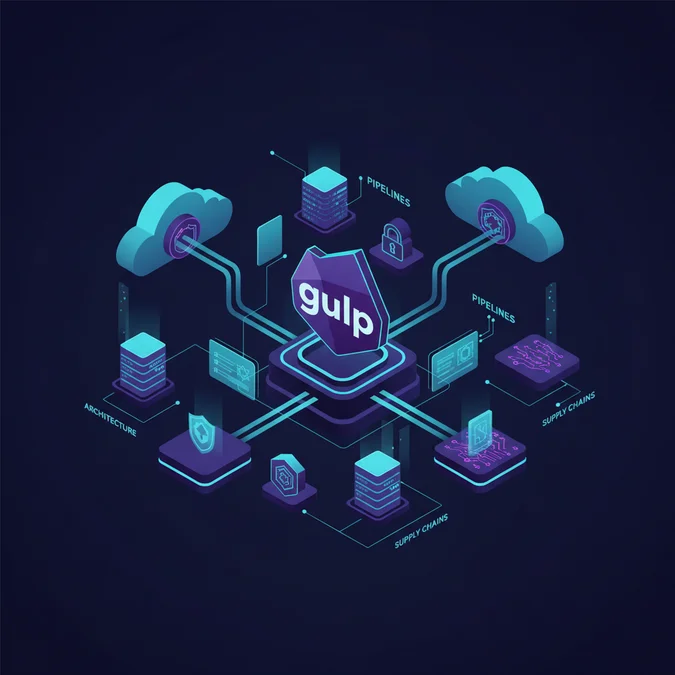

Gulp.js is an open-source, streaming JavaScript task runner built on Node.js streams that automates front-end asset compilation, file transformation, and deployment workflows. It reads source files into memory as virtual vinyl file objects, pipes them through transformation plugins, and outputs the resulting build artifacts to disk without intermediary temporary files.
Today, Gulp continues to maintain wide adoption across thousands of legacy and modern production enterprise codebases, particularly in server-rendered stacks like Laravel, WordPress, and enterprise content management systems. Millions of weekly npm downloads reflect its ongoing role in automating CSS pre-processing, asset minification, image optimization, and static analysis checks. While newer bundlers like Vite or esbuild dominate greenfield single-page applications, Gulp remains embedded in critical production deployment pipelines across the industry.
Because Gulp operates with administrative read-write access to the host filesystem and runs during automated CI/CD stages, it represents a high-impact attack surface. Insecure plugin dependencies, unverified stream pipelines, untrusted file sinks, and poor environment variable handling can expose build servers to remote code execution and software supply chain attacks. This guide evaluates Gulp architecture through a strict security lens, detailing hardening configurations, vulnerability mitigation, and defensive pipeline construction.
Gulp Architecture: Node Streams, Vinyl, and the Threat Surface
At its architectural foundation, Gulp relies on Node.js object-mode streams and an internal abstraction called Vinyl. Vinyl is a virtual file format that encapsulates file metadata (such as path, base directory, and stat object) alongside the file contents, which can be a Node Buffer, a Readable Stream, or null. Unlike older file-based orchestrators like Grunt that write intermediate artifacts to disk after every transformation step, Gulp operates entirely in-memory by piping Vinyl objects across transform streams.
This in-memory streaming approach reduces disk I/O latency, but it expands the implicit trust boundaries of your build process. When a task initiates src(), Gulp reads raw filesystem contents into memory and directs those streams through an arbitrary sequence of third-party plugins before writing to disk with dest(). Every plugin inserted into that pipeline gains unrestricted access to inspect, rewrite, or inject malicious payloads directly into the stream payload. If any plugin in your chain is compromised, attackers can tamper with compiled JavaScript bundles, inject malicious cross-site scripting (XSS) vectors, or siphon environment secrets during the build phase.
The Lifecycle of an Attack on Build Pipelines
An attacker targeting a Gulp pipeline typically pursues one of three primary attack vectors:
- Dependency Hijacking: Exploiting unpinned or abandoned transitively required npm packages within community-maintained Gulp plugins.
- Arbitrary File Overwrite: Passing unsanitized user or external input into file globs or destination paths, allowing directory traversal (
./) attacks. - Malicious Code Injection: Intercepting the streaming buffer to alter client-facing JavaScript, creating persistent backdoors in minified distribution assets.
Security engineers must view Gulp build configurations not merely as helper scripts, but as sensitive, executable infrastructure that executes arbitrary code with host-level privileges.
Supply Chain Vulnerabilities in the Gulp Plugin Ecosystem
The Gulp plugin ecosystem contains thousands of legacy packages created during the early to mid-2010s. Many of these plugins are no longer actively maintained by their original authors, leaving them vulnerable to package abandoned takeovers, unpatched Common Vulnerabilities and Exposures (CVEs), and prototype pollution. Because npm resolves transitive dependencies recursively, an innocent-looking asset transformation plugin can pull in dozens of outdated packages containing critical security flaws.
When maintaining production pipelines, teams must incorporate strict dependency verification into automated workflows. Static dependency auditing tools must run ahead of asset compilation to detect known vulnerabilities in the local dependency tree. For organizations aiming to institutionalize code health, evaluating system quality metrics and CI testing pipelines provides standard tracking mechanisms for vulnerability resolution before code moves to production.
Vulnerability Profiles in Legacy Plugins
The table below summarizes critical vulnerability categories frequently identified within unmaintained Gulp plugins and their operational impact on build environments:
| Vulnerability Class | Common Vector | Impact Level | Defensive Control |
|---|---|---|---|
| Remote Code Execution (RCE) | Arbitrary command execution via shell execution wrappers | Critical | Remove wrapping plugins; invoke core Node APIs directly |
| Path Traversal | Unsanitized glob arguments or file rename parameters | High | Strict glob path validation and chroot jail builds |
| Prototype Pollution | Outdated object cloning libraries in configuration parsers | High | Pin dependency versions with npm overrides / resolutions |
| Secret Exfiltration | Compromised post-install lifecycle scripts | Critical | Execute npm installs with --ignore-scripts flag |
To prevent malicious script execution during dependency installation on build runners, enforce immutable lockfile constraints and block arbitrary scripts during package restoration:
# Enforce strict lockfile compliance and block lifecycle scripts
npm ci --ignore-scripts --audit

# Audit strictly for critical vulnerabilities
npm audit --audit-level=critical
Secure Task Definition: Series, Parallel, and Asynchronous Handlers
Gulp 4 replaced the legacy string-based dependency orchestration system with functional composition utilities: gulp.series() and gulp.parallel(). From a security and reliability standpoint, deterministic execution ordering is essential. When tasks that compile, sanitize, or audit code run non-deterministically, security checks can be bypassed or race conditions can write uninspected assets directly into your production directory.
Every Gulp task must signal completion reliably by returning a Stream, a Promise, an Event Emitter, an Child Process, or an RxJS Observable, or by accepting and calling an explicit error-first callback. Failing to signal completion properly leads to unhandled Promise rejections and unmonitored silent build failures, allowing corrupted or incomplete builds to pass undetected through CI/CD gates.
Deterministic and Secure Task Architecture
// gulpfile.js
const { src, dest, series, parallel } = require('gulp');
const cleanCSS = require('gulp-clean-css');
const terser = require('gulp-terser');
const del = require('del');

// Task 1: Explicit cleaning prevents stale artifact persistence
function cleanArtifacts() {
 // Restrict deletions strictly to the target build distribution folder
 return del(['dist/**', '!dist']);
}

// Task 2: CSS pipeline with error-handling guarantees
function compileStyles() {
 return src('src/css/**/*.css', { sourcemaps: false }).pipe(cleanCSS({ compatibility: 'ie11', level: 2 })).pipe(dest('dist/css'));
}

// Task 3: JavaScript pipeline with strict minification flags
function compileScripts() {
 return src('src/js/**/*.js', { sourcemaps: false }).pipe(terser({
 compress: {
 drop_console: true, // Prevent info leaks via console logs
 drop_debugger: true,
 },
 mangle: true,
 })).pipe(dest('dist/js'));
}

// Deterministic execution order: Clean first, then compile in parallel
exports.build = series(cleanArtifacts, parallel(compileStyles, compileScripts));
In the example above, cleanArtifacts runs deterministically before compilation begins. This eliminates persistence risks where an older, vulnerable asset remains in the public directory after a source file has been deleted or renamed.
File System Hygiene: Glob Safety and Path Traversal Defense
File discovery in Gulp relies on glob patterns parsed by underlying libraries such as glob-parent and micromatch. Misconfigured globs, especially when dynamic or constructed from external parameters, introduce path traversal vulnerabilities. If an input path includes directory traversal segments like ././, a task designed to process local styling assets could inadvertently read sensitive system files, configuration secrets, or private keys into the stream buffer.
To mitigate this risk, never assemble glob patterns through raw string concatenation using environment variables or dynamic parameters. Always enforce a hardcoded base directory, resolve relative paths to absolute paths using Node.js built-in path.resolve(), and validate that the resolved path stays inside your intended source directory.
Path Validation and Constrained File Sinks
Consider the following secure implementation designed to sanitize paths before passing them into the Gulp stream:
const { src, dest } = require('gulp');
const path = require('path');

const SOURCE_ROOT = path.resolve(__dirname, 'src/assets');
const OUTPUT_ROOT = path.resolve(__dirname, 'public/dist');

function processSafeAssets() {
 // Define an explicitly bounded source glob
 const safePattern = path.join(SOURCE_ROOT, '**/*.js');

 return src(safePattern, { base: SOURCE_ROOT }).pipe(dest(OUTPUT_ROOT));
}

// Helper to verify that generated file paths remain strictly inside our boundary
function isWithinBoundary(targetPath, boundaryDirectory) {
 const relative = path.relative(boundaryDirectory, targetPath);
 return!relative.startsWith('.') &&!path.isAbsolute(relative);
}

exports.safeAssets = processSafeAssets;
Additionally, review the write permissions of the target dest() directory on the host machine. The build user executing the Gulp runner should maintain write permissions exclusively within the distribution path (public/dist) and zero write permissions within application source directories, system configuration files, or server daemon directories.
Defensive Stream Pipelines: Stream Validation and Error Boundaries
Node.js readable and transform streams emit error events asynchronously. In vanilla Node code, if a stream emits an error event and no explicit listener exists, the process unceremoniously crashes, leaving underlying file descriptors open and pipeline states undefined. Conversely, naive developers often suppress errors using plugins like gulp-plumber to prevent the watcher from crashing during active development. In automated production pipelines, this pattern introduces severe risks.
Suppressing build errors allows incomplete, broken, or partially written distribution files to pass through to deployment targets. If a linter, compiler, or minifier identifies a syntax or validation failure, the pipeline must terminate immediately with a non-zero exit code. This informs CI/CD systems that the build failed, preventing broken or insecure assets from reaching production.
Production Error Boundaries Using stream.pipeline
Rather than relying on consecutive, unhandled .pipe() chains, modern Node.js configurations can use stream.pipeline to manage backpressure, handle cleanup, and terminate execution on the first emitted failure:
const { src, dest } = require('gulp');
const { pipeline } = require('stream');
const terser = require('gulp-terser');

function secureBuildPipeline(cb) {
 // stream.pipeline automatically forwards errors and cleans up resources
 pipeline(
 src('src/modules/**/*.js'),
 terser({
 ecma: 2020,
 warnings: true,
 }),
 dest('dist/modules'),
 (err) => {
 if (err) {
 // Explicitly exit with an error code to fail the CI/CD job safely
 console.error('Fatal Pipeline Failure:', err.message);
 return cb(err);
 }
 // Successful completion
 cb();
 }
 );
}

exports.pipelineBuild = secureBuildPipeline;
By ensuring that every step in the pipeline adheres to standard error propagation, development teams avoid deploying corrupted assets or skipping mandatory security transformations.
Environment Variable and Secret Exposure Mitigation
A critical operational failure in front-end build pipelines is the accidental embedding of backend secrets into client-side bundles. Front-end asset pipelines frequently ingest environment files (such as .env) to configure public API hostnames, third-party public keys, or regional identifiers. Without strict filtering, entire environment objects can be compiled directly into publicly accessible JavaScript distribution files.
Gulp tasks that utilize string replacement or templating plugins (for example, gulp-replace or custom buffer transformers) must never read directly from raw process.env objects. Instead, apply an allowlist pattern that exposes only explicitly approved client-safe properties.
Allowlist Secret Injection Pattern
const { src, dest } = require('gulp');
const replace = require('gulp-replace');

// Restrict exposed environment variables strictly to an immutable allowlist
const PUBLIC_CONFIG = Object.freeze({
 API_ENDPOINT: process.env.PUBLIC_API_ENDPOINT || 'https://api.example.com',
 APP_VERSION: process.env.APP_VERSION || '1.0.0',
 ENVIRONMENT: process.env.NODE_ENV || 'production',
});

function injectPublicConfig() {
 let stream = src('src/config.template.js');

 for (const [key, value] of Object.entries(PUBLIC_CONFIG)) {
 // Replace placeholders matching __CONFIG_KEY__ safely
 const pattern = new RegExp(`__${key}__`, 'g');
 stream = stream.pipe(replace(pattern, JSON.stringify(value)));
 }

 return stream.pipe(dest('dist/'));
}

exports.injectConfig = injectPublicConfig;
Additionally, integrate pre-build validation tasks that scan the final output files for credential signatures (like AWS keys, database connection strings, or JWT structures) before assets leave the build sandbox.
Subresource Integrity and Content Hash Pipeline Construction
Once assets are compiled, they face threats on external infrastructure, such as Content Delivery Networks (CDNs) or proxy caches. If an attacker gains unauthorized access to your CDN storage bucket, they can alter static JavaScript bundles to distribute malware or credential harvest scripts. Subresource Integrity (SRI) mitigates this risk by allowing browsers to verify that fetched files match an immutable cryptographic hash.
Gulp pipelines can generate cryptographic hashes (such as SHA-384 or SHA-512) directly during the build phase. When compiling modern front-end components, including architectures running declarative component models and reactive layers, pairing subresource integrity hashes with cache-busted filenames guarantees that client runtimes execute only verified, uncorrupted code.
Automated SRI Generation Task
const { src, dest } = require('gulp');
const crypto = require('crypto');
const through2 = require('through2');
const fs = require('fs');

function generateSRIManifest() {
 const sriManifest = {};

 return src('dist/js/**/*.js').pipe(through2.obj(function (file, enc, cb) {
 if (file.isBuffer()) {
 // Calculate cryptographic SHA-384 hash
 const hash = crypto.createHash('sha384').update(file.contents).digest('base64');

 // Store hash keyed by relative filename
 sriManifest[file.relative] = `sha384-${hash}`;
 }
 this.push(file);
 cb();
 })).on('end', () => {
 // Write an immutable JSON manifest for server consumption
 fs.writeFileSync(
 'dist/sri-manifest.json',
 JSON.stringify(sriManifest, null, 2)
 );
 });
}

exports.sri = generateSRIManifest;
Web servers and templating engines then read sri-manifest.json to output corresponding integrity="sha384-.." and crossorigin="anonymous" attributes within generated HTML script tags.
Containerizing and Isolating the Gulp Build Environment
Executing Gulp directly on production bare-metal hosts or multi-tenant continuous integration workers introduces unnecessary shared-kernel risks. If an arbitrary code execution vulnerability exists in a nested transpiler dependency, the attacker inherits the privileges of that execution shell, potentially accessing sibling repository checkouts, persistent system caches, or internal network interfaces.
The defensive solution is to isolate the entire Gulp build process inside an ephemeral, rootless Docker container with explicit resource bounds and restricted networking. Once compilation finishes, the compiled static files are extracted, and the build container is immediately destroyed.
Hardened Dockerfile for Gulp Pipelines
# Use official, minimal Alpine Node image
FROM node:18-alpine AS builder

# Create non-privileged service user
RUN addgroup -S appgroup && adduser -S appuser -G appgroup

WORKDIR /usr/src/app

# Copy package manifests first to optimize layer caching
COPY package*.json./

# Install production-only dependencies cleanly without running arbitrary install scripts
RUN npm ci --ignore-scripts

# Copy source code and assign non-root ownership
COPY --chown=appuser:appgroup.

# Drop privileges to non-root user
USER appuser

# Execute build using a local, locked Gulp CLI binary
RUN npx gulp build

# Runtime production image copies strictly the compiled artifacts
FROM alpine:3.18
WORKDIR /var/www/html/dist
COPY --from=builder /usr/src/app/dist./
By enforcing a non-root user (appuser) and isolating the build stage from the distribution image, organizations enforce the principle of least privilege across the entire asset delivery pipeline.
Migrating Legacy Gulp Pipelines to Modern Build Standards
Security engineers often encounter older codebases running deprecated Gulp 3.x setups dependent on obsolete Node versions (such as Node 8 or 10). Operating unsupported Node.js runtimes in CI/CD introduces unpatched runtime vulnerabilities, OpenSSL memory corruption flaws, and lack of support for current TLS standards. Upgrading to modern task orchestration or transitioning incrementally to focused bundlers is often a high-priority security mitigation.
When assessing whether to modernize an existing Gulp configuration or migrate entirely to a modern bundler, teams must weigh concrete operational factors:
| Evaluation Metric | Gulp 4 Task Runner | Vite / Rollup | esbuild CLI |
|---|---|---|---|
| Primary Architecture | Streaming Virtual Files (Vinyl) | Native ESM / Rollup Engine | Native Go Transpilation |
| Pipeline Scope | Universal (Images, CSS, Custom I/O) | Application Bundle Focused | Application Bundle Focused |
| Maintenance Burden | High (Requires ongoing plugin auditing) | Low (Integrated ecosystem) | Minimal (Zero-dependency binary) |
| Memory Footprint | High (V8 Object streams) | Moderate | Extremely Low |
| Build Isolation | Manual containerization required | Manual containerization required | Self-contained execution |
For organizations executing hybrid backend workflows, integrating asset steps directly into command-line utilities can unify development operational tooling. In environments utilizing Laravel, engineering teams frequently wrap and manage custom pipeline maintenance via robust CLI command architectures rather than relying on disparate, unmonitored shell scripts across various servers.
Automating Security Linting and Static Analysis Inside Gulp
Rather than treating security as an isolated post-build step, Gulp pipelines can embed static application security testing (SAST) and style linting directly into the primary transformation stream. Catching insecure DOM manipulations, unsanitized innerHTML assignments, and risky library calls during the local build prevents insecure code patterns from reaching production pull requests.
By binding tools like ESLint with security-focused rule engines (such as eslint-plugin-security) directly into Gulp tasks, you can fail the build instantly if an engineer introduces a potential vulnerability.
Integrating Security Linting into Gulp
const { src } = require('gulp');
const eslint = require('gulp-eslint-new');

function securityLintTask() {
 return src(['src/js/**/*.js', '!src/js/vendor/**']).pipe(eslint({
 rules: {
 'security/detect-unsafe-regex': 'error',
 'security/detect-non-literal-regexp': 'error',
 'security/detect-non-literal-require': 'error',
 'security/detect-eval-with-expression': 'error',
 'no-eval': 'error',
 'no-implied-eval': 'error',
 },
 })).pipe(eslint.format('stylish'))
 // Immediately fail the pipeline on rule infractions.pipe(eslint.failAfterError());
}

exports.lintSecurity = securityLintTask;
Executing this task as a strict prerequisite to your minification and bundling tasks ensures that security policy violations halt deployment pipelines before distribution files are emitted.
Monitoring, Auditing, and Observability for Build Pipelines
A hardened build pipeline must produce auditable telemetry. If a developer account or CI runner token is compromised, attackers may attempt to modify the gulpfile.js configuration to quietly inject external HTTP exfiltration hooks, disable hash checks, or bypass linting gates. Build-time observability ensures unauthorized modifications are logged and detected immediately.
To establish baseline observability, teams should implement file integrity monitoring on the Gulpfile itself, record cryptographic checksums of all build configuration files, and emit structured JSON logs during every execution run.
Structured Pipeline Telemetry
const { series } = require('gulp');
const crypto = require('crypto');
const fs = require('fs');

function auditGulpConfiguration(cb) {
 const gulpfileContents = fs.readFileSync(__filename);
 const configHash = crypto.createHash('sha256').update(gulpfileContents).digest('hex');

 const telemetryRecord = {
 timestamp: new Date().toISOString(),
 event: 'gulp_build_invoked',
 gulpfile_sha256: configHash,
 node_version: process.version,
 platform: process.platform,
 execution_user: process.env.USER || 'ci_runner',
 };

 // Emit structured audit trail to stdout for log ingestors
 console.log(JSON.stringify(telemetryRecord));
 cb();
}

// Prepend the audit task ahead of compilation routines
exports.auditedBuild = series(auditGulpConfiguration, /* followed by compile tasks */);
Centralized security information and event management (SIEM) systems can aggregate these logs, alerting operations teams if the SHA-256 fingerprint of the gulpfile.js shifts without an associated, reviewed pull request merge commit.
Explore Related Engineering Guides
Maintaining secure web delivery pipelines requires consistent patterns across your entire application stack, from asset compilation to backend orchestration. For more in-depth architectures, review our foundational documentation and implementation tutorials:
Explore our complete Laravel, Basics directory for more guides.
Frequently Asked Questions
What is Gulp.js used for in web development?
Gulp.js is a streaming task runner used to automate repetitive development workflows. Common tasks include compiling Sass or Less into CSS, minifying JavaScript bundles, optimizing images, running static code linters, and managing asset versioning.
Is Gulp.js still relevant today?
Yes. While standalone module bundlers like Vite, webpack, and esbuild are standard for single-page applications, Gulp remains widely used in legacy systems, multi-page applications, CMS environments, and complex task pipelines requiring custom filesystem orchestration.
How does Gulp differ from Webpack?
Gulp is a general-purpose programmatic task runner that operates on streaming files using arbitrary Node code. Webpack is an opinionated module bundler designed primarily to resolve JavaScript dependency graphs and pack modular browser assets.
Is it safe to run Gulp in production CI/CD pipelines?
Gulp is safe to run in CI/CD environments provided that build steps are sandboxed in isolated, non-root containers, all dependencies are pinned with immutable lockfiles, npm post-install scripts are disabled, and file paths are strictly sanitized.
Gulp.js remains a capable, flexible streaming task runner, but its direct integration with Node.js primitives and the host filesystem demands rigorous security controls. Leaving legacy configurations unmaintained exposes CI/CD environments to dependency tampering, unauthorized file access, and data exfiltration through compromised vinyl streams.
By treating build files as critical production code, sandboxing task runners inside non-root containers, locking down transitive dependencies, and verifying output integrity with cryptographic hashes, engineering teams can safely maintain automated Gulp pipelines across enterprise production infrastructure.