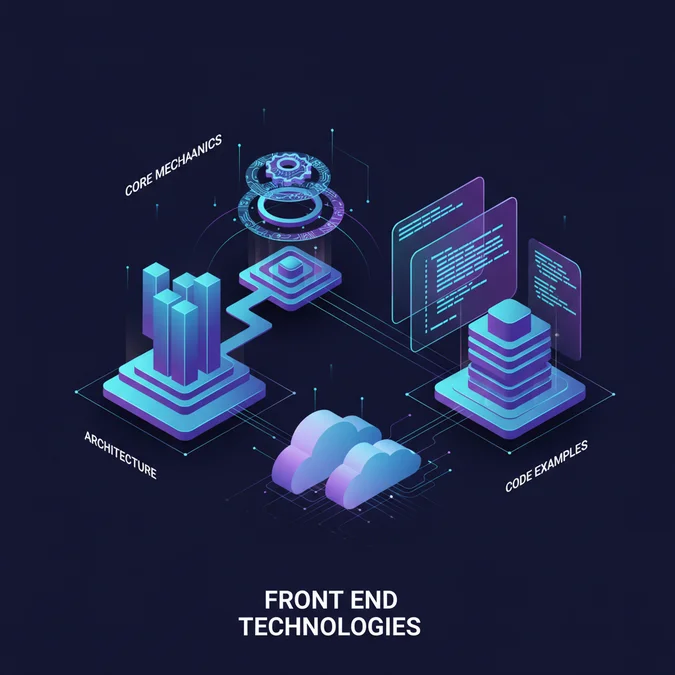

Front end technologies comprise the languages, frameworks, and tools that render the user interface and enable client-side interactivity in web applications. They are crucial for creating engaging, performant, and accessible digital experiences that directly impact user satisfaction and business objectives. Mastering these technologies is fundamental for any developer aiming to build modern, robust, and scalable web solutions.
This article provides a practitioner-level overview of the essential components, architectural patterns, and best practices governing contemporary front end development. We will explore everything from foundational languages to advanced frameworks, build tools, and performance optimization strategies, offering actionable insights and code examples to deepen your understanding.
Introduction: The Landscape of Modern Front End Technologies
The web has evolved dramatically from static documents to rich, interactive applications, primarily driven by advancements in front end technologies. Today’s users expect seamless experiences, instant feedback, and visually compelling interfaces, pushing developers to adopt sophisticated tools and methodologies. The modern front end is no longer a simple presentation layer, it is a complex system responsible for user interaction, data visualization, and often, critical business logic.
Understanding this landscape involves recognizing the interplay between core languages, the power of frameworks, the efficiency of build tools, and the importance of performance and security. This foundational knowledge is essential not just for building applications, but for making informed architectural decisions that ensure long-term maintainability and scalability. The rapid pace of innovation means continuous learning is not an option, but a necessity for any serious front end engineer.
The user experience is paramount, and the front end is its direct custodian. Every technological choice, from framework to build tool, must ultimately serve to enhance this experience.
Core Building Blocks: HTML, CSS, and JavaScript Fundamentals
At the heart of every web page lie three fundamental languages: HTML, CSS, and JavaScript. These are the irreducible core upon which all other front end technologies are built. A deep understanding of their individual roles and how they interact is non-negotiable for any aspiring or experienced developer.
HTML: Structure and Semantics
HyperText Markup Language (HTML) provides the structure and content of a web page. It defines elements like headings, paragraphs, images, links, and forms, giving meaning and organization to raw information. Semantic HTML, using tags like <header>, <nav>, <main>, <article>, and <footer>, improves accessibility and SEO by conveying the purpose of content to browsers and assistive technologies.
<!DOCTYPE html>
<html lang="en">
<head>
<meta charset="UTF-8">
<meta name="viewport" content="width=device-width, initial-scale=1.0">
<title>Semantic HTML Example</title>
<link rel="stylesheet" href="styles.css">
</head>
<body>
<header>
<h1>My Awesome Website</h1>
<nav>
<ul>
<li><a href="#home">Home</a></li>
<li><a href="#about">About</a></li>
</ul>
</nav>
</header>
<main>
<article>
<h2>Welcome!</h2>
<p>This is the main content of my page.</p>
</article>
</main>
<footer>
<p>© 2023 My Website</p>
</footer>
</body>
</html>CSS: Styling and Presentation
Cascading Style Sheets (CSS) dictate the visual presentation of HTML elements. It controls colors, fonts, layouts, animations, and responsive behaviors, transforming raw HTML into a visually appealing and brand-consistent interface. Modern CSS features like Flexbox, Grid, and custom properties (variables) enable highly flexible and maintainable designs.
/* styles.css */
body {
    font-family: 'Arial', sans-serif;
    margin: 0;
    background-color: #f4f4f4;
    color: #333;
}

header {
    background-color: #333;
    color: white;
    padding: 1rem;
    text-align: center;
}

nav ul {
    list-style: none;
    padding: 0;
}

nav li {
    display: inline;
    margin: 0 15px;
}

main {
    padding: 20px;
    max-width: 960px;
    margin: 20px auto;
    background-color: white;
    box-shadow: 0 0 10px rgba(0,0,0,0.1);
}

@media (max-width: 600px) {
    nav li {
        display: block;
        margin: 5px 0;
    }
}
JavaScript: Interactivity and Dynamic Behavior
JavaScript is the scripting language that brings web pages to life. It enables dynamic content updates, user interaction handling (like form validations, button clicks), complex animations, and communication with backend servers. With the advent of ECMAScript (ES) standards, JavaScript has evolved significantly, offering powerful features for asynchronous operations, module systems, and object-oriented programming. Its ubiquitous presence across browsers and server-side runtimes like Node.js makes it an indispensable skill.
// script.js (linked in HTML head or body)
document.addEventListener('DOMContentLoaded', () => {
    const header = document.querySelector('header');
    let lastScrollY = window.scrollY;

    window.addEventListener('scroll', () => {
        if (window.scrollY > lastScrollY) {
            // Scrolling down
            header.style.opacity = '0.7';
        } else {
            // Scrolling up
            header.style.opacity = '1';
        }
        lastScrollY = window.scrollY;
    });

    const navLinks = document.querySelectorAll('nav a');
    navLinks.forEach(link => {
        link.addEventListener('click', (event) => {
            event.preventDefault(); // Prevent default anchor behavior
            const targetId = link.getAttribute('href').substring(1);
            document.getElementById(targetId).scrollIntoView({
                behavior: 'smooth'
            });
        });
    });
});
These three technologies, while distinct, are always used in concert to deliver the full web experience. HTML provides the canvas, CSS paints the picture, and JavaScript adds the motion and interaction.
Deep Dive into Frontend Frameworks and Libraries: React, Angular, Vue, and Beyond
While HTML, CSS, and JavaScript form the bedrock, modern web development rarely involves building complex applications with vanilla JavaScript alone. This is where frontend frameworks and libraries become indispensable. They offer structured approaches, reusable components, and optimized workflows, significantly accelerating development and improving maintainability. These powerful frontend technologies abstract away much of the DOM manipulation and state management complexities, allowing developers to focus on application logic and user experience.
React: Component-Based UI Development
Developed by Facebook, React is a JavaScript library for building user interfaces. It’s renowned for its component-based architecture, virtual DOM for efficient updates, and a declarative programming style. React’s ecosystem is vast, supported by tools like Next.js for server-side rendering (SSR) and static site generation (SSG), and state management libraries like Redux or Zustand. Its flexibility makes it suitable for single-page applications (SPAs), mobile apps (React Native), and complex dashboards.
// Example React Component (Functional Component with Hooks)
import React, { useState, useEffect } from 'react';

function Counter() {
  const [count, setCount] = useState(0); // State hook

  useEffect(() => { // Effect hook for side effects
    document.title = `Count: ${count}`;
    // Cleanup function (optional)
    return () => console.log('Component unmounted or count changed');
  }, [count]); // Dependency array: effect runs when count changes

  return (
    <div>
      <p>You clicked {count} times</p>
      <button onClick={() => setCount(count + 1)}>
        Click me
      </button>
    </div>
  );
}

export default Counter;
Angular: A Comprehensive Framework
Maintained by Google, Angular is a full-fledged, opinionated framework for building large-scale enterprise applications. It offers a complete solution with built-in features for routing, state management, form handling, and HTTP client services. Angular uses TypeScript, promoting type-safety and better code organization. Its modular structure, dependency injection, and CLI (Command Line Interface) provide a robust development experience, making it a strong choice for complex, maintainable applications.
// Example Angular Component (TypeScript)
import { Component } from '@angular/core';

@Component({
  selector: 'app-hello',
  template: `
    <h1>Hello, {{ name }}!</h1>
    <button (click)="changeName()">Change Name</button>
  `,
  styles: [`
    h1 { color: blue; }
  `]
})
export class HelloComponent {
  name = 'Angular User';

  changeName() {
    this.name = 'World';
  }
}
Vue.js: Progressive and Approachable
Vue.js is a progressive framework known for its approachability, performance, and flexibility. It can be adopted incrementally, starting as a library for a small part of an application and scaling up to a full-fledged framework with its ecosystem (Vue Router, Vuex for state management). Vue’s single-file components (SFCs) encapsulate HTML, CSS, and JavaScript, making development intuitive. Its reactivity system is highly efficient, often requiring less boilerplate code than other frameworks.
// Example Vue.js Component (Single File Component)
<template>
  <div>
    <p>Message: {{ message }}</p>
    <button @click="reverseMessage">Reverse Message</button>
  </div>
</template>

<script>
export default {
  data() {
    return {
      message: 'Hello Vue!'
    }
  },
  methods: {
    reverseMessage() {
      this.message = this.message.split('').reverse().join('');
    }
  }
}
</script>

<style scoped>
  p { color: green; }
</style>
Beyond the Big Three: Svelte, Solid.js, and Web Components
The landscape of frontend technologies is constantly evolving. Svelte, for instance, is a compiler that writes vanilla JavaScript at build time, eliminating the need for a virtual DOM and leading to smaller bundle sizes and faster runtime performance. Solid.js offers a highly performant, reactive approach without a virtual DOM, focusing on fine-grained reactivity. Web Components provide a native, browser-standard way to create reusable custom elements, offering true encapsulation and interoperability.
Framework Comparison Overview
| Feature | React | Angular | Vue.js | Svelte |
|---|---|---|---|---|
| Paradigm | Library, component-based | Full framework, MVC/MVVM | Progressive framework, MVVM | Compiler, no virtual DOM |
| Learning Curve | Moderate | Steep | Gentle | Gentle |
| Bundle Size | Medium to Large | Large | Small to Medium | Very Small |
| Ecosystem | Vast, flexible | Opinionated, complete | Growing, flexible | Growing |
| Language | JavaScript (JSX) | TypeScript | JavaScript (HTML templates) | JavaScript (HTML templates) |
| Use Cases | SPAs, mobile, complex UIs | Enterprise apps, large SPAs | SPAs, small to large projects | Performance-critical apps |
Choosing the right framework depends heavily on project requirements, team expertise, and desired performance characteristics. Each offers distinct advantages and trade-offs in terms of development speed, bundle size, and learning curve.
Optimizing Development Workflows: Build Tools, State Management, and Testing Strategies
Efficient front end development extends beyond just choosing a framework. It requires a robust workflow supported by effective build tools, coherent state management solutions, and comprehensive testing strategies. These elements are critical for managing complexity, ensuring code quality, and delivering performant applications.
Build Tools: Bundlers, Transpilers, and Task Runners
Modern JavaScript applications are often composed of many modules, written in various languages (like TypeScript), and utilize features not yet universally supported by browsers. Build tools automate the process of transforming and optimizing this source code for production deployment.
- Bundlers: Tools like Webpack, Rollup, and Vite combine multiple JavaScript modules into a single (or a few) optimized bundle(s). They handle dependency resolution, code splitting, and asset optimization (images, CSS). Vite has gained significant traction for its speed, leveraging native ES modules during development.
- Transpilers: Babel is the most common transpiler, converting modern JavaScript (ES6+) and TypeScript into backward-compatible JavaScript that older browsers can understand.
- Task Runners: While largely superseded by bundlers and npm scripts, tools like Gulp and Grunt automate repetitive tasks such as minification, compilation, and linting.
// Example Vite configuration (vite.config.js)
import { defineConfig } from 'vite';
import react from '@vitejs/plugin-react';

export default defineConfig({
  plugins: [react()],
  build: {
    outDir: 'dist',
    sourcemap: true,
  },
  server: {
    port: 3000,
  },
});
State Management: Handling Application Data
As applications grow, managing shared data (state) across components becomes challenging. State management libraries provide predictable patterns for storing, updating, and accessing application state. This ensures data consistency and simplifies debugging.
- Centralized Stores: Libraries like Redux (for React) and Vuex (for Vue) create a single, immutable store for application state. Changes are made via dispatching actions, which trigger reducers/mutations to update the state, providing a clear data flow.
- Context API/Pinia: React’s Context API and Vue’s Pinia offer simpler, often more lightweight alternatives for state management, especially suitable for smaller to medium-sized applications or for managing localized state.
- Atomic State Management: Libraries like Zustand, Jotai, or Recoil (React) offer a more granular, often performant approach by managing state in individual, independent atoms or slices.
Testing Strategies: Ensuring Robustness
Robust testing is crucial for delivering high-quality, maintainable front end applications. A comprehensive testing strategy typically includes different levels of tests:
- Unit Tests: Verify individual functions, components, or modules in isolation. Tools like Jest and Vitest are popular for JavaScript/TypeScript unit testing.
- Integration Tests: Check that different parts of an application work correctly together. For example, testing how a component interacts with a state management store or an API.
- End-to-End (E2E) Tests: Simulate real user interactions across the entire application, from UI clicks to data persistence. Cypress and Playwright are leading E2E testing frameworks.
- Snapshot Tests: (Often part of unit/integration testing) Capture the rendered output of a component and compare it against a stored snapshot to detect unintended UI changes.
A well-defined testing pyramid, prioritizing unit tests, then integration, and finally E2E tests, provides comprehensive coverage with efficient feedback loops.
Development Workflow Checklist
- Version Control: Use Git for code management and collaboration.
- Linter/Formatter: Implement ESLint and Prettier for code consistency and quality.
- Type Checking: Utilize TypeScript for improved code reliability and maintainability.
- Automated Builds: Configure CI/CD pipelines for automated testing and deployment.
- Code Reviews: Integrate peer code reviews into the development process.
- Documentation: Maintain clear and up-to-date documentation for components and APIs.
By integrating these tools and strategies, development teams can build more stable, scalable, and delightful user experiences while maintaining high developer velocity.
Architectural Trade-offs and Performance Best Practices for Front End Technologies
Choosing and implementing front end technologies involves a series of critical architectural trade-offs that directly impact an application’s performance, scalability, security, and developer experience. Understanding these implications is key to building successful web applications.
Server-Side Rendering (SSR) vs. Client-Side Rendering (CSR) vs. Static Site Generation (SSG)
The rendering strategy chosen significantly affects initial load times, SEO, and interactivity.
| Strategy | Description | Pros | Cons | Best For |
|---|---|---|---|---|
| Client-Side Rendering (CSR) | Browser downloads minimal HTML, then JavaScript renders content. | Highly interactive, rich user experience, good for SPAs. | Poor initial load time, SEO challenges, requires JavaScript. | Dashboards, highly interactive web apps, authenticated experiences. |
| Server-Side Rendering (SSR) | Server renders full HTML on each request, then sends to browser. | Good for SEO, fast initial load, better for non-JavaScript users. | Slower time to first byte (TTFB), more server load, complex caching. | Content-heavy sites, e-commerce, applications requiring strong SEO. |
| Static Site Generation (SSG) | HTML generated at build time, served from CDN. | Extremely fast load times, excellent SEO, highly scalable, secure. | No real-time data on build, rebuilds for updates, not for dynamic content. | Blogs, marketing sites, documentation, landing pages. |
Hybrid approaches, such as Next.js’s ability to combine SSR, SSG, and CSR within a single application, offer flexibility to pick the best strategy for different parts of a site.
Performance Optimization Techniques
Optimizing performance is crucial for user retention and SEO. Poor performance directly correlates with higher bounce rates and lower search engine rankings. Key metrics to monitor include Core Web Vitals (Largest Contentful Paint, First Input Delay, Cumulative Layout Shift).
- Code Splitting: Break down large JavaScript bundles into smaller chunks loaded on demand. This reduces initial load time.
- Lazy Loading: Load images, components, or routes only when they are needed or enter the viewport.
- Image Optimization: Use appropriate formats (WebP, AVIF), compress images, implement responsive images (
srcset), and lazy load. - Caching Strategies: Leverage browser caching, CDN caching, and service workers for offline capabilities and faster repeat visits.
- Minification and Compression: Reduce file sizes of JavaScript, CSS, and HTML using tools like Terser and Gzip/Brotli.
- Critical CSS: Inline essential CSS for the initial render to prevent render-blocking resources.
- Web Workers: Offload heavy computations to background threads to keep the main thread free for UI interactions.
// Example of lazy loading a component in React
import React, { Suspense, lazy } from 'react';

const LazyComponent = lazy(() => import('./MyLazyComponent'));

function App() {
  return (
    <div>
      <h1>Welcome to My App</h1>
      <Suspense fallback={<div>Loading...</div>}>
        <LazyComponent />
      </Suspense>
    </div>
  );
}
Security Considerations
Front end security is often overlooked but critical. While backend handles core authentication and data integrity, the front end must prevent common client-side vulnerabilities.
- Cross-Site Scripting (XSS): Sanitize user-generated content, use content security policies (CSP), and ensure frameworks correctly escape output.
- Cross-Site Request Forgery (CSRF): Implement anti-CSRF tokens in forms and API requests.
- Insecure Direct Object References (IDOR): Ensure all API requests for sensitive data are authorized on the server, not just hidden on the client.
- Dependency Vulnerabilities: Regularly audit and update third-party libraries to patch known security flaws.
- Sensitive Data Handling: Never store sensitive user information (like passwords or API keys) directly in client-side code or local storage.
By diligently addressing these architectural considerations and implementing best practices, developers can build robust, high-performing, and secure web applications using modern front end technologies.
Choosing Your Stack: Strategic Decisions for Different Project Scales
Selecting the right suite of front end technologies is a strategic decision that profoundly impacts project success. There’s no one-size-fits-all answer, as the optimal choice depends on various factors: project size, team expertise, performance requirements, budget, and long-term maintainability.
Factors Influencing Technology Choice
- Project Scope and Complexity:
- Small Projects (e.g., landing pages, simple blogs): Often benefit from SSG frameworks (e.g., Astro, Next.js, Gatsby) or lightweight libraries. Minimal JavaScript or vanilla HTML/CSS might suffice.
- Medium Projects (e.g., internal tools, small e-commerce): React, Vue, or Svelte are strong candidates, balancing development speed with performance.
- Large-Scale Enterprise Applications: Angular provides a highly structured, opinionated framework well-suited for large teams and long-term maintenance. React with a mature ecosystem (Redux, Next.js) is also a common choice.
- Team Expertise:
- Leverage existing team skills. Training costs and ramp-up time can be significant if adopting an entirely new stack.
- Consider the availability of talent in the job market for specific technologies.
- Performance Requirements:
- For SEO-critical or content-heavy sites, SSR or SSG (Next.js, Nuxt.js) are often preferred for faster initial loads.
- For highly interactive applications where initial load is less critical than runtime performance, CSR frameworks can be optimized.
- Maintenance and Scalability:
- Consider the long-term support, community size, and documentation quality for chosen technologies.
- Frameworks with strong conventions (Angular) can be easier to maintain in large teams.
- Budget and Time-to-Market:
- Rapid development frameworks and component libraries can accelerate initial delivery.
- Open-source solutions generally reduce licensing costs, but may require more internal expertise.
Strategic Stack Choices by Project Type
| Project Type | Recommended Technologies | Rationale |
|---|---|---|
| Marketing Website/Blog | Next.js (React), Nuxt.js (Vue), Astro, Hugo, Jekyll | Excellent SEO, fast load times (SSG), easy deployment via CDNs. |
| Single-Page Application (SPA) | React, Vue, Angular | Rich interactivity, dynamic content, good for authenticated user experiences. |
| E-commerce Platform | Next.js (React), Nuxt.js (Vue), Gatsby, Shopify Hydrogen | Combines SSR/SSG for SEO with client-side interactivity, performance critical. |
| Internal Admin Dashboard | React, Vue, Angular with UI libraries (e.g., Material-UI, Ant Design) | Rapid component development, consistent UI, complex data visualization. |
| Progressive Web App (PWA) | Any modern framework (React, Vue, Angular) + Service Workers | Offline capabilities, installability, push notifications, enhanced user experience. |
Before committing to a tech stack, conduct a proof-of-concept (PoC) with key features to validate assumptions and assess developer experience. This minimizes risk and ensures alignment with project goals.
The decision is rarely about a single technology, but rather a cohesive ecosystem. This includes the primary framework, state management, UI libraries, testing tools, and build pipeline. A holistic view ensures that all components work synergistically to achieve project objectives efficiently and effectively.
The Future of Frontend Development: Emerging Trends and Innovations
The landscape of front end development is in a constant state of flux, driven by evolving user expectations, browser capabilities, and developer tooling. Staying abreast of emerging trends is crucial for building future-proof applications and maintaining a competitive edge.
WebAssembly (Wasm): Beyond JavaScript
WebAssembly is a binary instruction format for a stack-based virtual machine. It allows code written in languages like C++, Rust, or Go to run in web browsers at near-native speeds. While not a replacement for JavaScript, Wasm extends the capabilities of the web, enabling high-performance applications like games, video editors, and CAD software directly in the browser. Its integration with JavaScript allows for powerful hybrid applications.
Edge Computing and Serverless Functions
The rise of edge computing platforms (e.g., Cloudflare Workers, Vercel Edge Functions) and serverless functions allows developers to execute code closer to the user, reducing latency and improving performance. This paradigm shift can offload logic from the client, enhancing both user experience and security, particularly for dynamic content and API routing.
AI and Machine Learning in the Browser
With advancements in libraries like TensorFlow.js and ONNX Runtime Web, machine learning models can now run directly in the browser. This enables real-time AI-powered features, such as image recognition, natural language processing, and personalized recommendations, without requiring a round trip to a server, improving privacy and responsiveness.
Enhanced Browser APIs and Capabilities
Browsers are continually gaining new capabilities, expanding what’s possible on the web. Examples include:
- Web Push Notifications: For engaging users even when the browser is closed.
- File System Access API: Allowing web applications to interact with the user’s local file system.
- Web Serial API, Web USB, Web Bluetooth: Connecting web apps to hardware devices.
- WebGPU: A new API for high-performance 3D graphics and compute on the web, succeeding WebGL.
Headless CMS and API-First Architectures
The decoupling of the front end (presentation layer) from the back end (content and data management) through headless CMS platforms (e.g., Strapi, Contentful) and API-first approaches continues to gain momentum. This provides greater flexibility for front end developers to choose their preferred frameworks and tools, while enabling content reuse across multiple platforms (web, mobile, IoT).
Accessibility (A11y) and Inclusive Design
As the web becomes more ubiquitous, ensuring accessibility for all users, including those with disabilities, is no longer optional. Future front end development will increasingly prioritize inclusive design principles, robust ARIA attributes, and semantic HTML to create experiences usable by everyone. Tools and automated checks are becoming more sophisticated, but a human-centered approach remains paramount.
The future of front end development is characterized by greater performance, deeper integration with hardware, more intelligent applications, and an unwavering commitment to universal accessibility. Developers must embrace these trends to build the next generation of web experiences.
These trends indicate a future where web applications are more powerful, performant, and seamlessly integrated into users’ digital and physical lives. Staying curious and continuously learning about these innovations will be key to thriving in the evolving front end ecosystem.
Frequently Asked Questions
What are the most essential front end technologies to learn today?
The most essential front end technologies include HTML, CSS, and JavaScript as foundational skills. Beyond these, proficiency in a modern framework like React, Angular, or Vue, along with build tools like Vite or Webpack, is crucial for contemporary web development.
How do frontend technologies differ from backend technologies?
Frontend technologies focus on the client-side, handling everything users see and interact with in a web browser. Backend technologies, conversely, manage server-side logic, databases, and APIs, operating behind the scenes to power the frontend.
What is the role of a framework in modern web development?
Frameworks provide a structured way to build complex user interfaces efficiently. They offer pre-built components, state management solutions, and routing capabilities, streamlining development and ensuring consistency across large-scale web projects.
Can I build a complete web application using only client-side technologies?
While client-side technologies can create highly interactive single-page applications (SPAs), a complete web application typically requires backend services for data storage, user authentication, and complex business logic. Frontend technologies handle the user interface and client-side interactions.
The realm of front end technologies is dynamic and expansive, demanding continuous learning and adaptation from developers. From the foundational trio of HTML, CSS, and JavaScript to sophisticated frameworks like React, Angular, and Vue, and the essential ecosystem of build tools and testing strategies, each component plays a vital role in crafting modern web experiences.
Making informed architectural decisions, prioritizing performance and security, and strategically choosing a tech stack based on project specifics are critical skills. As the web continues to evolve with trends like WebAssembly, edge computing, and AI in the browser, the opportunities for innovation in front end development are boundless. Embracing these advancements will enable engineers to build increasingly powerful, accessible, and engaging applications for the future.
NR Studio builds custom web apps, mobile apps, SaaS platforms, and internal tools for growing businesses. If you’re working through a technical decision, feel free to reach out — no commitment required.