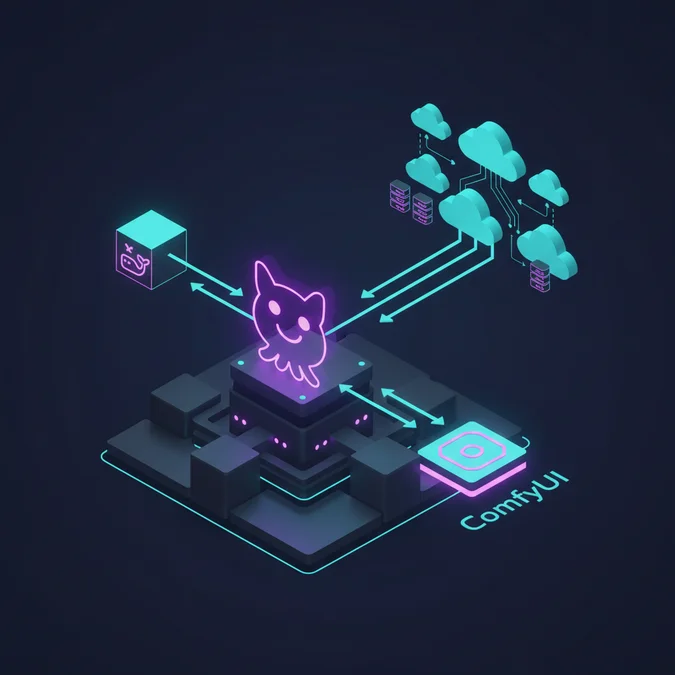

ComfyUI is an open-source, node-based graph execution engine and user interface for Stable Diffusion, FLUX, and modern generative AI models hosted under the comfyanonymous/ComfyUI repository on GitHub. It decouples model execution into a directed acyclic graph (DAG), enabling precise control over latent spaces, memory management, and deterministic pipeline reproducibility.
Over the past year, the AI engineering community shifted aggressively toward ComfyUI on GitHub, moving away from legacy monolithic interfaces like Automatic1111. This shift is driven by ComfyUI’s asynchronous Python backend, native support for advanced architectures like SDXL, SD3, and FLUX, and its headless API mode that treats image generation pipelines as pure code workflows. Organizations are no longer viewing image generation as a manual artist sandbox; they are integrating these systems into automated media pipelines, distributed microservices, and continuous delivery production stacks.
Running ComfyUI reliably in production presents non-trivial infrastructure hurdles. Managing GPU driver versions, VRAM bottlenecks, custom node dependency trees, and stateless API distribution across AWS, GCP, or bare-metal clusters requires an enterprise-grade cloud architecture. This guide provides an infrastructure blueprint for cloning, containerizing, clustering, and scaling ComfyUI from GitHub.
Understanding the ComfyUI GitHub Repository Architecture
The core repository on GitHub (comfyanonymous/ComfyUI) is structured as a lightweight, modular execution runtime. Unlike legacy WebUIs that tightly couple frontend state with backend inference, ComfyUI separates the frontend client from the Python execution engine via a clean WebSocket and HTTP REST interface.
When examining the codebase, the primary engine centers on an asynchronous execution graph. The system reads JSON payload specifications representing nodes (inputs, outputs, and parameters), builds an execution topological sort, and runs each node sequentially or in parallel depending on dependency dependencies. When a user creates a node network, the front-end merely serializes the visual graph into a directed acyclic graph (DAG).
Core Execution Flow
- Graph Ingestion: The server receives an execution request containing a serialized prompt dictionary via the
/promptendpoint. - Node Validation and Dynamic Imports: Nodes located in
nodes.pyand the dynamiccustom_nodes/directory are validated against declared input and output types. - Execution Caching: The
execution.pyengine checks node input signatures against previous execution hashes. If inputs have not changed, intermediate latent tensors remain cached in memory, eliminating redundant compute cycles. - Model Management: The
comfy/model_management.pysubsystem oversees GPU VRAM and system RAM allocation, dynamically offloading unused CLIP, VAE, or UNet weights to host memory when VRAM boundaries are approached.
For engineering teams drafting a formal software architecture document that scales, documenting this decoupled client-server boundary is essential for understanding how to place load balancers and inference workers.
Cloning, Hardware Prerequisites, and Local Environment Setup
Setting up ComfyUI from GitHub on bare metal or bare instances requires precise CUDA and Python dependency synchronization. Before cloning, verify that the host machine satisfies the baseline compute capabilities required for running multi-billion parameter diffusion models.
| Component | Minimum Specification | Recommended Production Spec |
|---|---|---|
| GPU | NVIDIA GTX 1080 (8 GB VRAM) | NVIDIA RTX 4090 / A10G / L4 (24 GB VRAM) |
| CUDA Toolkit | CUDA 11.8 | CUDA 12.1 or 12.4 |
| System RAM | 16 GB DDR4 | 64 GB DDR5 / ECC Registered |
| Disk Storage | 50 GB SSD | 1 TB NVMe SSD (PCIe Gen 4) |
| Operating System | Ubuntu 20.04 LTS / Windows 10 | Ubuntu 22.04 LTS or Debian 12 |
To clone the official repository and set up a clean Python virtual environment on Linux, execute the following shell commands:
# Clone the official repository from GitHub
git clone https://github.com/comfyanonymous/ComfyUI.git
cd ComfyUI

# Initialize isolated Python 3.10 virtual environment
python3.10 -m venv venv
source venv/bin/activate

# Upgrade pip and install PyTorch with matching CUDA runtime
pip install --upgrade pip
pip install torch torchvision torchaudio --extra-index-url https://download.pytorch.org/whl/cu121

# Install core dependencies
pip install -r requirements.txt

# Launch the local server on specific interface
python main.py --listen 0.0.0.0 --port 8188 --highvram
Passing the --highvram flag instructs the memory manager to keep model weights loaded in VRAM continuously, skipping the latency penalty of CPU offloading when working on 24 GB+ GPUs.
Dockerizing ComfyUI for Production Environments
Running naked Python virtual environments in production introduces environment drift, dynamic dependency breakages, and CUDA driver conflicts. Standardizing ComfyUI on an immutable Docker image ensures deterministic rollouts across cloud instances.
The Docker container must pull the official NVIDIA CUDA runtime base image, install PyTorch, clone the pinned Git commit of ComfyUI, and establish non-root security boundaries. The following Dockerfile provides an optimized multi-stage build pattern:
# Use official NVIDIA CUDA 12.1 runtime on Ubuntu 22.04
FROM nvidia/cuda:12.1.1-runtime-ubuntu22.04

ENV DEBIAN_FRONTEND=noninteractive \
 PYTHONUNBUFFERED=1 \
 PIP_NO_CACHE_DIR=1

# Install system dependencies
RUN apt-get update && apt-get install -y --no-install-recommends \
 python3.10 \
 python3-pip \
 python3-dev \
 git \
 libgl1-mesa-glx \
 libglib2.0-0 \
 curl \
 && rm -rf /var/lib/apt/lists/*

WORKDIR /app

# Pin specific Git release tag or commit for reproducibility
RUN git clone https://github.com/comfyanonymous/ComfyUI.git.
RUN git checkout v0.2.4

# Install torch with CUDA support
RUN pip3 install --upgrade pip && \
 pip3 install torch torchvision torchaudio --extra-index-url https://download.pytorch.org/whl/cu121

# Install repository dependencies
RUN pip3 install -r requirements.txt

# Expose default HTTP/WebSocket port
EXPOSE 8188

# Entrypoint running in non-preview headless mode
CMD ["python3", "main.py", "--listen", "0.0.0.0", "--port", "8188", "--dont-print-server"]
Building and deploying container images with pinned commits guarantees that upstream changes to the GitHub main branch do not spontaneously break live inference clusters during autoscaling events.
Custom Node Management and Dependency Isolation
One of ComfyUI’s greatest strengths, and its largest operational headache, is the custom node ecosystem. Located in the custom_nodes/ folder, third-party GitHub repositories extend the core graph with ControlNet integrations, animated diffusers, prompt parsers, and custom model architectures.
Because third-party nodes execute arbitrary Python code upon startup, unvetted nodes introduce memory leaks, library version overrides (such as conflicting ONNX or OpenCV versions), and security vulnerabilities. When structuring rapid POC deployments or applying the prototype model in software engineering, teams frequently clone dozens of untracked custom nodes, creating fragile runtime environments.
Best Practices for Node Lifecycle Isolation
- Pin Git Submodules: Track community nodes as Git submodules or manage them inside a manifest file with exact commit SHAs rather than executing blind
git pulloperations during build phases. - Automated Dependency Reconciliation: Build a custom setup script that checks whether two separate custom nodes declare conflicting versions of packages like
transformersordiffusers. - Headless Node Configuration: Several custom nodes attempt to spin up GUI dependencies or local file browsers. Ensure nodes support headless operations by overriding environment variables before running in containerized cloud clusters.
API Mode: Operating Headless ComfyUI Without a Browser
ComfyUI natively supports running in headless mode, transforming the visual node canvas into a pure computational backend. To use ComfyUI as an API, enable “Save API Format” in the frontend interface settings. When exported, the workflow produces an execution payload containing only the active nodes, node IDs, inputs, and linkage coordinates, completely stripped of UI metadata.
Clients interact with the ComfyUI API via two communication channels:
- HTTP POST
/prompt: Submits the JSON workflow to the queue. Returns a prompt ID and queue index. - WebSocket
/ws?clientId={id}: Streams progress updates, node execution status markers, and binary preview data back to the client in real time. - HTTP GET
/view: Fetches final output artifacts (PNG, WebP, MP4) using filename, subfolder, and output type parameters.
The following Python script illustrates how a backend microservice dispatches a headless generation request and reads the result:
import json
import urllib.request
import websocket
import uuid

SERVER_ADDRESS = "127.0.0.1:8188"
CLIENT_ID = str(uuid.uuid4())

def queue_prompt(workflow_dict):
 payload = {"prompt": workflow_dict, "client_id": CLIENT_ID}
 data = json.dumps(payload).encode('utf-8')
 req = urllib.request.Request(f"http://{SERVER_ADDRESS}/prompt", data=data)
 with urllib.request.urlopen(req) as response:
 return json.loads(response.read().decode('utf-8'))

def listen_for_completion(prompt_id):
 ws = websocket.WebSocket()
 ws.connect(f"ws://{SERVER_ADDRESS}/ws?clientId={CLIENT_ID}")

 while True:
 out = ws.recv()
 if isinstance(out, str):
 message = json.loads(out)
 if message['type'] == 'executing':
 data = message['data']
 # If node is None, processing the whole prompt has finished
 if data['node'] is None and data['prompt_id'] == prompt_id:
 break
 ws.close()

# Load API payload from exported JSON
with open("workflow_api.json", "r") as f:
 prompt_workflow = json.load(f)

response = queue_prompt(prompt_workflow)
target_prompt_id = response['prompt_id']
print(f"Queued prompt: {target_prompt_id}")
listen_for_completion(target_prompt_id)
print("Inference execution finished successfully.")
Integrating ComfyUI with Modern Application Backends
When integrating ComfyUI into a broader web application architecture, decoupling user web requests from long-running GPU inference tasks is mandatory. An end-user should never wait on a direct synchronous HTTP request while an inference model denoises latents across 30 steps.
A resilient pattern places a task queue (such as Redis with Celery or RabbitMQ) between web controllers and the ComfyUI API nodes. Web servers accept generation requests, store metadata in PostgreSQL, dispatch an asynchronous job, and poll or receive WebSocket events from the workers.
For instance, backend architectures managing periodic batch workflows or scheduled AI asset synthesis often dispatch tasks using artisan workers. If your infrastructure relies on a standard PHP stack, building Laravel custom artisan commands allows you to bridge background schedulers directly with ComfyUI’s WebSocket interface, validating and submitting API payloads with standard background workers.
This decoupling isolates GPU instance failures from crashing your user-facing API gateways, ensuring that transient Out of Memory (OOM) errors are handled gracefully with retry mechanisms.
Horizontal Scaling and Load Balancing Strategies
Unlike stateless REST applications, ComfyUI maintains local in-memory model caches and persistent WebSocket connections. Scaling ComfyUI horizontally across multiple GPU nodes requires an intelligent routing layer rather than basic round-robin DNS.
If a load balancer sends consecutive requests across different instances, each worker must read model weights from disk into VRAM if the previous model differs, causing massive cold-start latencies. Implementing sticky routing based on workflow model hashes minimizes model thrashing.
| Scaling Layer | Technology Choice | Architectural Responsibility |
|---|---|---|
| Ingress / API Gateway | Kong / Envoy / Traefik | TLS termination, authentication, rate limiting, and client routing. |
| Queue Orchestration | Redis / Celery / BullMQ | Buffers generation spikes; decouples HTTP timeouts from generation time. |
| Dynamic Router | Custom Node Router / Go Proxy | Inspects workflow JSON; routes jobs to workers that already have the required checkpoints loaded in VRAM. |
| Worker Nodes | ComfyUI Headless Pods | Pulls checkpoints from shared storage; processes DAG execution. |
Furthermore, because generation time varies wildly based on step counts, latent resolutions, and batch sizes, your autoscaling metrics must track active queue depth and GPU memory utilization (via NVIDIA DCGM exporter) rather than standard CPU or network traffic.
Cloud Infrastructure Deployments: AWS vs. GCP vs. Serverless GPU
Deploying ComfyUI in the cloud requires balancing compute capacity, network throughput for model storage, and operating cost. AWS, GCP, and specialized GPU clouds offer distinct operational trade-offs.
AWS EC2 G5 and G6 Architectures
AWS EC2 g5.2xlarge instances (featuring 1 NVIDIA A10G GPU with 24 GB VRAM) provide an excellent foundation for production ComfyUI workloads. When coupled with an Amazon Elastic File System (EFS) or high-throughput FSx for Lustre mount, dozens of ComfyUI workers can access a centralized repository of checkpoints (SDXL, FLUX, LoRAs) without duplicating hundreds of gigabytes across root EBS volumes.
Google Cloud Platform (GCP) Compute Engine
GCP offers G2 instances powered by NVIDIA L4 GPUs. While L4 provides 24 GB of VRAM at attractive pricing, its memory bandwidth (300 GB/s) is lower than an A10G (600 GB/s) or RTX 4090 (1,008 GB/s). Workflows heavy on diffusion sampling steps experience longer latency on L4 instances compared to G5 hardware.
Serverless GPU Workers (RunPod, Modal, Salad)
For variable workloads with long idle periods, provisioning permanent EC2 instances causes budget drain. Serverless GPU platforms spin up ComfyUI containers within seconds upon queue demand, billing strictly for compute duration per second. The primary technical hurdle with serverless ComfyUI is cold start latency: container images containing models are massive, requiring network-attached shared volume optimization to ensure rapid initialization.
Comprehensive Cost Analysis and Pricing Breakdown
Operating ComfyUI in the cloud entails distinct pricing variables: GPU compute hours, egress bandwidth, shared network storage, and engineering maintenance overhead. The following cost analysis details exact expense models across common operational scales.
| Deployment Model | Hourly Cost | Monthly Baseline (730 Hours) | Best Suited For |
|---|---|---|---|
| Dedicated AWS g5.2xlarge (1x A10G 24GB) | $1.212 | $884.76 | High, predictable traffic; zero cold start tolerances. |
| Dedicated GCP g2-standard-8 (1x L4 24GB) | $0.704 | $513.92 | Cost-effective batch rendering; moderate concurrency. |
| Serverless GPU (RunPod / Modal A10G) | $0.40 – $0.74 (active) | $50.00 – $350.00 (variable) | Burst-heavy generation spikes; sporadic enterprise workloads. |
| Bare-Metal Colocation (1x RTX 4090 24GB) | $0.35 (effective) | $220.00 – $280.00 | Maximum throughput-to-cost ratio; hardware self-management. |
Storage and Bandwidth Expenses
Beyond compute, model checkpoint storage adds significant recurring cost. Modern diffusion checkpoints (like FLUX.1 dev) consume roughly 23 GB per model file. Storing a standard production library of 20 checkpoints (approximately 460 GB) on AWS EFS costs roughly $0.30 per GB-month for standard tier storage, adding roughly $138.00 per month. Inter-region egress for transferring high-resolution output batches typically runs $0.09 per GB on major cloud providers.
Storage Architectures: Centralizing Checkpoints, LoRAs, and VAEs
A critical operational failure in ComfyUI clusters is baking large model checkpoints directly into Docker container images. Doing so results in 50 GB to 100 GB images that take several minutes to pull during autoscaling events. Decoupling the application runtime from model storage is mandatory.
ComfyUI supports centralized storage natively via the extra_model_paths.yaml configuration file. By mounting a shared network volume (NFS, AWS EFS, or GCP Cloud Filestore) to the host or container, multiple workers can read from a single shared model repository.
Create an extra_model_paths.yaml file in the ComfyUI root directory with the following configuration:
# Extra model path configuration for shared cloud storage
base_shared_path: /mnt/shared_models/

comfyui:
 checkpoints: checkpoints/
 configs: configs/
 vae: vae/
 loras: loras/
 upscale_models: upscale_models/
 embeddings: embeddings/
 controlnet: controlnet/
 clip: clip/
Mounting this path via read-only NFS across all GPU inference pods allows you to add or update new model weights centrally without restarting worker nodes or rebuilding production containers.
Hidden Pitfalls, Security Vulnerabilities, and Failure Modes
Deploying raw GitHub code directly into a cloud VPC exposes infrastructure to critical vulnerabilities if security controls are ignored.
Remote Code Execution via Dynamic Node Ingestion
ComfyUI workflows serialize node graphs using JSON, but certain community nodes leverage Python’s eval() or insecure deserialization protocols (such as unpickling checkpoints). Running untrusted workflow JSON submitted by public users can result in arbitrary code execution inside the worker instance. Always run ComfyUI processes inside isolated unprivileged containers, and isolate workers on private VPC subnets without internet gateway routing where possible.
Out of Memory (OOM) GPU Deadlocks
PyTorch allocates CUDA memory dynamically. When concurrent requests hit an instance, or when a user submits an excessively high latent resolution without tiling enabled, the CUDA driver raises a runtime OOM error. ComfyUI attempts to clear PyTorch caches, but repeated OOMs can cause the Python worker to hang without releasing file locks. Deploy an external health-check daemon that polls the HTTP /system_stats endpoint and forcibly restarts the container if unresponsive.
Filesystem Contention on Image Writes
By default, ComfyUI saves generated assets to the local output/ directory. In clustered environments, this creates local state divergence. Configure worker scripts to intercept the generated image buffers directly from memory and stream them to S3 or Google Cloud Storage buckets, bypassing local disk I/O entirely.
Production Monitoring, Observability, and Telemetry
Maintaining high availability across a ComfyUI cluster demands observability into both system-level hardware metrics and node-level graph execution times. Standard application metrics like CPU usage and memory footprint fail to reflect generative model health.
Essential Metrics to Collect
- GPU Memory Allocated vs. Reserved: Track via NVIDIA DCGM (Data Center GPU Manager) and Prometheus. Alerts must trigger when reserved VRAM exceeds 92% continuously.
- Queue Dwell Time: The latency delta between when an execution ID is submitted to
/promptand when the first node begins sampling. - Step-per-Second Denoising Rate: Sudden drops in sampling iterations per second indicate thermal throttling or PCIe bandwidth saturation due to excessive memory paging.
- Node Execution Latency: Monitoring individual execution durations across complex DAGs pinpoint custom nodes responsible for pipeline bottlenecks.
Integrating these metrics into Grafana dashboards equips site reliability engineers to identify underperforming instances and trigger autoscaling thresholds before client queues backlog.
Explore our complete Laravel, Basics directory for more guides.
Factors That Affect Development Cost
- GPU instance type (e.g., NVIDIA A10G vs L4 vs RTX 4090)
- Reserved vs on-demand vs spot cloud pricing models
- Network attached storage throughput and volume size for checkpoints
- Outbound internet egress bandwidth for high-resolution images
Production cloud GPU costs range between $0.40 and $1.50 per GPU hour depending on hardware class and provider commitments.
ComfyUI from GitHub represents a major evolution in programmatic generative AI pipelines, replacing opaque consumer frontends with a robust, modular DAG execution engine. Successfully migrating this engine from a local desktop workstation to an enterprise cloud architecture requires treating the runtime as a distributed system: containerizing the environment with Docker, abstracting model checkpoints onto shared high-throughput network volumes, and decoupling client requests using asynchronous message queues.
For enterprise-scale production, run ComfyUI in headless API mode behind an intelligent dynamic routing layer that manages model weights across dedicated GPU instances like AWS G5 or serverless workers. By decoupling compute from storage, enforcing strict network boundaries around custom nodes, and monitoring hardware through NVIDIA DCGM telemetry, engineering teams can build resilient, cost-optimized image generation services capable of scaling to millions of inference requests.