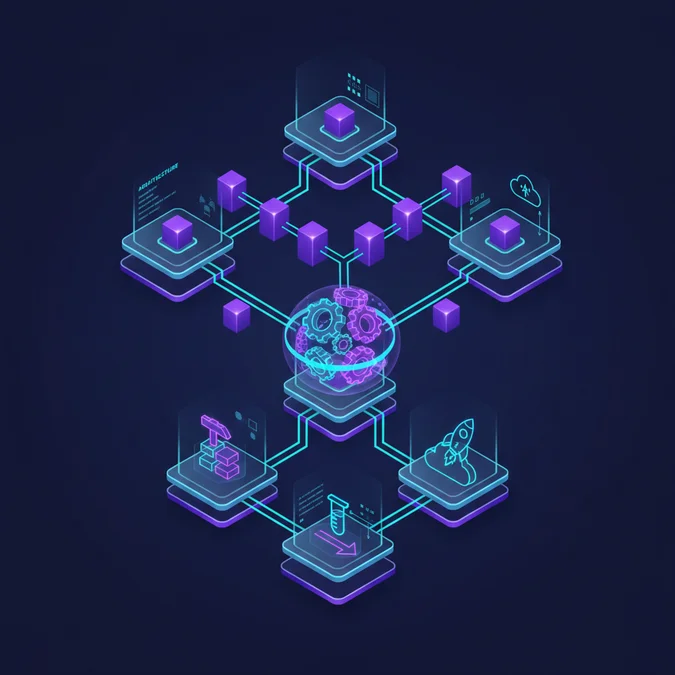

CI pipelines automate the critical stages of software development, from code integration to testing, ensuring rapid feedback and early detection of defects. They are fundamental to modern DevOps practices, streamlining workflows by consistently building, validating, and preparing code for deployment. This automation significantly reduces manual errors and accelerates the delivery of high-quality software products.
This article provides a deep dive into the architecture, operational mechanics, and practical implementation of CI pipelines. We will explore their foundational concepts, detail step-by-step processes with platform-agnostic code examples, and discuss best practices for optimization, tool selection, and effective troubleshooting. Understanding these elements is crucial for any engineering team aiming to enhance development efficiency and product reliability.
What are CI Pipelines? Definition and Core Concepts
Continuous Integration (CI) pipelines are automated sequences of steps that build, test, and validate code changes whenever a developer integrates new code into a shared repository. The primary goal of ci pipelines is to detect integration issues and bugs early in the development cycle, providing rapid feedback to developers.
These pipelines typically involve several stages, including fetching code from a version control system, compiling it, running automated tests (unit, integration, static analysis), and generating artifacts. By automating these repetitive tasks, CI pipelines ensure that the codebase remains in a consistently working state, preventing the accumulation of integration problems that can be costly to resolve later.
CI vs. CI/CD Pipeline Meaning
While often used interchangeably, it’s crucial to understand the distinction. CI pipelines focus solely on the integration phase: building, testing, and validating code to ensure it’s merge-ready. A ci cd pipeline meaning extends CI by adding Continuous Delivery (CD) or Continuous Deployment, which automates the release of validated code to various environments, making it ready for production or automatically deploying it.
The core philosophy behind CI is to integrate code frequently, ideally multiple times a day, to minimize the scope of changes in each integration. This approach simplifies debugging and ensures that developers are always working with a stable, up-to-date codebase. Modern CI systems provide immediate feedback, often notifying developers via chat, email, or direct integration with development tools when a build fails or tests do not pass.
The Architecture of a CI Pipeline: Design Patterns and Components
The architecture of a robust CI pipeline involves several interconnected components designed to automate and streamline the software delivery process. Effective design ensures scalability, maintainability, and reliability. At its heart, a CI system comprises a trigger mechanism, a build agent, and a series of defined stages.
Common architectural patterns for ci pipelines vary based on project size, team structure, and infrastructure. For instance, a monorepo strategy might use a single pipeline with conditional stages, while a microservices architecture often employs independent pipelines for each service, promoting isolated deployments and faster feedback loops.
Key Architectural Principles
- Idempotency: Running the pipeline multiple times with the same input should yield the same output.
- Reproducibility: Builds should be reproducible across different environments and times.
- Isolation: Each build should run in an isolated environment to prevent interference.
- Fast Feedback: Pipelines should execute quickly to provide timely feedback to developers.
Here’s a breakdown of essential components in a typical CI pipeline architecture:
| Component | Description | Role in CI Pipeline |
|---|---|---|
| Version Control System (VCS) | Git, SVN, Mercurial repositories. | Source of truth for code, triggers pipeline on commits/pull requests. |
| CI Server / Orchestrator | Jenkins, GitLab CI, GitHub Actions, CircleCI. | Manages pipeline execution, schedules jobs, reports status. |
| Build Agents / Runners | Virtual machines, containers, or physical servers. | Execute pipeline steps (build, test, deploy). Can be ephemeral. |
| Artifact Repository | Nexus, Artifactory, S3. | Stores compiled binaries, packages, and other build outputs. |
| Testing Frameworks | JUnit, Pytest, Jest, Selenium. | Execute automated unit, integration, and end-to-end tests. |
| Container Registry | Docker Hub, AWS ECR, GCR. | Stores Docker images created during the build process. |
| Notification Service | Slack, Email, PagerDuty. | Alerts teams about pipeline status (success/failure). |
Designing an effective CI architecture involves choosing the right tools, configuring them for optimal performance, and defining a clear flow for code changes. This foundation is critical for supporting agile development and continuous delivery.
How CI Pipelines Work: Step-by-Step Flow and Practical Examples
Understanding the operational flow of ci pipelines is essential for effective implementation. While specific configurations vary between tools, the underlying steps remain consistent. Here’s a typical step-by-step flow, complemented by platform-agnostic code examples.
-
Code Commit and Trigger:
A developer pushes code changes to the version control system (e.g., Git). The CI system is configured to listen for these events (e.g., a push to a specific branch, a new pull request). Upon detecting a change, the CI pipeline is triggered.
# Developer commits and pushes code git add . git commit -m "Feature: Implement user authentication" git push origin feature/auth -
Fetch Code (Checkout):
The CI server instructs an available build agent to fetch the latest code from the repository. This ensures the pipeline operates on the most current codebase.
# CI Agent checks out the repository git clone https://github.com/your-org/your-repo.git cd your-repo git checkout feature/auth -
Build Application:
The build agent compiles the source code, resolves dependencies, and creates executable artifacts. This step verifies that the code can be successfully built without syntax errors or missing dependencies.
# Example for a Node.js project npm install npm run build # Example for a Java project mvn clean install # Example for a Python project pip install -r requirements.txt -
Run Automated Tests:
This is a critical stage where various types of automated tests are executed. This includes unit tests (verifying individual components), integration tests (checking interactions between components), and static code analysis (identifying potential issues without running the code). Failing tests halt the pipeline, providing immediate feedback.
# Run unit and integration tests npm test # Or for Python pytest # Run static code analysis (e.g., Linters) eslint . flake8 . -
Generate Artifacts:
If all previous steps pass, the pipeline generates deployable artifacts, such as Docker images, JAR files, WAR files, or compiled executables. These artifacts are often tagged with a build number or commit hash for traceability and stored in an artifact repository or container registry.
# Build a Docker image docker build -t my-app:$(git rev-parse --short HEAD) . # Push to a container registry docker push my-app:$(git rev-parse --short HEAD) -
Report Status and Notify:
Finally, the CI system reports the pipeline’s status (success or failure) to the development team. This might involve updating the status on a pull request, sending notifications via email or chat, or updating a dashboard. This feedback loop is crucial for rapid iteration.
# CI system internally updates build status
# Sends notification to Slack channel #dev-builds: Build #1234 Succeeded!
Each step in this flow is designed to add a layer of validation, ensuring that only high-quality, functional code progresses further in the development lifecycle.
Key Benefits and Best Practices for CI Pipeline Optimization
Implementing and optimizing ci pipelines offers significant advantages for software development teams. Beyond simply automating tasks, they fundamentally transform how code is integrated and validated, leading to higher quality and faster delivery.
Key Benefits:
- Early Bug Detection: Automated tests run on every code change, catching defects sooner when they are less costly to fix.
- Improved Code Quality: Consistent testing and static analysis enforce coding standards and identify potential issues before they reach production.
- Faster Feedback Loops: Developers receive immediate notification of build or test failures, allowing for quick remediation.
- Reduced Integration Issues: Frequent, small integrations minimize the complexity of merging code, avoiding “integration hell.”
- Increased Developer Confidence: Knowing that code is continuously validated fosters greater confidence in the codebase and release readiness.
- Accelerated Delivery: By automating repetitive tasks, CI pipelines free up developers to focus on new features, speeding up the overall development cycle.
- Enhanced Collaboration: A shared, stable codebase encourages team members to integrate their work frequently.
Best Practices for CI Pipeline Optimization:
- Keep Pipelines Fast: Optimize build and test execution times. Parallelize tasks where possible, cache dependencies, and use efficient build tools. A pipeline should ideally complete within 10-15 minutes.
- Test Smart, Not Just More: Prioritize unit tests for speed, then integration tests, and finally end-to-end tests. Ensure test suites are comprehensive but not redundant.
- Containerize Everything: Use Docker or similar containerization technologies for consistent build environments. This eliminates “it works on my machine” issues.
- Fail Fast, Fail Often: Configure pipelines to stop immediately upon the first failure. This provides the quickest feedback and prevents wasted resources on subsequent failing steps.
- Automate All Tests: Strive for 100% automated testing coverage for critical paths. Manual testing should be minimized to exploratory testing.
- Secure Your Pipeline: Implement secrets management, restrict access to build agents, scan dependencies for vulnerabilities, and ensure secure artifact storage.
- Monitor and Alert: Implement robust monitoring for pipeline performance and failures. Configure alerts to notify relevant teams immediately when issues arise.
- Version Control Pipeline Definitions: Store pipeline configuration files (e.g.,
.gitlab-ci.yml,.github/workflows/*.yml) in your VCS alongside your code. This enables traceability and collaboration. - Clean Up Regularly: Ensure build agents are cleaned after each run, discarding temporary files and ensuring a fresh start for the next job.
- Use Ephemeral Build Agents: Spin up and tear down build agents for each pipeline run. This enhances security and ensures a clean, consistent environment.
By adhering to these practices, teams can maximize the benefits of CI pipelines, leading to a more efficient, reliable, and secure software development process.
Comparing CI Pipeline Tools: Jenkins, GitLab CI, GitHub Actions, and More
The market offers a diverse range of tools for implementing ci pipelines, each with its strengths, weaknesses, and ideal use cases. Choosing the right tool depends on factors like team size, existing infrastructure, budget, and specific project requirements. Here’s a comparison of some prominent CI tools:
| Tool | Description | Pros | Cons | Best For |
|---|---|---|---|---|
| Jenkins | Open-source automation server, highly extensible via plugins. | Extremely flexible, vast plugin ecosystem, self-hosted control. | Complex setup/maintenance, requires dedicated infrastructure, steep learning curve. | Large enterprises, complex on-premise environments, highly customized workflows. |
| GitLab CI/CD | Integrated directly into GitLab, uses .gitlab-ci.yml. |
Seamless integration with GitLab, easy setup, comprehensive features (CI/CD, registry). | Tied to GitLab ecosystem, YAML-based configuration can be verbose for complex tasks. | Teams already using GitLab for SCM, end-to-end DevOps platform. |
| GitHub Actions | Integrated into GitHub, uses YAML workflows triggered by repository events. | Deep GitHub integration, vast marketplace of actions, free for public repos. | Can be complex for very custom self-hosted runners, limited self-hosting flexibility compared to Jenkins. | Teams heavily invested in GitHub, open-source projects, modern cloud-native development. |
| CircleCI | Cloud-native CI/CD platform, known for speed and ease of use. | Fast builds, good Docker integration, easy configuration, strong community. | Pricing can scale with usage, less flexibility for on-premise. | Startups, agile teams, projects prioritizing speed and cloud convenience. |
| Travis CI | Early cloud-based CI service, popular for open-source projects. | Easy to get started, good for open-source, integrates with GitHub. | Limited features compared to newer tools, recent changes in free tier. | Open-source projects, smaller teams, simple build requirements. |
| AWS CodePipeline / CodeBuild | Managed CI/CD services within AWS ecosystem. | Deep integration with AWS services, scalable, pay-as-you-go. | Vendor lock-in, steeper learning curve for non-AWS users. | Teams already heavily invested in AWS infrastructure. |
When evaluating these tools, consider factors like hostability (cloud-managed vs. self-hosted), extensibility, integration capabilities with your existing toolchain, and community support. A proof of concept with a few contenders can help determine the best fit for your organization’s specific needs and technical preferences.
Troubleshooting Common CI Pipeline Issues and Advanced Strategies
Even well-designed ci pipelines can encounter issues. Effective troubleshooting is crucial for maintaining development velocity. Understanding common failure points and implementing advanced strategies can significantly improve pipeline reliability and performance.
Common CI Pipeline Issues:
- Flaky Tests: Tests that pass or fail inconsistently without code changes, often due to race conditions, external dependencies, or improper test setup/teardown.
- Dependency Mismatches: Differences in library versions or environmental configurations between local development machines and CI agents.
- Slow Builds/Tests: Pipelines taking too long to complete, leading to delayed feedback and reduced productivity.
- Resource Exhaustion: Build agents running out of CPU, memory, or disk space, causing builds to fail or hang.
- Network Issues: Problems connecting to external services, package registries, or artifact repositories.
- Security Vulnerabilities: Detected during static analysis or dependency scanning, halting the pipeline.
- Configuration Errors: Typos or incorrect logic in the pipeline definition file (e.g., YAML syntax errors).
Troubleshooting Workflow
- Review Logs: Start by examining the pipeline logs. Most CI tools provide detailed output for each step. Look for error messages, stack traces, or warnings.
- Reproduce Locally: Attempt to replicate the failure on your local machine using the same commands the CI agent executes. This often quickly identifies environmental or dependency issues.
- Isolate the Problem: Comment out sections of the pipeline or tests to narrow down the failing component.
- Check Environment: Verify that the CI agent’s environment variables, installed tools, and operating system match expectations.
- Consult Documentation: Refer to the CI tool’s documentation or community forums for known issues or common solutions.
Advanced Strategies for Reliability and Performance:
- Pipeline as Code (YAML): Define your pipeline in a version-controlled YAML file. This ensures consistency, enables collaboration, and allows for easy rollback.
- Dynamic Parallelism: Configure pipelines to dynamically split large test suites or build steps across multiple agents, significantly reducing execution time.
- Caching Dependencies: Cache build dependencies (e.g.,
node_modules, Maven artifacts) between runs to avoid re-downloading them every time. - Incremental Builds: For compiled languages, configure your build system to only recompile changed files, reducing build times.
- Self-Healing Pipelines: Implement automatic retries for known transient failures (e.g., network glitches) to improve robustness without manual intervention.
- Observability: Integrate pipeline metrics and logs with centralized monitoring systems (e.g., Prometheus, Grafana, ELK stack) for proactive identification of bottlenecks and failures.
- Secrets Management: Use dedicated secrets management tools (e.g., HashiCorp Vault, AWS Secrets Manager) to securely inject sensitive information into pipelines, avoiding hardcoding credentials.
- Dedicated Testing Environments: Provision isolated, ephemeral environments for integration and end-to-end tests to prevent interference and ensure consistent results.
By proactively addressing these challenges and implementing advanced strategies, teams can build highly resilient and efficient CI pipelines that reliably support continuous software delivery.
Frequently Asked Questions
What is the fundamental difference between CI and CI/CD pipelines?
CI (Continuous Integration) pipelines focus on automating the build, test, and merge phases of code changes. CI/CD (Continuous Integration/Continuous Delivery or Deployment) extends this by also automating the release to various environments, ensuring that validated code is always ready for deployment or automatically deployed.
Why are CI pipelines crucial for modern software development?
CI pipelines are crucial because they automate the integration and testing of code changes, leading to faster feedback, early bug detection, and improved code quality. This automation reduces manual errors, accelerates release cycles, and fosters a more collaborative development environment, ultimately enhancing team productivity.
Can CI pipelines be used for microservices architectures?
Yes, CI pipelines are highly effective for microservices architectures. Each microservice can have its own independent CI pipeline, allowing for separate build, test, and deployment cycles. This modularity supports rapid iteration and independent scaling of services, aligning perfectly with microservices principles and accelerating development.
What are some common challenges when implementing CI pipelines?
Common challenges include initial setup complexity, managing pipeline dependencies, ensuring consistent testing environments, and dealing with slow build times. Other issues involve integrating diverse tools, maintaining pipeline security, and effectively troubleshooting failures. Overcoming these requires careful planning, robust infrastructure, and continuous optimization efforts.
CI pipelines are an indispensable component of modern software development, acting as the backbone for continuous integration and accelerated delivery. By automating the build, test, and validation phases, they empower engineering teams to maintain high code quality, detect issues early, and foster a culture of rapid, reliable iteration.
Mastering CI pipeline architecture, understanding their operational mechanics, and applying best practices for optimization and troubleshooting are critical skills for any developer or DevOps engineer. The right tools, combined with a strategic approach to pipeline design, can significantly reduce technical debt, improve team collaboration, and ultimately deliver superior software products faster and more consistently.
NR Studio builds custom web apps, mobile apps, SaaS platforms, and internal tools for growing businesses. If you’re working through a technical decision, feel free to reach out — no commitment required.