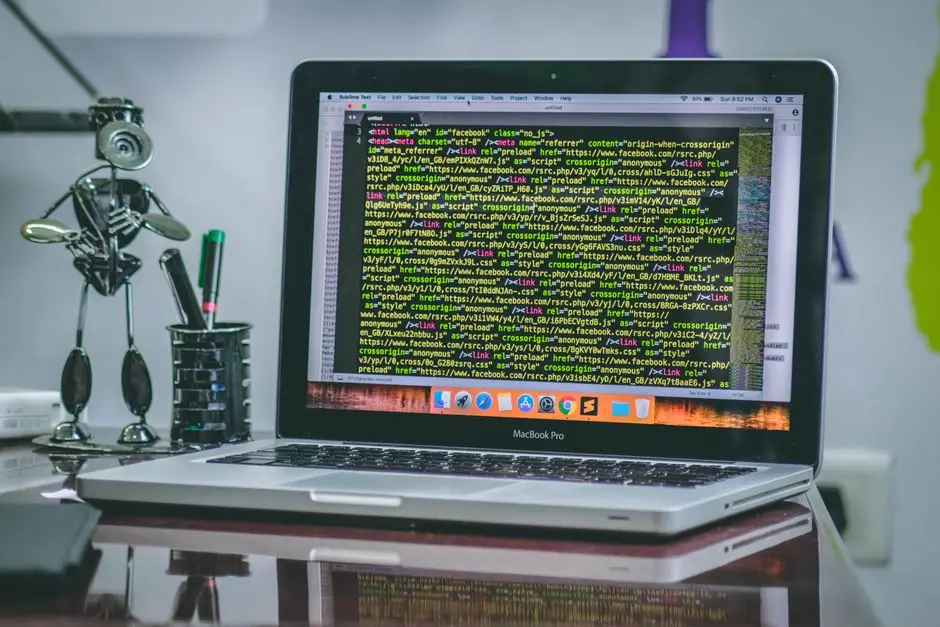

The Apple Silicon M3 architecture, particularly the Pro and Max variants, has fundamentally shifted the landscape for developers pursuing offline, privacy-centric AI workflows. As the maintainers of inference engines like Ollama, llama.cpp, and LM Studio continue to optimize for the Apple Neural Engine and Unified Memory Architecture (UMA), the ability to run high-parameter models locally has evolved from an experimental hobbyist pursuit into a viable professional development strategy. This roadmap explores how to effectively harness your hardware to achieve low-latency code completion and architectural reasoning without a cloud connection.
Running large language models locally on an M3 machine requires a precise understanding of the interplay between model quantization, memory bandwidth, and the specific limitations of the macOS kernel. By decoupling your development environment from external APIs, you gain total control over data sovereignty and latency. This guide details the technical configurations necessary to transform your MacBook Pro into a high-performance, offline coding workstation using the most efficient model architectures currently available.
Understanding Apple Silicon Unified Memory for LLMs
The core advantage of the M3 MacBook Pro for local model inference is its Unified Memory Architecture (UMA). Unlike discrete GPU setups in traditional workstations where data must travel over a PCIe bus, the M3 chip allows the CPU and GPU to access the same pool of high-speed memory. For LLM inference, this is the primary bottleneck: the speed at which model weights can be loaded and processed by the GPU cores. When running models locally, you are essentially limited by your memory bandwidth and total capacity. If you have a 36GB or 48GB M3 Pro, you can comfortably fit models like Qwen2.5-Coder-32B at 4-bit quantization, which provides a balance of reasoning capability and performance that rivals proprietary models.
To maximize performance, you must align your model choice with your physical RAM. As a rule of thumb, ensure your model size plus the context window overhead does not exceed 80% of your total system memory. Exceeding this forces macOS to use swap memory, which, while fast on Apple Silicon, is significantly slower than direct DRAM access and will introduce noticeable token generation latency. For developers, this means choosing the correct quantization level—usually Q4_K_M or Q5_K_M—is essential. These levels provide the most efficient compression, retaining nearly all the intelligence of the full-precision model while significantly reducing the memory footprint.
Evaluating Model Architectures for Code Generation
Not all models are created equal when it comes to software engineering tasks. While general-purpose models like Llama 3.1 are capable, specialized coding models like DeepSeek-Coder-V2 or Qwen2.5-Coder are specifically fine-tuned on vast repositories of source code. These models demonstrate superior performance in debugging, refactoring, and boilerplate generation because their training data includes a higher density of syntax, documentation, and architectural patterns. When selecting a model for your M3, you must prioritize these specialized architectures.
The current state-of-the-art for local development involves Mixture-of-Experts (MoE) architectures, which allow the model to activate only a subset of parameters for each token generated. This is highly efficient on the M3 because it reduces the computational load per forward pass. When you are working offline, the goal is to achieve a token generation speed of at least 30-50 tokens per second for a fluid experience. Models like the Qwen2.5-Coder-7B or 14B series are highly recommended for M3 Pro chips, as they hit the sweet spot between latency and code generation accuracy.
Toolchain Selection and Inference Engines
The choice of inference engine is just as important as the model itself. Ollama has become the industry standard for local deployment due to its simplicity and robust API compatibility. It abstracts away the complexities of llama.cpp, providing a straightforward CLI and a REST API that mimics the OpenAI standard. This allows you to integrate local LLMs directly into IDEs like VS Code or Cursor without significant configuration overhead. Ollama also handles model management, including downloading and caching, which is critical for those working in environments where internet access is intermittent.
For developers who require more granular control, LM Studio offers a graphical interface that provides real-time monitoring of GPU and CPU utilization. This is invaluable for profiling your M3’s performance under load. LM Studio allows you to tweak system prompts, set context window limits, and experiment with different quantization formats in a visual environment. Both tools leverage the metal-accelerated llama.cpp backend, ensuring that your M3 Pro’s GPU cores are fully utilized for matrix multiplication. Regardless of the tool you choose, ensure you are running the latest version to benefit from ongoing upstream improvements in Metal (Apple’s graphics API) performance.
Configuring IDE Integration for Local Completion
The true value of a local LLM is realized when it is integrated into your IDE. By setting up a local server, you can replace cloud-based code completion plugins with local alternatives. In VS Code, using extensions like Continue or Cody allows you to point to your local Ollama instance as the backend provider. This setup provides you with autocomplete, chat, and codebase indexing without ever sending a single line of your proprietary code to a third-party server.
When configuring these plugins, pay attention to the “context window” setting. Local models often have a finite context length (e.g., 8k or 32k tokens). If you attempt to feed a massive codebase into the context window, you will experience a performance degradation. Instead, adopt a practice of focused prompting. Use the IDE’s built-in file selection tools to include only the relevant files in your prompt. This minimizes the compute overhead and improves the quality of the model’s output by reducing the noise in the input stream.
Managing Context Windows and Tokenization
Managing the context window is the most significant challenge in local development. Each model is trained with a specific maximum sequence length, and exceeding this threshold leads to truncated responses or hallucinated code. On an M3 MacBook Pro, the memory cost of the KV cache (the memory used to store the context during inference) grows linearly with the context length. If you are working on a complex refactoring task, you might find that a model like Llama 3.1 8B performs well at 8k context, but struggles if you push it to 32k.
To optimize this, you should employ RAG (Retrieval-Augmented Generation) patterns even locally. Instead of passing your entire project to the model, use a local vector database like ChromaDB or simply rely on the smart-context features provided by modern IDE plugins. These tools perform semantic search across your files and inject only the most relevant snippets into the prompt. This keeps your context window small, your inference speed high, and your memory usage stable, allowing for a seamless experience on your laptop.
Performance Tuning via Quantization
Quantization is the process of reducing the precision of the model’s weights from 16-bit floating point (FP16) to 4-bit or 8-bit integers. This is the single most important factor in running high-parameter models on consumer hardware. An unquantized 32B model would require over 64GB of RAM, which is prohibitive for most M3 configurations. By using GGUF-formatted models, you can run these same models in 4-bit (Q4_K_M) with minimal loss in reasoning capability.
When downloading models from platforms like Hugging Face, look for the ‘GGUF’ tag and the specific quantization level. The ‘K-quants’ method (developed by the llama.cpp maintainers) is particularly efficient, as it applies different levels of quantization to different layers of the model, preserving precision where it matters most for logic and syntax. Always prioritize these K-quantized files to ensure the best balance of model intelligence and memory efficiency on your M3 Pro.
Security and Data Sovereignty Considerations
One of the primary drivers for local LLM adoption in professional settings is data security. When you develop with a cloud-based AI, your code is frequently transmitted to third-party servers, which may pose intellectual property risks. Running models locally on your M3 MacBook Pro keeps your codebase entirely on your machine. All processing happens within the local environment, meaning your proprietary algorithms, API keys, and sensitive business logic remain air-gapped from the public internet.
However, security is not just about where the code is processed; it is also about the provenance of the models you download. Always verify the hashes of the models you pull from repositories, and prefer official sources. While local execution mitigates the risk of data leakage during transit, you remain responsible for the integrity of the software running on your system. By isolating your model server, you ensure that even if a model were compromised, it would not have network access to exfiltrate your local files.
Advanced Workflow: Fine-Tuning and LoRA
As you become more comfortable with local inference, you may find that off-the-shelf models lack specific knowledge about your internal frameworks or coding standards. This is where Low-Rank Adaptation (LoRA) comes into play. LoRA allows you to fine-tune a pre-trained model on a smaller, curated dataset of your own code. Because you are only updating a tiny fraction of the model’s weights, this process can be performed on an M3 Max with sufficient memory.
Fine-tuning enables the model to adopt your specific architectural patterns, naming conventions, and documentation style. This results in a significantly more helpful coding assistant that feels like an extension of your own thought process. Even with a modest dataset of 500-1000 high-quality code files, you can create a specialized LoRA adapter that dramatically improves the relevance of the suggestions provided by your local LLM. This is a sophisticated way to bridge the gap between general-purpose models and the unique requirements of your business logic.
Hardware Monitoring and Thermal Management
The M3 MacBook Pro is a thermal marvel, but continuous LLM inference is a heavy workload that will trigger the fans. Unlike simple web development, running a 14B model locally keeps the GPU cores at high utilization. It is important to monitor your thermal state using tools like ‘Asitop’ or the built-in macOS Activity Monitor. If the machine throttles, you will notice a immediate drop in token generation speed.
To maintain peak performance, ensure your workspace is well-ventilated. If you are doing heavy, sustained work, consider using a laptop stand to improve airflow. Additionally, if you find that your machine is running too hot, you can reduce the context window size or use a smaller model. The goal is to reach a stable state where the model runs at a consistent speed, allowing you to maintain your flow state without being interrupted by thermal throttling or system sluggishness.
Scaling Challenges in Local Environments
Scaling local AI development presents unique challenges, particularly when moving from an individual developer to a team. While your M3 can handle the heavy lifting, sharing the same model versions and LoRA adapters across a team requires a structured approach. You should treat your LLM environment as code, using Docker or Nix to ensure that every developer on your team is running the exact same model version and quantization level.
Furthermore, as your projects grow, you might encounter limits in how much code a single model can ‘understand’ at once. This is where architectural modularity becomes critical. By breaking your projects into smaller, well-defined microservices or modular components, you make it easier for the local LLM to reason about specific parts of the system. This modular approach not only improves the model’s performance but also leads to better, more maintainable software architecture overall.
Troubleshooting Common Inference Issues
When things go wrong, the issue is usually related to memory allocation or model compatibility. If you encounter ‘out of memory’ errors, the first step is to check your quantization level. A Q8_0 model might be too large for your RAM, but a Q4_K_M version will likely work perfectly. Another common issue is the failure of the inference server to communicate with the IDE plugin. Always check the logs of your local server instance to see if the API requests are being received and processed correctly.
Latency issues are almost always caused by system swap. If you see high disk I/O in your activity monitor while running a model, it is a clear indicator that your model is too large for your physical RAM. You must reduce the model size or the context window. Keeping a close eye on these metrics will allow you to quickly diagnose and fix performance degradation, ensuring that your local AI assistant remains a productive tool rather than a source of frustration.
Future-Proofing Your Local AI Infrastructure
The ecosystem for local AI is moving at a breakneck pace. New techniques like speculative decoding, where a smaller ‘draft’ model predicts the next tokens and a larger model verifies them, are already being implemented in llama.cpp. This will further reduce latency and improve the performance of even the largest models on your M3. Stay tuned to the official repositories of the tools you use, and don’t be afraid to experiment with new model architectures as they are released.
As these technologies mature, the line between local and cloud-based AI will continue to blur. By investing the time now to build a robust, local-first workflow, you are positioning yourself to take advantage of these developments as they happen. You will be able to swap out your current model for a newer, more efficient one with minimal changes to your pipeline, ensuring that your development environment remains at the cutting edge of what is possible with local inference.
Conclusion and Next Steps
Building a professional-grade coding environment on an M3 MacBook Pro is a realistic goal that offers significant benefits in privacy, latency, and control. By selecting the right models, optimizing memory usage through quantization, and integrating your tools effectively, you can create a powerful, offline workstation that enhances your productivity. The key is to start with a solid foundation, monitor your performance, and iterate as you learn more about how these models interact with your specific projects.
For those looking to refine their development infrastructure or seeking expert guidance on integrating advanced AI capabilities into their existing software lifecycle, we offer professional consultations. We specialize in helping businesses and technical teams navigate the complexities of AI integration and high-performance software architecture. Explore our complete Software Development directory for more guides.
If you are looking to optimize your current development stack, we provide comprehensive architectural audits to ensure your systems are ready for the future of AI-driven engineering. Contact our team to schedule an evaluation of your current workflows and discover how we can help you scale your development capabilities.
The shift toward local-first AI development is not just about convenience; it is about establishing a sustainable, private, and high-performance workflow that scales with your needs. By mastering the nuances of the M3 chip and the current state of inference engines, you can unlock a new level of efficiency in your daily coding tasks.
If you are ready to take your development environment to the next level, our team is available to assist with comprehensive architecture and code audits. We help teams transition to optimized, secure workflows that leverage the latest in local AI technology.
NR Tech Studio builds custom web apps, mobile apps, SaaS platforms, and internal tools for growing businesses. If you’re working through a technical decision, feel free to reach out — no commitment required.