
To add a migration in Laravel, run the Artisan CLI command php artisan make:migration create_table_name_table or php artisan make:migration add_column_to_table_name_table --table=table_name. This scaffolds a timestamped PHP class inside your database/migrations directory containing distinct up() and down() methods for defining schema mutations programmatically.
Laravel dominates modern PHP development, powering mission-critical backends across mid-market and enterprise platforms. Its database migration engine serves as declarative version control for relational schemas, resolving synchronization discrepancies between distributed development environments, staging pipelines, and production clusters. Organizations moving away from manual SQL patches rely on this tooling to guarantee deterministic deployments and eliminate runtime database drifts.
Successfully evolving database schemas requires more than running boilerplate Artisan commands. As systems scale, adding migrations introduces complex engineering trade-offs regarding table locks, index allocation, atomic rollbacks, zero-downtime blue-green releases, and third-party database tooling costs. This guide explores the complete operational lifecycle of creating, structuring, executing, and optimizing Laravel database migrations within modern engineering organizations.
How to Generate and Add a Migration in Laravel
To add a migration in Laravel, execute the command php artisan make:migration create_flights_table in your terminal. Laravel will immediately generate a timestamped file within the database/migrations directory that defines your table structure via an anonymous PHP class using the Illuminate\Database\Schema\Blueprint object.
The Artisan console inspects the migration name to infer the operation and the target table automatically. When the generator detects terms like create_ or _to_, it pre-populates the generated blueprint with either a table creation closure or a table modification closure.
Basic Generation Syntax
Depending on your objective, utilize the following core commands to scaffold migrations:
# 1. Generate a new table creation migration
php artisan make:migration create_subscriptions_table

# 2. Explicitly specify the table to create
php artisan make:migration create_subscriptions_table --create=subscriptions

# 3. Add new columns to an existing table
php artisan make:migration add_status_and_tier_to_subscriptions_table --table=subscriptions

# 4. Generate a migration targeted to a non-default database connection
php artisan make:migration create_audit_logs_table --path=database/migrations/analytics
The timestamp prefix in the filename (such as 2024_03_30_120400_create_subscriptions_table.php) dictates the deterministic order in which migrations execute. Laravel executes these files lexicographically to ensure schema dependencies register sequentially across all nodes.
Anatomy of a Migration: Up and Down Method Mechanics
Laravel migration files extend the anonymous migration class returned by the framework helper. Each file contains two core lifecycle hooks: up() and down(). The up() method runs when applying changes via php artisan migrate, while the down() method executes when undoing changes through php artisan migrate:rollback.
Writing non-destructive, strictly reversible migrations requires exact symmetry between these two methods. If your up() hook alters a column data type, the down() hook must explicitly restore the prior definition rather than dropping the entire column.
<php

use Illuminate\Database\Migrations\Migration;
use Illuminate\Database\Schema\Blueprint;
use Illuminate\Support\Facades\Schema;

return new class extends Migration
{
 /**
 * Run the migrations.
 */
 public function up(): void
 {
 Schema:create('subscriptions', function (Blueprint $table) {
 $table->id();
 $table->foreignId('user_id')->constrained()->cascadeOnDelete();
 $table->string('stripe_id')->unique();
 $table->string('tier', 32)->default('free');
 $table->boolean('is_active')->index();
 $table->timestamp('renews_at')->nullable();
 $table->timestamps();
 });
 }

 /**
 * Reverse the migrations.
 */
 public function down(): void
 {
 Schema:dropIfExists('subscriptions');
 }
};
In microservice clusters or distributed backends, incorporating reliable migrations is a fundamental step in ensuring the overall stability of your security lifecycle during development phases. If schema reversals fail during an automated pipeline, recovery costs spike drastically.
Adding Columns and Modifying Existing Tables
Altering existing tables requires careful planning to prevent accidental data loss. When introducing new attributes to tables that already contain production records, supply realistic default values or define the fields as nullable.
Since Laravel 10, modifying existing column types no longer strictly requires the external doctrine/dbal package for native MySQL, PostgreSQL, and SQLite operations. However, legacy modifications on MariaDB or custom ENUM updates may still require specialized treatment or native raw statements.
<php

use Illuminate\Database\Migrations\Migration;
use Illuminate\Database\Schema\Blueprint;
use Illuminate\Support\Facades\Schema;

return new class extends Migration
{
 public function up(): void
 {
 Schema:table('subscriptions', function (Blueprint $table) {
 // Add a nullable column after user_id
 $table->string('payment_provider', 50)->nullable()->after('user_id');

 // Modify an existing column to allow longer strings
 $table->string('tier', 64)->change();

 // Rename a legacy column
 $table->renameColumn('is_active', 'is_enabled');
 });
 }

 public function down(): void
 {
 Schema:table('subscriptions', function (Blueprint $table) {
 $table->dropColumn('payment_provider');
 $table->string('tier', 32)->change();
 $table->renameColumn('is_enabled', 'is_active');
 });
 }
};
Always bundle related column modifications into a single Schema:table call when using standard relational engines. This minimizes round-trips to the database engine and consolidates schema changes into a single ALTER TABLE statement wherever supported.
Database Indexing, Foreign Keys, and Constraints
Database migrations serve as the authoritative blueprint for relational constraints and indexing strategies. Properly placed indexes prevent table scans and query performance degradation as tables scale beyond millions of rows.
Laravel provides fluent methods to declare unique keys, compound indexes, full-text search indexes, and foreign key cascades directly inside the migration blueprint.
Schema:table('order_items', function (Blueprint $table) {
 // Standard B-tree index
 $table->index('sku');

 // Compound composite index covering multi-column filters
 $table->index(['order_id', 'status'], 'idx_order_status');

 // Unique constraint with custom identifier name
 $table->unique(['workspace_id', 'slug'], 'uq_workspace_slug');

 // Foreign key constraint with cascading updates and deletes
 $table->foreignId('order_id')
 ->constrained('orders')
 ->onUpdate('cascade')
 ->onDelete('restrict');
});
When dropping indexes inside your down() method, Laravel expects either an array containing the column names or the raw string identifier of the index. Dropping via array syntax instructs Laravel to calculate the index name according to convention:
$table->dropIndex(['sku']); // Drops order_items_sku_index
$table->dropIndex('idx_order_status'); // Drops custom named index
Running, Rolling Back, and Inspecting Migration Status
Once your migration files exist on disk, use the suite of Artisan migration commands to synchronize the database schema state with your source code.
Laravel tracks applied migrations using a dedicated table called migrations created automatically during the initial run. Each row contains the migration file name and the batch number in which it was applied.
# Apply pending migrations
php artisan migrate

# Roll back the most recent batch of migrations
php artisan migrate:rollback

# Roll back a specific number of batches
php artisan migrate:rollback --step=2

# Reset and re-run all migrations from scratch (DESTRUCTIVE)
php artisan migrate:refresh

# Drop all tables and re-run all migrations with seeders (DESTRUCTIVE)
php artisan migrate:fresh --seed

# Check synchronization status between files and database
php artisan migrate:status
Executing php artisan migrate:status prints an ASCII table listing every migration file, its status (Ran or Pending), and the batch sequence number. This provides instant visibility during continuous delivery runs.
Managing Migrations in Production: Zero-Downtime Strategies
Running naive migrations against live enterprise databases will trigger table-level locks, causing incoming application requests to time out. In relational engines like MySQL 5.7 or InnoDB engines with large datasets, operations like ALTER TABLE ADD COLUMN can stall queries for hours.
To maintain continuous availability, modern systems follow the expand-contract deployment pattern, decomposing changes across distinct release cycles:
- Phase 1: Expand. Add the new column or table as nullable or with a non-blocking default. Write data to both old and new columns via your application layer.
- Phase 2: Backfill. Run background asynchronous queue workers to populate legacy records from the old structure into the new structure in small batches.
- Phase 3: Contract. Switch read traffic entirely to the new column. Remove old database references from application code.
- Phase 4: Purge. Deploy a final migration to drop the retired legacy column safely without disrupting active traffic.
For enterprise platforms handling high transactional volumes, pairing this deployment cadence with smart caching strategies to reduce raw query pressure prevents replication lag across database read replicas during migrations.
Squashing Migrations for Large Legacy Codebases
Over years of continuous development, enterprise software systems accumulate hundreds or thousands of migration files. This sprawl slows down continuous integration test suites, where running hundreds of sequential schema mutations on every pull request introduces unnecessary compute overhead.
Laravel solves schema bloat natively through schema squashing via the schema:dump command:
# Dump database schema to a single SQL file and delete older migrations
php artisan schema:dump --prune
This command exports the current database structure into a single SQL file inside database/schema/{connection}-schema.sql and deletes all previously executed migration files from the disk. When initializing a test environment or spinning up a new developer machine, Laravel runs the consolidated SQL schema file first, followed by any new migrations generated after the dump date.
Multi-Tenant and Multi-Database Migration Architecture
Large enterprise platforms often implement multi-tenant architectures where clients either share a schema isolated by foreign keys or receive dedicated physical databases. Running migrations across multi-database environments requires specialized execution paths.
In your migration files, you can define explicit database connections to prevent operations from running against the standard default database configuration:
<php

use Illuminate\Database\Migrations\Migration;
use Illuminate\Database\Schema\Blueprint;
use Illuminate\Support\Facades\Schema;

return new class extends Migration
{
 // Define explicit connection binding
 protected $connection = 'tenant_mysql';

 public function up(): void
 {
 Schema:connection($this->connection)->create('invoices', function (Blueprint $table) {
 $table->id();
 $table->decimal('amount', 12, 2);
 $table->timestamps();
 });
 }

 public function down(): void
 {
 Schema:connection($this->connection)->dropIfExists('invoices');
 }
};
When running commands across hundreds of independent tenant databases, scripts iterate through customer records, dynamically altering connection parameters and invoking the Artisan command with the --path and --database flags via Artisan:call('migrate', [..]).
Build vs. Buy: Native Laravel Migrations vs. Enterprise Tools
As engineering organizations grow, technical decision-makers must evaluate whether Laravel native migrations fulfill their operational requirements or if third-party schema migration and database change management (DCM) tools are necessary.
While Laravel provides outstanding agility for code-first engineering teams, large compliance-driven financial or healthcare organizations frequently encounter strict governance requirements, such as separation of duties where developers are legally barred from initiating direct DDL changes in production.
| Criteria | Native Laravel Migrations | Enterprise DCM (Liquibase / Flyway / Bytebase) |
|---|---|---|
| Tooling Cost | $0 (Included with Framework) | $5,000 to $45,000+ annually |
| Developer Velocity | Very High (Direct PHP Code) | Moderate (Requires YAML, XML, or SQL translation) |
| RBAC & Audit Logs | Minimal (Tracked via Git & CI) | Enterprise Native (SOC 2, HIPAA automated controls) |
| Online DDL Support | Manual (Expand-Contract) | Automated (Ghost, pt-online-schema-change integrations) |
| Multi-Language Stacks | PHP Only | Polyglot (Node, Go, Java, Python unified) |
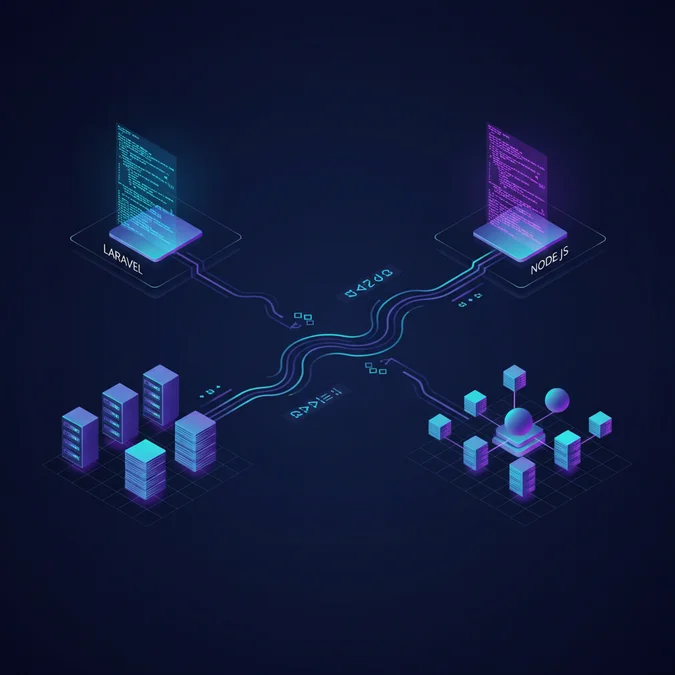
Engineering leaders evaluating infrastructure changes often weigh the ecosystem benefits of PHP frameworks against modern microservices; for a detailed architectural breakdown, review our analysis on choosing Laravel or Node.js for backend platforms.
Cost Analysis of Database Migration and Schema Management
Managing database schemas across enterprise lifecycles involves measurable personnel and infrastructure expenses. Whether your organization relies on native Laravel migrations integrated into CI/CD pipelines or invests in commercial Database DevOps platforms, calculating these financial commitments ensures realistic operational budgeting.
Schema errors caught late during release cycles result in costly database restoration procedures and customer churn. Investing in automated linting and structured schema change reviews mitigates these production incidents.
| Management Approach | Initial Setup Cost | Ongoing Annual Overhead | Primary Cost Drivers |
|---|---|---|---|
| Native Artisan in CI/CD | $2,500, $6,000 | $1,200, $3,500 | Custom GitHub Actions scripts, testing runner instances, internal documentation maintenance |
| Managed DCM Platform (SaaS) | $5,000, $15,000 | $6,000, $36,000 | Platform seat licenses ($30, $150/user/mo), agent hosting, enterprise SSO add-ons |
| Outsourced DevOps Integration | $12,000, $35,000 | $4,000, $12,000 | External systems integrator fees, pipeline auditing, zero-downtime script development |
Engineering teams modernizing legacy infrastructure must accurately quantify these infrastructure decisions when defining the scope of custom scalable software development investments.
Troubleshooting Common Laravel Migration Errors
During daily development and release cycles, schema modifications can fail due to constraint conflicts, stale migrations, or database driver incompatibilities. Below are common exceptions encountered when running Laravel migrations, alongside direct resolution steps.
1. General Error: 1215 Cannot Add Foreign Key Constraint
This MySQL error indicates that the parent column does not match the child column in either data type, unsigned state, or character collation. Ensure that your referenced foreign keys use identical column blueprints:
// INCORRECT: Mismatched signed integer to unsigned big integer
$table->integer('user_id');
$table->foreign('user_id')->references('id')->on('users');

// CORRECT: Native matching unsigned big integer
$table->foreignId('user_id')->constrained();
2. Migration Table Does Not Exist or Table Already Exists
If a migration fails midway through execution, a table may be left behind in the database without being recorded in the migrations tracking table. Running the command again will trigger a Table 'users' already exists error.
To fix this, check your database directly, drop the orphan table manually, and re-execute php artisan migrate. Never delete files from your database/migrations directory without rolling them back first or synchronizing your database records.
3. Specified Key Was Too Long (Max Key Length is 767 Bytes)
Older MySQL versions (prior to 5.7.7) using utf8mb4 character sets throw an error on 255-character indexed string columns. To resolve this globally, enforce a default string length within app/Providers/AppServiceProvider.php:
use Illuminate\Support\Facades\Schema;

public function boot(): void
{
 Schema:defaultStringLength(191);
}
Mastering the Laravel Basics Ecosystem
Understanding schema design and database versioning forms the baseline for building performant, reliable applications with the framework. By combining structured Artisan workflows with sound relational patterns, engineering teams scale backends with confidence.
[Explore our complete Laravel, Basics directory for more guides.](/topics/topics-laravel-basics/)
Factors That Affect Development Cost
- Personnel hours allocated to schema design and review
- Third-party Database Change Management (DCM) software licenses
- CI/CD compute runners for executing migration pipelines
- Database snapshot and disaster recovery storage
Annual tooling and operational overhead ranges from negligible costs for native framework tools up to tens of thousands of dollars for enterprise-governed platforms.
Frequently Asked Questions
How do I add a column to an existing table in Laravel?
Generate a new migration using the command php artisan make:migration add_new_column_to_table_name –table=table_name. Inside the generated up() method, call $table->string(‘column_name’)->nullable() on the Blueprint object, and ensure you include the corresponding $table->dropColumn(‘column_name’) call inside the down() method.
What is the difference between migrate:refresh and migrate:fresh?
The command php artisan migrate:refresh executes the down() methods of all migrations to roll them back sequentially before running up() again. In contrast, php artisan migrate:fresh drops all tables directly from the database without invoking down() hooks, then executes all up() migrations from scratch.
How does Laravel track which migrations have run?
Laravel maintains an internal table named ‘migrations’ inside your database. When you run php artisan migrate, Laravel checks the filenames in database/migrations against the rows in this table, only running files that have not yet been recorded.
Can I change a column type without losing data in Laravel?
Yes, you can modify an existing column using the ->change() method inside a new migration. Ensure the new column type can structurally accept existing data formats, and always take an automated snapshot before executing type migrations in production environments.
Adding and managing database migrations in Laravel is a core engineering competency that separates chaotic ad-hoc database administration from disciplined, automated release management. The framework offers an intuitive syntax for scaffolding schema changes, managing composite foreign keys, and rolling back structural regressions safely across environments.
At scale, success depends on treating schema mutations as first-class source code. Adopting zero-downtime expand-contract release cycles, proactively squashing bloated historical migration files, and strictly auditing schema changes through automated CI/CD checks allows teams to evolve their relational data stores reliably without interrupting production traffic.